52
INTRODUCTION
www.teejet.com
OPERATION DATA APPENDIXSETTINGS TOOLS
Radion 8140 Automatic Sprayer Control
CONSOLE
CHAPTER 5 – CONSOLE
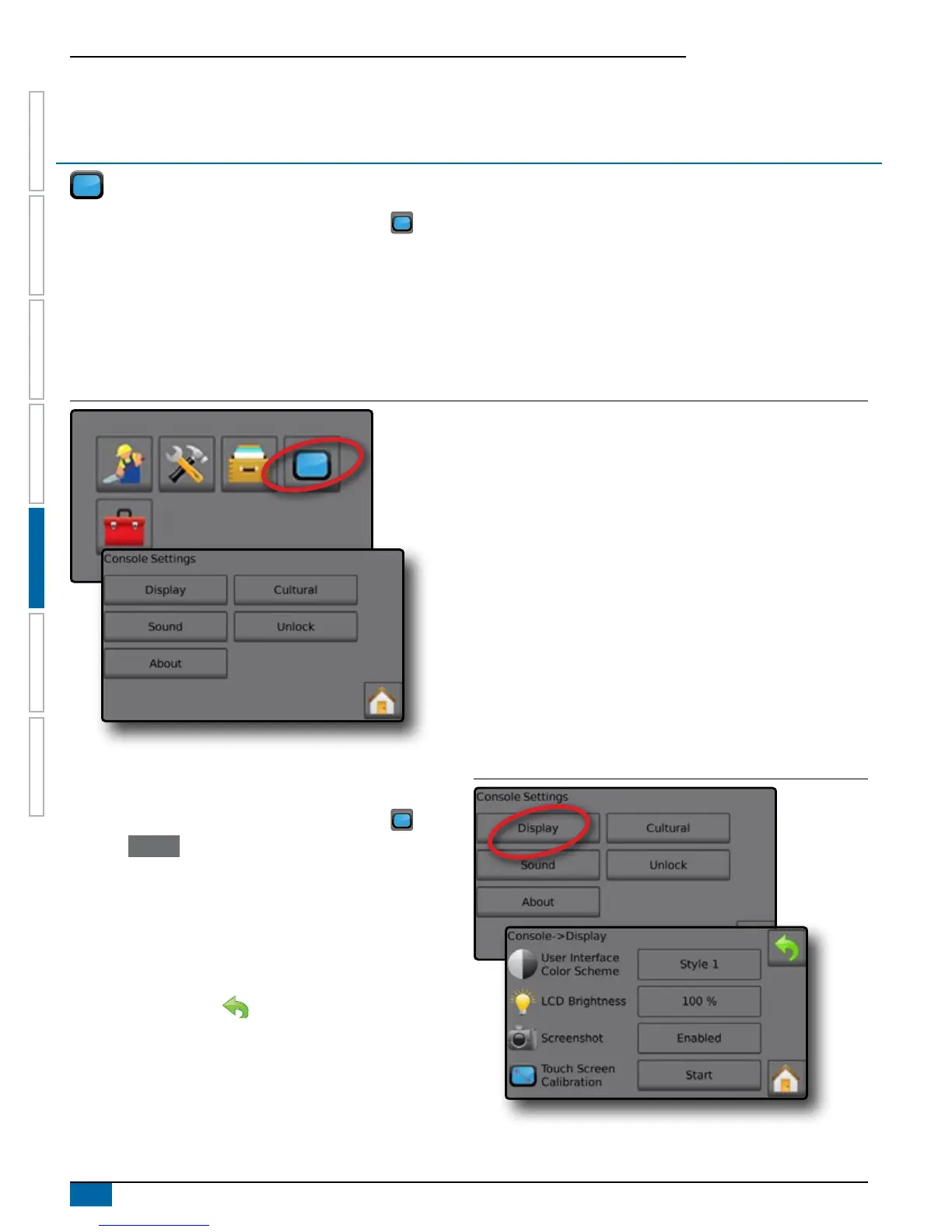
The CONSOLE setup is used to congure the display and cultural settings.
1. From the Home screen, press the CONSOLE button .
2. Select from:
►Display – congures color scheme and LCD brightness, establishes screenshot availability and calibrates the touchscreen
►Cultural – congures units, language, date and time settings
►Sound – turns the key beeps on/off
►Unlock – unlocks additional features
►About – displays the system software version
Figure 5-1: The CONSOLE Options
Display
Display congures color schemes and LCD brightness, establishes
screenshot availability and calibrates the touchscreen.
1. From the Home screen, press the CONSOLE button .
2. Press Display .
3. Select from:
►User Interface Color Scheme – changes the background and
text colors on the display
►LCD Brightness – adjusts the brightness of the Console display
►Screenshot – allows screen images to save to a USB drive
►Touchscreen Calibrate – forces a touch screen calibration
4. Press RETURN arrow to return to the main Console settings
screen.
Figure 5-2: Display Options



 To Next Page