42
INTRODUCTION
www.teejet.com
OPERATION DATA APPENDIXTOOLSCONSOLE
Radion 8140 Automatic Sprayer Control
SETTINGS
DIAGNOSTICS
Diagnostics troubleshoots input/output of the controller (sensor or actuator).
SETTINGS MENU STRUCTURE
| | | |
Job Parameters Machine OEM Diagnostics
Test Inputs
Implement Wheel Sensor
Tractor Wheel Sensor
Supply Voltage
Flow Sensor
Fill Flow Sensor
Liquid Pressure Sensor
Tank Level Sensor
Remote Master Signal
Master Switch
Section Switches
Test Outputs
Liquid Valve PWM Duty Cycle
Master Valve
Fill Valve
Section Number
Section Valve State
All Sections Off
Test BoomPilot
Connection
Mode
Section Input
Alarm Log
Save Alarm Log
1. From the Home screen, press the SETTINGS button .
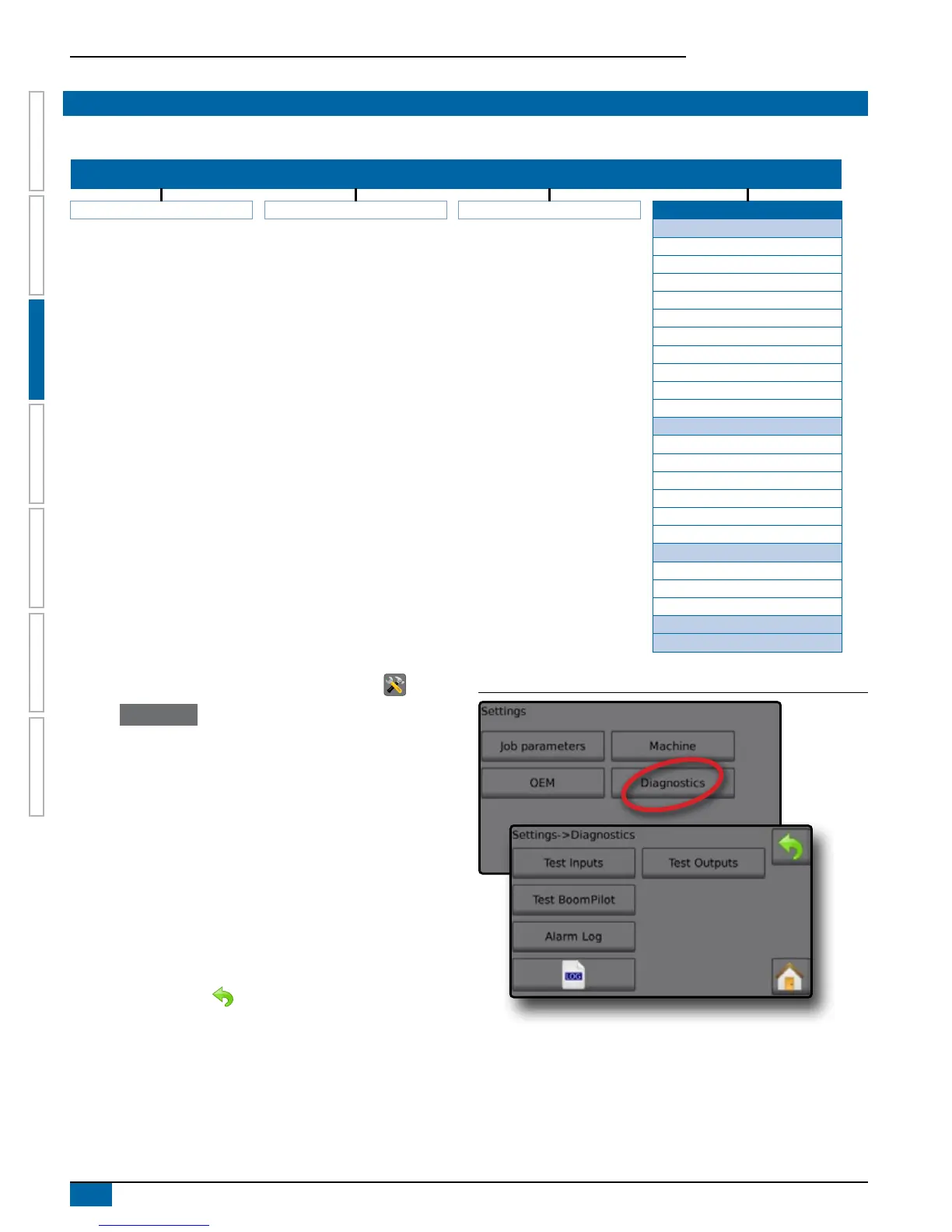
2. Press Diagnostics .
3. Select from:
►Test Input – displays the input high and low values on the
installed sensors
►Test Output – sets Liquid Valve PWM Duty Cycle percentage
and checks if Master Valve, Fill Valve and Section valves are
on/off
►Test BoomPilot – displays automatic boom section control
correction, mode and section input status (only available when
feature is unlocked)
►Alarm Log – displays the last 50 alarms
►Save Alarm Log – saves the alarm log
4. Press RETURN arrow to return to the main Settings screen.
Figure 3-48: Diagnostics



 To Next Page