54
INTRODUCTION
www.teejet.com
OPERATION DATA APPENDIXSETTINGS TOOLS
Radion 8140 Automatic Sprayer Control
CONSOLE
Sound
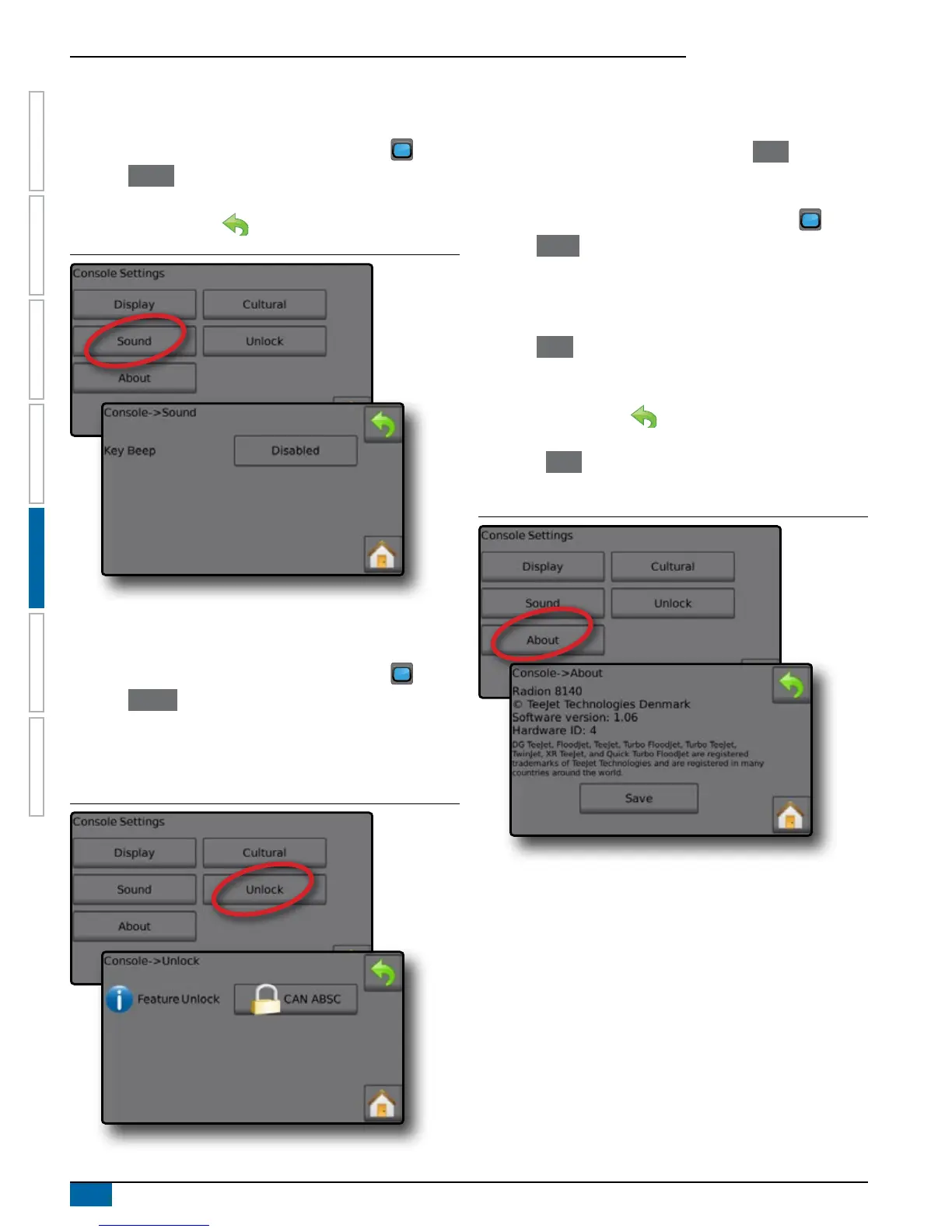
Sound enables or disables the key beep.
1. From the Home screen, press the CONSOLE button .
2. Press Sound .
3. Select to enable/disable key beep.
4. Press RETURN arrow to return to Console settings screen.
Figure 5-5: Sound Option
Unlock
Unlock gives access to advanced features using an unlock code.
Contact a local dealer for codes and specic product information.
1. From the Home screen, press the CONSOLE button .
2. Press Unlock .
3. Select a feature to unlock.
4. Enter an unlock code.
5. Restart the console.
Figure 5-6: Unlock Option
About
About/Save screen displays the System Software Version.
To help troubleshoot problems in the eld, press Save to download
a text le containing current software information to a USB drive,
then e-mail the le to support personnel.
1. From the Home screen, press the CONSOLE button .
2. Press About to view data including:
◄Unit Model Number
◄Software Version
OR
3. Press Save to save the About information to a USB Drive.
“Saved version information to USB drive” message conrms the
save.
4. Press RETURN arrow to return to the main the Console
settings screen.
NOTE: The Save option is not available for selection (grayed out)
until a USB drive is inserted properly.
Figure 5-7: About Options
NOTE: In the example above, the unit model number is
Radion 8140 and the software version is 1.06.


 To Next Page