18
INTRODUCTION
www.teejet.com
OPERATION DATA APPENDIXTOOLSCONSOLE
Radion 8140 Automatic Sprayer Control
SETTINGS
Filling
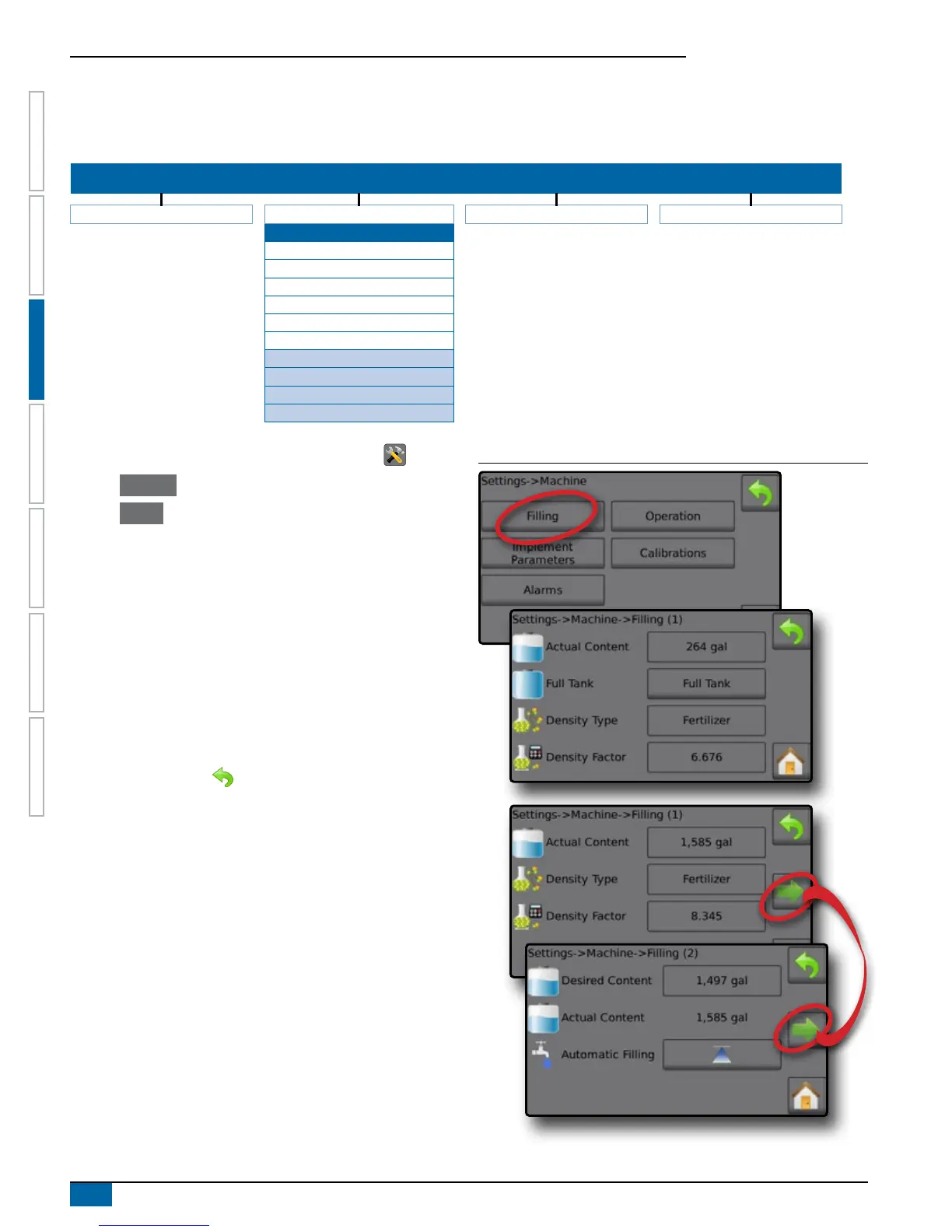
Filling establishes the amount of actual and desired material in the tank and the density of that material. Options displayed directly relate to
OEM tted equipment. Different options will be available depending upon if a Tank Sensor or Fill Flow Sensor is active.
SETTINGS MENU STRUCTURE
| | | |
Job Parameters Machine OEM Diagnostics
Filling
Actual Content
*Full Tank
Density Type
Density Factor
Desired Content
Automatic Filling
Operation
Implement Parameters
Calibrations
Alarms *Menu settings directly relate to fitted OEM equipment.
1. From the Home screen, press the SETTINGS button .
2. Press Machine .
3. Press Filling .
4. Press setting value to adjust settings as needed:
◄Actual Content (unavailable when Tank Sensor is active)
◄Full Tank (unavailable when Tank Sensor or Fill Flow Sensor
is active)
◄Density Type
◄Density Factor (available when Density Type is fertilizer)
◄Desired Content (available when Tank Sensor or Fill Flow
Sensor is active)
◄Automatic Filling (available when Tank Sensor or Fill Flow
Sensor is active)
5. Press RETURN arrow to return to the Machine screen.
NOTE: Maximum tank content is established in Settings->OEM->
Tank Setup.
When a Tank Sensor is active, the actual content can not be
changed manually.
If "Fertilizer" is selected, a Density Factor option is active.
Figure 3-5: Filling



 To Next Page