Table of Contents
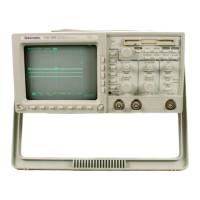
TDS 340A, TDS 360 & TDS 380 User Manual
iii
List of Figures
Figure 1–1: The ON/STBY button 1–3. . . . . . . . . . . . . . . . . . . . . . . . . . . . .
Figure 1–2: Line fuse removal 1–4. . . . . . . . . . . . . . . . . . . . . . . . . . . . . . . .
Figure 1–3: Verifying adjustments and signal path compensation 1–6. . .
Figure 1–4: Hookup for functional test 1–7. . . . . . . . . . . . . . . . . . . . . . . . .
Figure 2–1: Using menus 2–10. . . . . . . . . . . . . . . . . . . . . . . . . . . . . . . . . . . . .
Figure 2–2: A pop-up menu 2–11. . . . . . . . . . . . . . . . . . . . . . . . . . . . . . . . . .
Figure 2–3: Connecting a probe 2–12. . . . . . . . . . . . . . . . . . . . . . . . . . . . . . .
Figure 2–4: Probe compensation setup 2–13. . . . . . . . . . . . . . . . . . . . . . . . .
Figure 2–5: Compensation waveform 2–13. . . . . . . . . . . . . . . . . . . . . . . . . .
Figure 2–6: How probe compensation affects signals 2–14. . . . . . . . . . . . .
Figure 2–7: Location of probe compensation adjustment 2–14. . . . . . . . . .
Figure 2–8: The AUTOSET button 2–15. . . . . . . . . . . . . . . . . . . . . . . . . . . .
Figure 3–1: The VERTICAL MENU button 3–3. . . . . . . . . . . . . . . . . . . .
Figure 3–2: The vertical menu 3–4. . . . . . . . . . . . . . . . . . . . . . . . . . . . . . . .
Figure 3–3: Inverting a waveform 3–5. . . . . . . . . . . . . . . . . . . . . . . . . . . . .
Figure 3–4: The HORIZONTAL MENU button 3–6. . . . . . . . . . . . . . . . .
Figure 3–5: The horizontal menu 3–6. . . . . . . . . . . . . . . . . . . . . . . . . . . . . .
Figure 3–6: The MATH button 3–8. . . . . . . . . . . . . . . . . . . . . . . . . . . . . . .
Figure 3–7: A math waveform 3–9. . . . . . . . . . . . . . . . . . . . . . . . . . . . . . . .
Figure 3–8: The TRIGGER MENU button 3–11. . . . . . . . . . . . . . . . . . . . .
Figure 3–9: The edge trigger menu 3–12. . . . . . . . . . . . . . . . . . . . . . . . . . . .
Figure 3–10: The video trigger menu 3–14. . . . . . . . . . . . . . . . . . . . . . . . . .
Figure 3–11: The video scan-rate menu 3–15. . . . . . . . . . . . . . . . . . . . . . . . .
Figure 3–12: The MEASURE button 3–17. . . . . . . . . . . . . . . . . . . . . . . . . .
Figure 3–13: The measure menu and active measurements 3–18. . . . . . . .
Figure 3–14: The CURSOR button 3–22. . . . . . . . . . . . . . . . . . . . . . . . . . . .
Figure 3–15: The cursor menu 3–22. . . . . . . . . . . . . . . . . . . . . . . . . . . . . . . .
Figure 3–16: Paired cursor measurements of a sine wave 3–23. . . . . . . . . .
Figure 3–17: The ACQUIRE button 3–25. . . . . . . . . . . . . . . . . . . . . . . . . . .
Figure 3–18: The acquire menu 3–25. . . . . . . . . . . . . . . . . . . . . . . . . . . . . . .
Figure 3–19: The DISPLAY button 3–27. . . . . . . . . . . . . . . . . . . . . . . . . . . .
Figure 3–20: The display menu 3–27. . . . . . . . . . . . . . . . . . . . . . . . . . . . . . .
Figure 3–21: System response to an impulse 3–32. . . . . . . . . . . . . . . . . . . .
Figure 3–22: Define FFT waveform menu 3–33. . . . . . . . . . . . . . . . . . . . . .


 To Next Page
 Loading...