Operating Instructions Model 400E Ozone Analyzer
Instruction Manual
150 P/N 04316 Rev: B
6.12. Configuring the iDAS
6.12.1. Editing the List of Data Channels
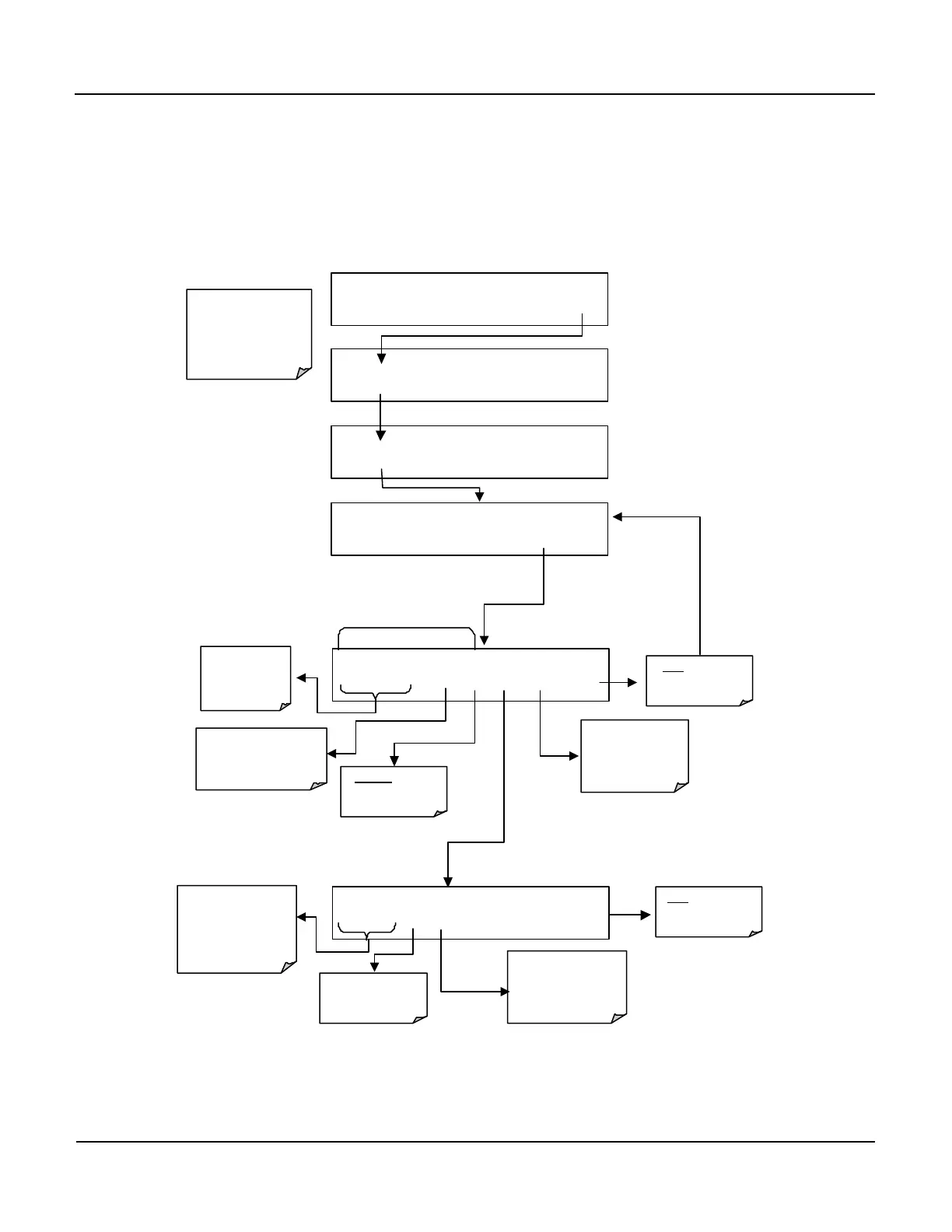
To Edit the List of Data Channel, press:
Edit Data Channel Menu
SAMPLE RANGE = 500.0 PPB O3 =XXX.X
< TST TST > CAL SETUP
SETUP X.X 0) CONC: ATIMER, 2, 900
PREV NEXT INS DEL EDIT PRNT EXIT
SETUP X.X DATA ACQUISITION
VIEW EDIT EXIT
SETUP X.X
CFG DAS RNGE PASS CLK MORE EXIT
EXIT will go back to
previous menu
returning to the main
SAMPLE Display.
SETUP X.X ENTER DAS PASS: 818
8 1 8 ENTR EXIT
Moves the
display up &
down the list of
Data Channels
Inserts a new Data
Channel into the list
BEFORE the Channel
currently being displayed
Deletes The Data
Channel currently
being displayed
Exports the
configuration of all
data channels to
RS-232 interface.
Exits to the Main
Data Acquisition
Menu
SETUP X.X NAME:CONC
<SET SET> EDIT PRNT EXIT
Moves the display up
& down the list of
PROPERTIES for this
Data Channel
See Table 6-22
Exports the
configuration of
current Data Channels
to RS-232 interface.
Exits returns to the
previous Menu
Allows User to edit
the currently


 To Next Page