Model 400E Ozone Analyzer
Instruction Manual
Operating Instructions
P/N 04316 Rev: B 55
6. OPERATING INSTRUCTIONS
To assist in navigating the analyzer’s software, a series of Menu Trees can be found
in Appendix A of this manual along with an index of software commands that
references the section of the manual describing each command’s function.
NOTE
The flowcharts appearing in this section contain typical
representations of the analyzer’s display during the various
operations being described.
These representations are not intended to be exact and may
differ slightly from the actual display of your instrument.
6.1. Operating Modes
The M400E software has a variety of operating modes. Most commonly, the
analyzer will be operating in SAMPLE mode. In this mode, a continuous read-out of
the O
3
concentration is displayed on the front panel, calibrations can be performed,
and TEST and WARNING functions can be examined.
The second most important operating mode is SETUP mode. This mode is used for
initially setting up the unit and configuring various features and functions of the
analyzer, such as the iDAS system, the Analog Output ranges, or the RS-232/RS-
485 COM Ports. The SETUP mode is also used for performing various diagnostic
tests during troubleshooting.
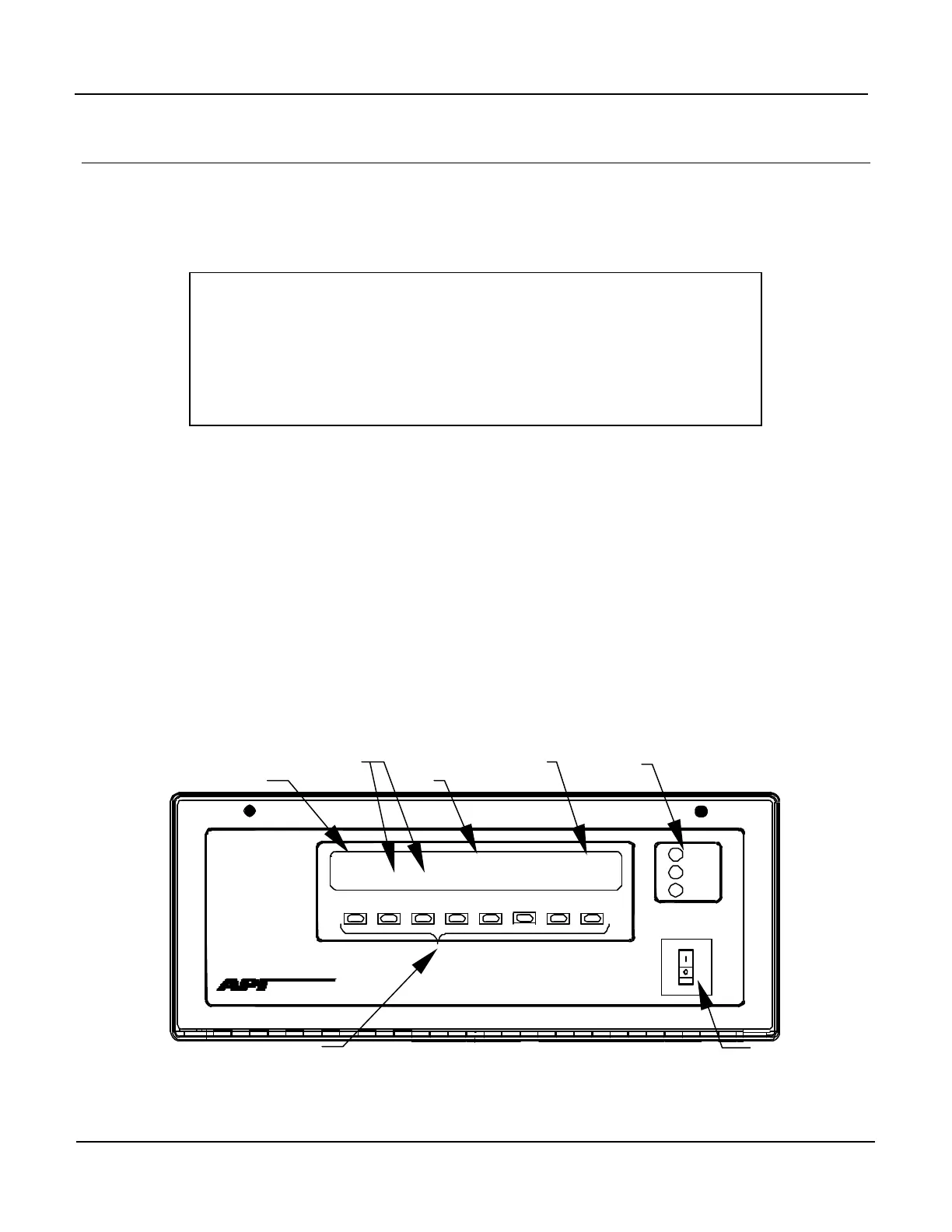
POWER
FAULT
CAL
SAMPLE
PHOTOMETRIC O3 ANALYZER – MODEL 400E
ADVANCED POLLUTION INSTRUMENTATION, IN
SAMPLE
O3 = 400.0
<TST
TST>
CAL
SETUP
MODE FIELD
MESSAGE FIELD
CONCENTRATION FIELD
KEYPAD
ON/OFF SWITCH
Figure 6-1: Front Panel Display



 To Next Page