Model 400E Ozone Analyzer
Instruction Manual
Getting Started
P/N 04316 Rev: B 41
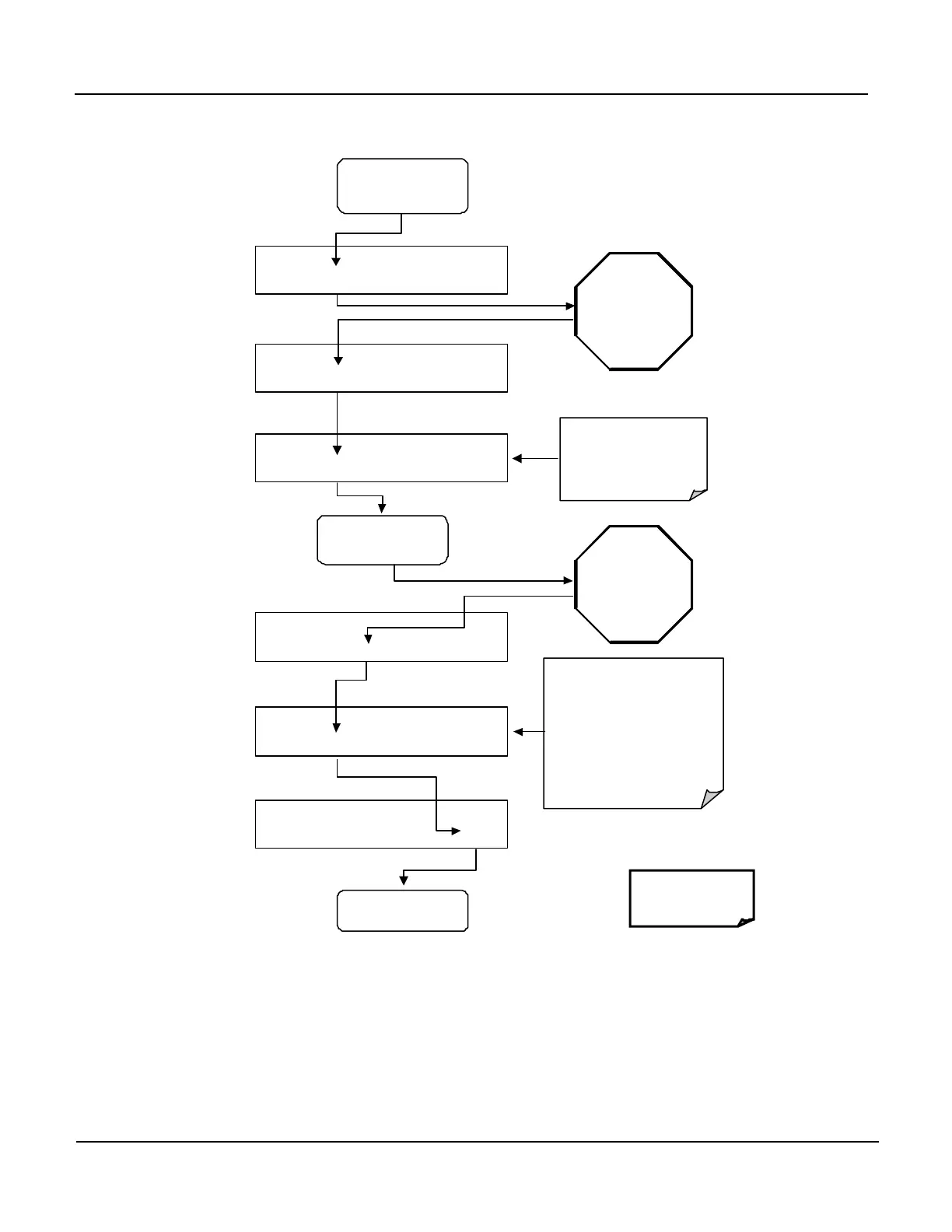
3. Perform the Zero/Span Calibration Procedure:
SAMPLE RANGE = 500.0 PPB 03 =
< TST TST > CAL SETUP
M-P CAL RANGE = 500.0 PPB 03 =
< TST TST > ZERO CONC EXIT
EXIT
SAMPLE
M-P CAL RANGE = 500.0 PPB 03 =
< TST TST > ENTR CONC EXIT
WAIT 10
MINUTES
Or until the
reading
stabilizes and
the
SPAN
is displayed
ACTION:
Allow Zero Gas to enter
the sample port on the
ACTION:
Switch gas streams to
span gas.
M-P CAL RANGE = 500.0 PPB 03 =
< TST TST > SPAN CONC EXIT
M-P CAL RANGE = 500.0 PPB 03 =
< TST TST >
ENTR
SPAN CONC
EXIT
M-P CAL RANGE = 500.0 PPB 03 =
< TST TST > ENTR CONC EXIT
WARNING!
Pressing the ENTR Key
changes the calibration
equations as well as
OFFSET
&
SLOPE
values for the
WAIT 10
MINUTES
Or until the
reading
stabilizes and
the ZERO
is displayed
WARNING!
Pressing the ENTR Key changes the
calibration equations as well as
OFFSET
&
SLOPE
values for the
instrument.
NOTE:
In certain insta
concentrations are present,
both the ZERO & SPAN buttons may
appear simultaneously
If either the ZERO or
SPAN buttons fail to
appear see Section 9 for
4. The Model 400E Analyzer is now ready for operation.


 To Next Page