User Manual for Oscar GNSS Receiver v2.4
72
2.4.2.2Upgrade the firmware via a WiFi web page
The specific steps are as follows:
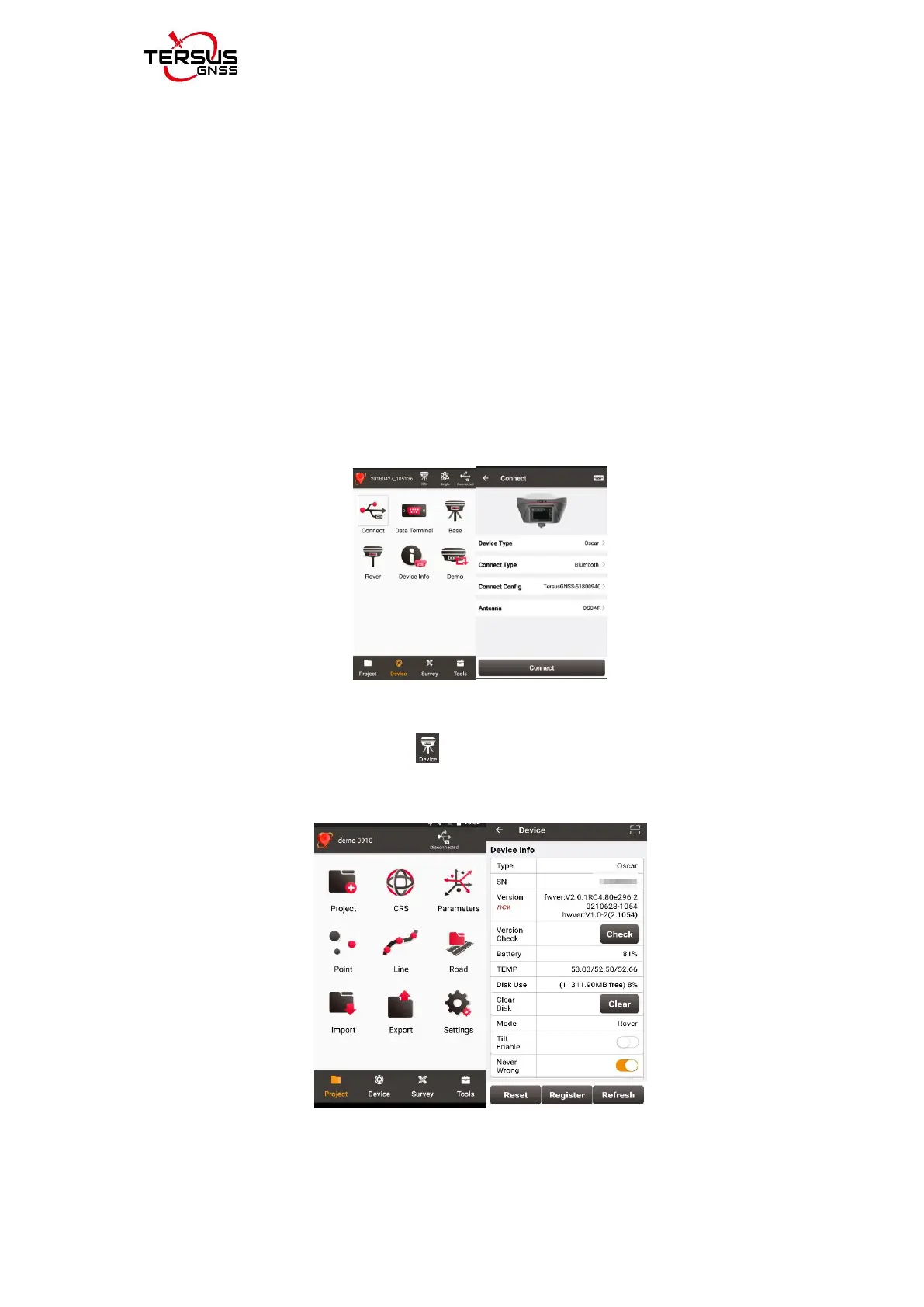
1) Check the Oscar firmware version. When Oscar GNSS receiver is powered
on, to connect Oscar, put controller near the NFC logo on Oscar, the controller
pair Bluetooth with Oscar automatically; or click [Device] -> [Connect] under an
opened project, and select [Oscar] for the Device Type, select [Bluetooth] for
the Connect Type. Click [Connect Config] to search and pair the Bluetooth
address of Oscar. The antenna is selected as [Oscar] by default. Then click
[Connect] to enable the communication between controller and Oscar.
Figure 2.37 Oscar connected via Bluetooth
Click the device information icon on the top tool bar of Nuwa, the Oscar
info is shown as below. You can view Oscar firmware version.
Figure 2.38 check the Oscar firmware version



 To Next Page