User Manual for Oscar GNSS Receiver v2.4
74
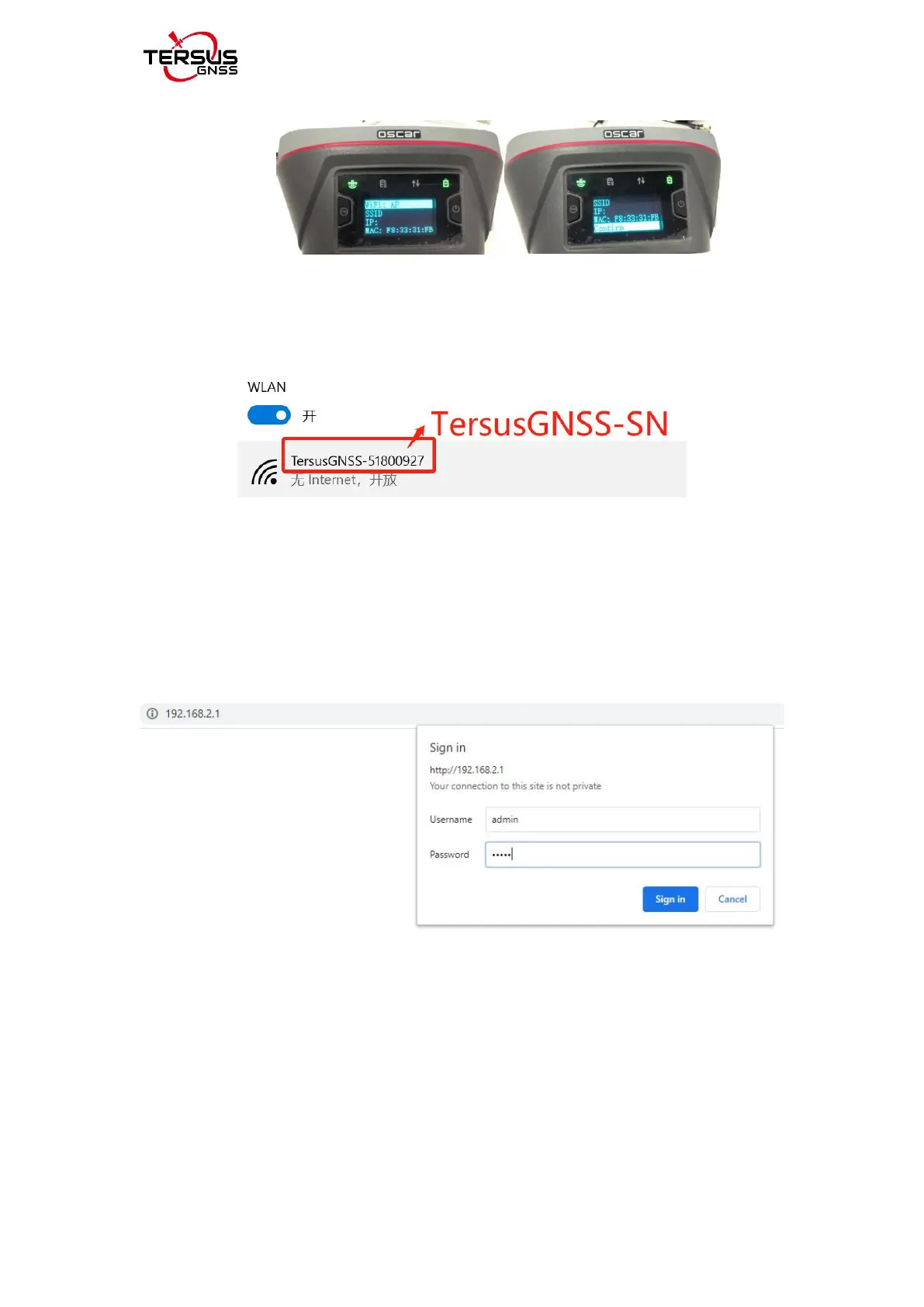
Figure 2.39 Open WIFI function
3) Connect Oscar GNSS receiver WIFI and upgrade. Turn on your computer
WiFi and find the connection (TersusGNSS- "SN") in the WiFi list.
Figure 2.40 Connecting to Oscar WIFI
4) Open the browser, enter the URL (192.168.2.1), and enter the account
password (admin) in the pop-up. After login, enter the sub-menu, Firmware --
Firmware Info -- select file (load the latest Firmware) -- Upgrade, do not
perform any operations after clicking. Wait patiently for the receiver to restart
automatically.
Figure 2.41. Oscar WIFI page



 To Next Page