88 Chapter 4: Constants and Measurement Units
-
89/92Plus: Constants and Measurement Units (English) Susan Gullord Revised: 02/23/01 10:54 AM Printed: 02/23/01 2:12 PM Page 88 of 12
Some example reasons to create a unit are:
¦ You want to enter length values in dekameters. Define 10_m as a
new unit named _dm.
¦ Instead of entering _m/_s
2
as an acceleration unit, you define that
combination of units as a single unit named _ms2.
¦ You want to calculate how many times someone blinks. You can
use _blinks as a valid unit without defining it. This “standalone”
unit is treated similar to a variable that is not defined. For
instance, 3_blinks is treated the same as 3a.
The naming rules for units are similar to variables.
¦ Can have up to 8 characters.
First character must be an underscore. For _, press:
TI
.
89:
¥
TI
.
92 Plus:
2
¦ Second character can be any valid variable name character
except _ or a digit. For example, _9f is not valid.
¦ Remaining characters (up to 6) can be any valid variable name
character except an underscore.
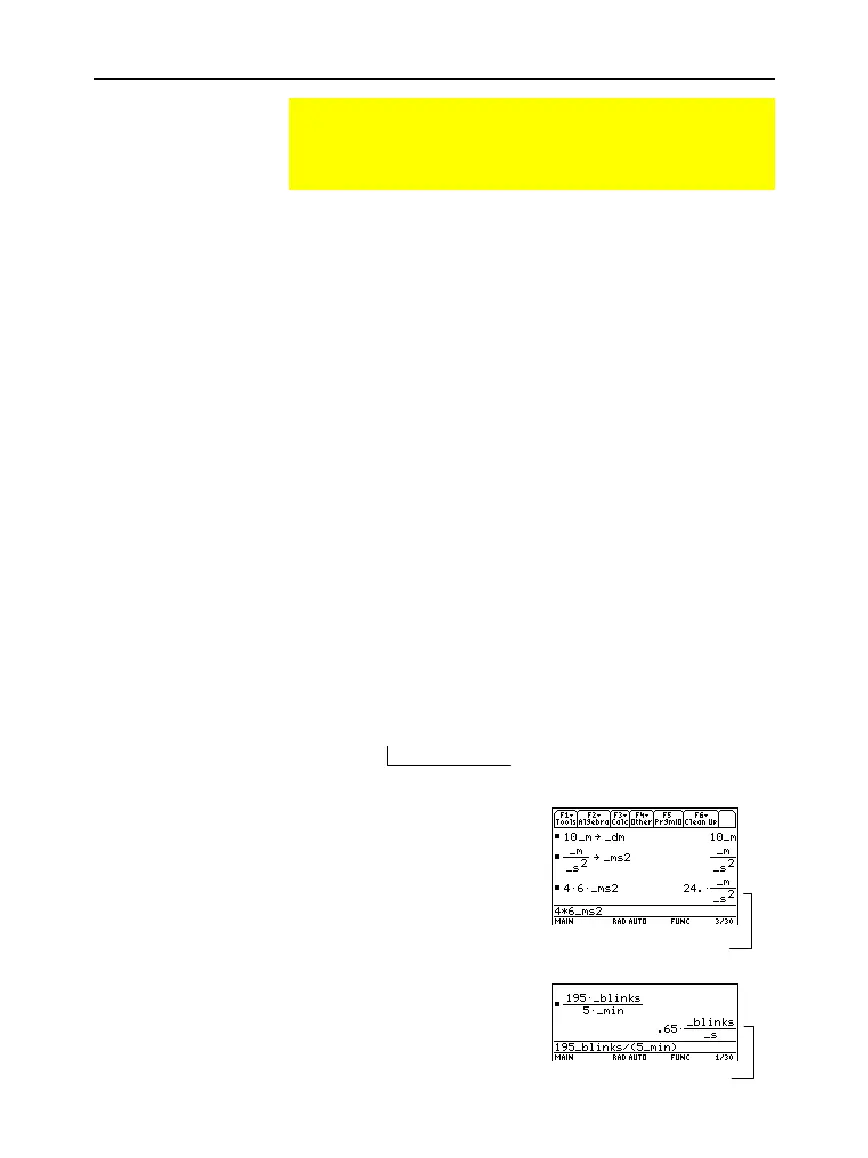
Define a unit the same way you store to a variable.
definition
!
_
newUnit
For example, to define a
dekameter unit:
10_m
!
_dm
To define an acceleration unit:
_m/_s^2
!
_ms2
To calculate 195 blinks in 5
minutes as _blinks/_min:
195_blinks/(5_min)
Creating Your Own User-Defined Units
In any category, you can expand the list of available units by
defining a new unit in terms of one or more pre-defined units.
You can also use “standalone” units.
Why Use Your Own
Units?
Note: If you create a user-
defined unit for an existing
category, you can select it
from the UNITS dialog box
menu. But you cannot use
3
to select the unit as a
default for displayed results.
Rules for User-
Defined Unit Names
Defining a Unit
Note: User-defined units ar
displayed in lowercase
characters, regardless of th
case you use to define
them.
Note: User-defined units
such as _dm are stored as
variables. You can delete
them the same as you
would any variable.
For
!
, press
§
.
Assuming unit defaults for Length
and Time are set to _m and _s.
Assuming unit default for
Time is set to _s.



 To Next Page
 Loading...













