44 Chapter 2: Operating the Calculator
-
-
p
-
-
92 Plus (English) Susan Gullord Revised: 02/23/01 1:06 PM Printed: 02/23/01 2:11 PM Page 44 of 44
To display the
CATALOG
dialog box, press:
TI
.
89:
½
TI
.
92 Plus:
2 ½
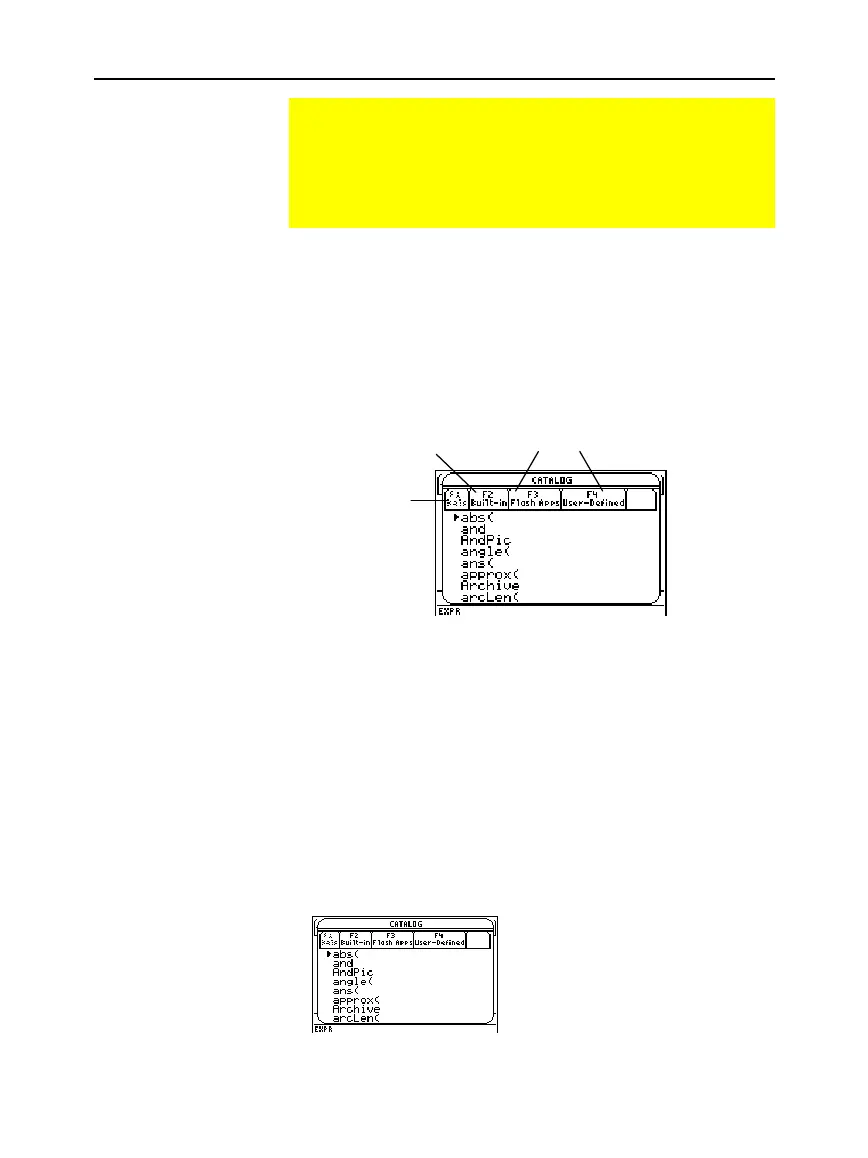
The
CATALOG
defaults to „
Built-in
, which displays an alphabetic
list of all pre-installed
TI
-
89 / TI
-
92 Plus
commands (functions and
instructions)
.
Note:
Options that are not currently valid are dimmed. For
example, ƒ
Help
is reserved for a future online help Flash
application. …
Flash Apps
is dimmed if you have not installed a
Flash application. †
User-Defined
is dimmed if you have not
created a function or a program.
When you select a command, its name is inserted in the entry line at
the cursor location. Therefore, you should position the cursor as
necessary before selecting the command.
1. Press:
TI
.
89:
½
TI
.
92 Plus:
2 ½
2. Press „
Built-in
.
¦
Commands are listed in
alphabetical order. Commands that
do not start with a letter
(+, %,
‡
,
G
, etc.) are at the end of
the list.
¦
To exit the
CATALOG
without
selecting a command, press
N
.
Using the Catalog Dialog Box
The CATALOG provides a way to access any built-in
TI
-
89 / TI
-
92 Plus command (functions and instructions) from
one convenient list. In addition, the CATALOG dialog box lets
you select functions used in Flash applications or user-defined
functions (if any have been loaded or defined).
Displaying the
CATALOG
Selecting a Built-in
Command from the
CATALOG
Note: The first time you
display the
Built-in list
, it
starts at the top of the list.
The next time you display
the list, it starts at the same
place you left it.
ƒ
Help is reserved for
a future online help
Flash application.
Defaults to
„
Built-in.
…
and
†
allow access to
Flash application functions
and User-Defined functions
and programs.



 To Next Page
 Loading...













