58 Chapter 3: Symbolic Manipulation
03SYMBOL.DOC TI-89/TI-92 Plus: Symbolic Manipulation (English) Susan Gullord Revised: 02/23/01 10:52 AM Printed: 02/23/01 2:12 PM Page 58 of 24
Steps
³
TI
.
89
Keystrokes
›
TI
.
92 Plus
Keystrokes Display
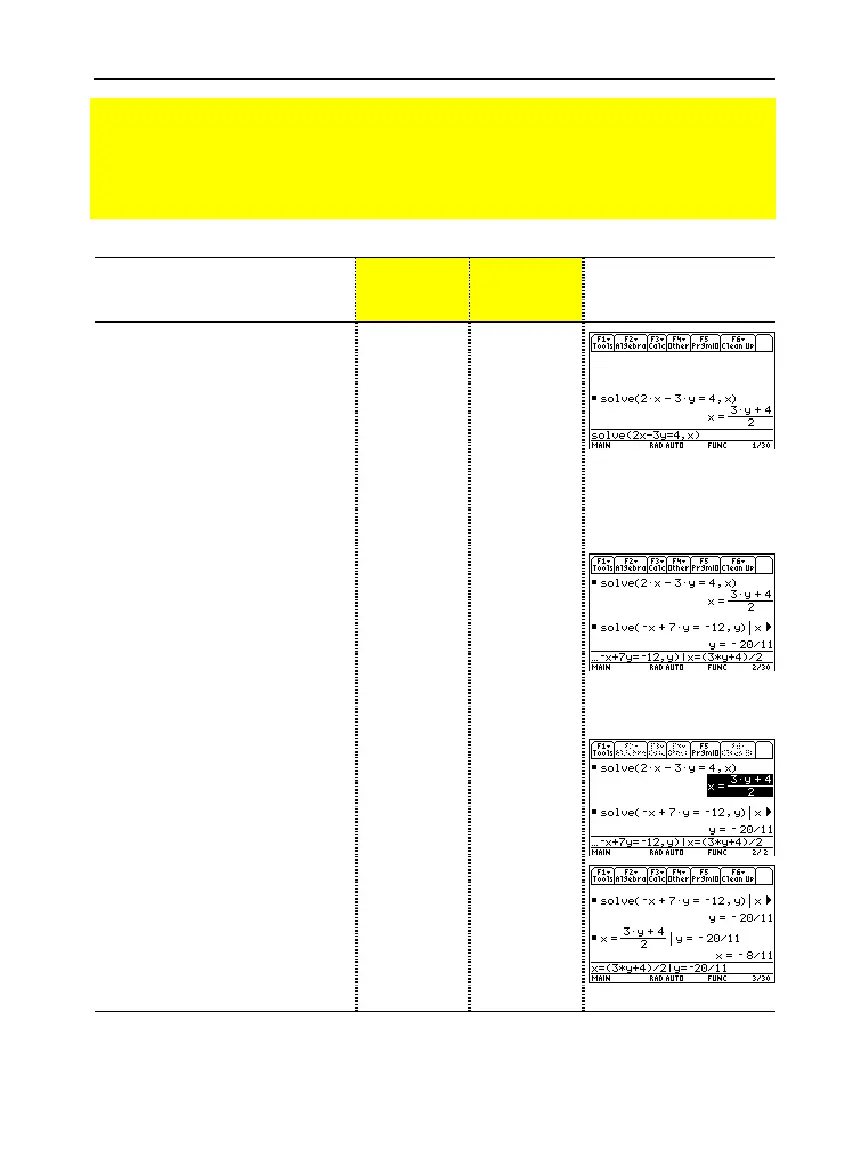
1. Display the Home screen and
clear the entry line. Solve the
equation
2x
ì
3y = 4
for
x
.
„
1 selects
solve(
from the
Algebra
menu. You can also type
solve(
directly from the keyboard or select it
from the
Catalog
.
"
MM
„
1
2X
|
3Y
Á
4
b
X
d¸
¥"
MM
„
1
2X
|
3Y
Á
4
b
X
d¸
2. Begin to solve the equation
ë
x + 7y =
ë
12
for
y
, but do not
press
¸
yet.
„
1
·
X
«
7Y
Á
·
12
b
Y
d
„
1
·
X
«
7Y
Á
·
12
b
Y
d
3. Use the “with” operator to
substitute the expression for
x
that was calculated from the
first equation. This gives the
value of
y
.
The “with” operator is displayed as
|
on the screen.
Use the auto-paste feature to
highlight the last answer in the history
area and paste it to the entry line.
Í
C¸
¸
2Í
C¸
¸
4. Highlight the equation for
x
in
the history area.
CCC
CCC
5. Auto-paste the highlighted
expression to the entry line.
Then substitute the value of
y
that was calculated from the
second equation.
The solution is:
x =
ë
8/11
and
y =
ë
20/11
¸
Í
C¸
¸
¸
2Í
C¸
¸
This example is a demonstration of symbolic manipulation. A one-step function is available for
solving systems of equations. (See page 73.)
Preview of Symbolic Manipulation
Solve the system of equations 2x
ì
3y = 4 and
ë
x + 7y =
ë
12. Solve the first equation so
that x is expressed in terms of y. Substitute the expression for x into the second equation,
and solve for the value of y. Then substitute the y value back into the first equation to
solve for the value of x.



 To Next Page
 Loading...













