Chapter 21: Memory and Variable Management 359
21MEMORY.DOC TI-89/TI-92 Plus:Memory & Variables Mgmt (English) Susan Gullord Revised: 02/23/01 1:20 PM Printed: 02/23/01 2:19 PM Page 359 of 16
From the following applications, you can paste a variable name to
the current cursor location.
¦ Home screen, Y= Editor, Table Editor, or Data/Matrix Editor
— The cursor must be on the entry line.
¦
Text Editor, Window Editor, Numeric Solver, or Program Editor
— The cursor can be anywhere on the screen.
Starting from an application listed above:
1. Position the cursor where
you want to insert the
variable name.
sin(|
2. Press
2°
.
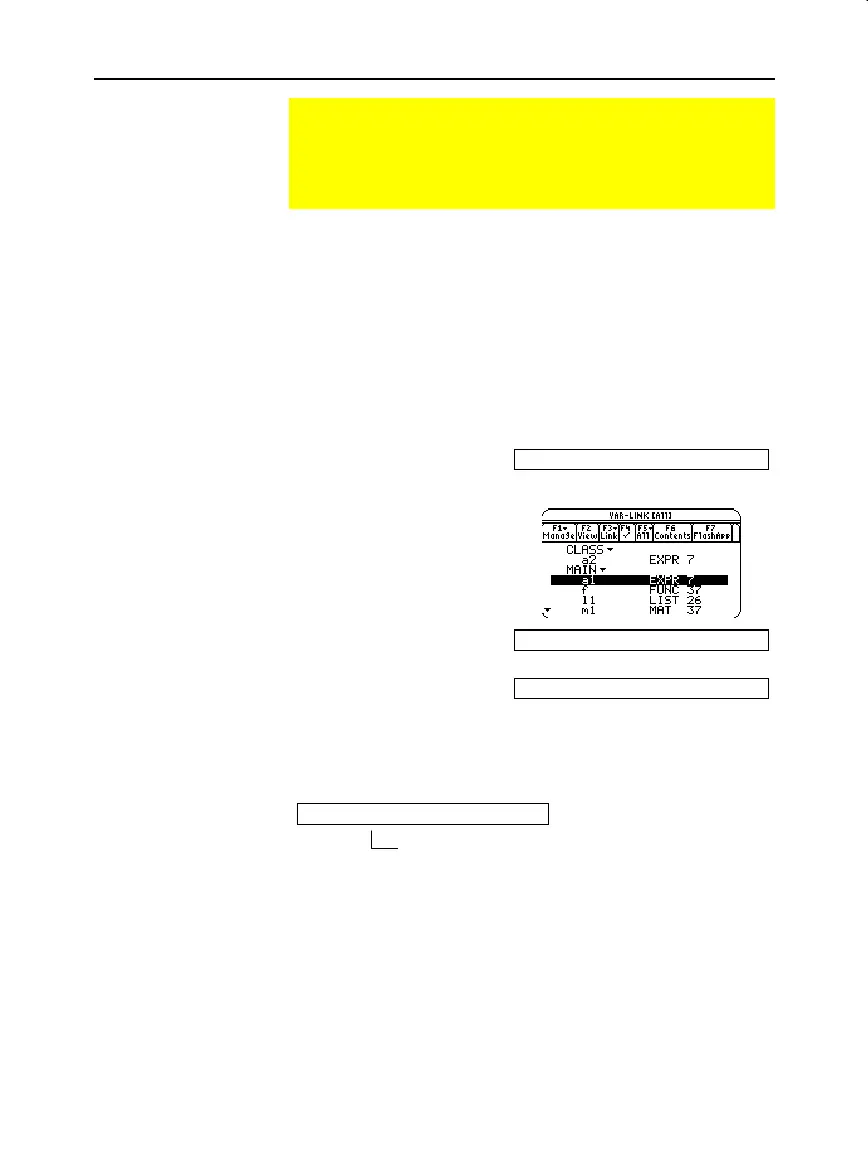
3. Highlight the applicable
variable.
4. Press
¸
to paste the
variable name.
sin(a1|
5. Finish typing the
expression.
sin(a1)|
If you paste a variable name that is not in the current folder, the
variable’s pathname is pasted.
sin(class\a2|
Pasting a Variable Name to an Application
Suppose you are typing an expression on the Home screen
and can’t remember which variable to use. You can display the
VAR-LINK screen, select a variable from the list, and paste that
variable name directly onto the Home screen’s entry line.
Which Applications
Can You Use?
Procedure
Note: You can also highligh
and paste folder names.
Note: This pastes the
variable’s name, not its
contents. Use
2£
,
instead of
2°
, to
recall a variable’s contents.
Assuming that
CLASS
is
not
the current folder, this is
pasted if you highlight the a2 variable in
CLASS
.



 To Next Page
 Loading...













