Chapter 13: Tables 229
13TABLES.DOC TI-89/TI-92 Plus: Tables (English) Susan Gullord Revised: 02/23/01 1:08 PM Printed: 02/23/01 2:16 PM Page 229 of 10
To display the Table screen, press
¥'
or
O
5
.
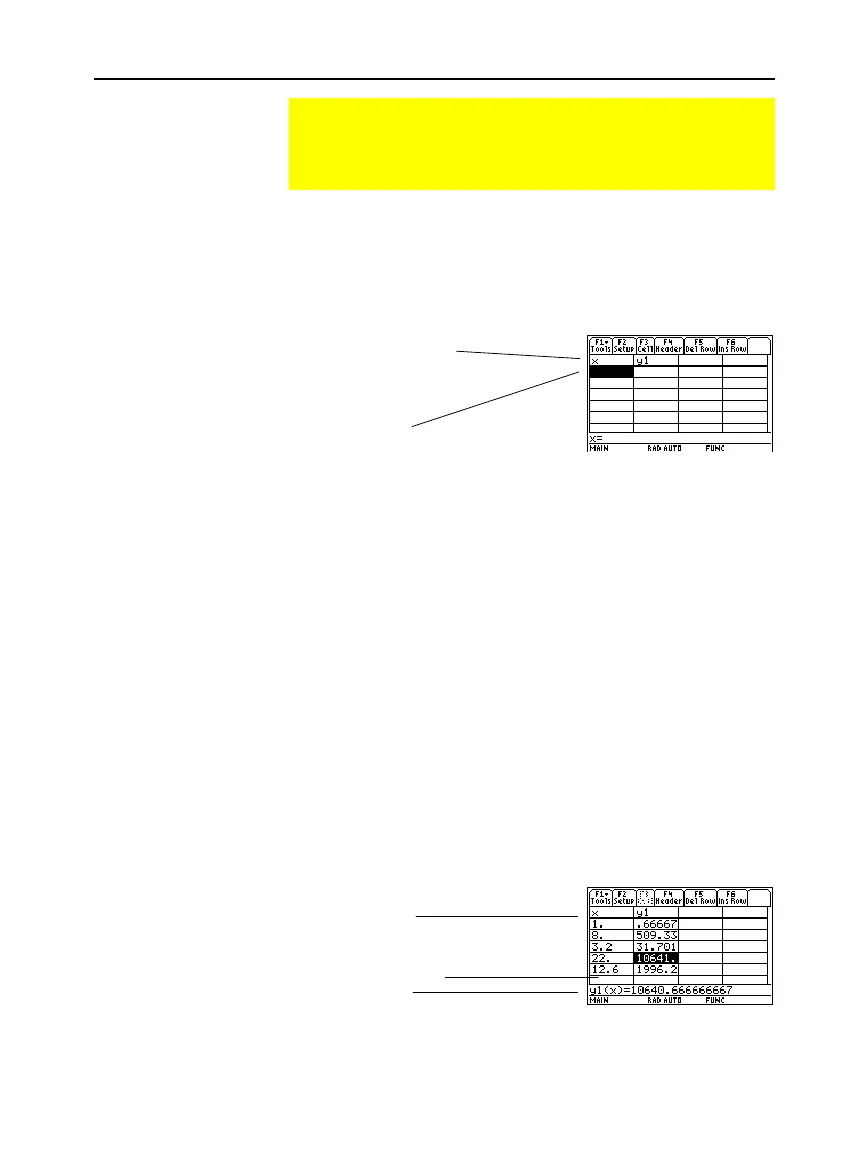
If you set
Independent = ASK
(with
¥&
) before displaying a table
for the first time, a blank table is displayed. The cursor highlights the
first cell in the independent variable column.
If you first display an automatic table and then change it to
Independent = ASK
, the table continues to show the same values.
However, you can no longer see additional values by scrolling up or
down off the screen.
You can enter a value in column 1 (independent variable) only.
1. Move the cursor to highlight the cell you want to enter or edit.
¦ If you start with a blank table, you can enter a value in
consecutive cells only (row 1, row 2, etc.). You cannot skip
cells (row 1, row 3).
¦
If a cell in column 1 contains a value, you can edit that value.
2. Press
…
to move the cursor to the entry line.
3. Type a new value or expression, or edit the existing value.
4. Press
¸
to move the value to the table and update the
corresponding function values.
The cursor returns to the entered cell. You can use
D
to move to the
next row.
Building a Manual (Ask) Table
If
Independent
=
ASK
on the TABLE SETUP dialog box, the
TI
-
89 / TI-92 Plus lets you build a table manually by entering
specific values for the independent variable.
Displaying the
Table Screen
Entering or Editing
an Independent
Variable Value
Tip: To enter a new value in
a cell, you do not need to
press
…
. Simply begin
typing.
Note:
In this example, you
can move the cursor to
column 2, but you can enter
values in column 1 only.
Shows full value of
highlighted cell.
Header row shows names of
independent variable (x) and
selected functions (y1).
Enter values in any
numerical order.
Enter a new value here.
Enter a value here.



 To Next Page
 Loading...













