Chapter 12: Additional Graphing Topics 209
12ADDLGR.DOC TI-89/TI-92 Plus: Additional Graphing Tools (English) Susan Gullord Revised: 02/23/01 1:03 PM Printed: 02/23/01 2:15 PM Page 209 of 20
Several mode settings affect the two-graph mode, but only two
settings are required. Both are on Page 2 of the
MODE
dialog box.
1. Press
3
. Then press
„
to display Page 2.
2. Set the following
required modes.
¦
Split Screen
=
TOP-BOTTOM
or
LEFT-RIGHT
¦
Number of Graphs = 2
3. Optionally, you can set the following modes.
Page 1:
¦
Graph
=
Graph
mode for top or left side of the split
Page 2:
¦
Split 1 App
= application for top or left side
¦
Split 2 App
= application for bottom or right side
¦
Graph 2
=
Graph
mode for bottom or right side
¦
Split Screen Ratio
= relative sizes of the two sides
(
TI
-
92 Plus
only)
4. Press
¸
to close the dialog box.
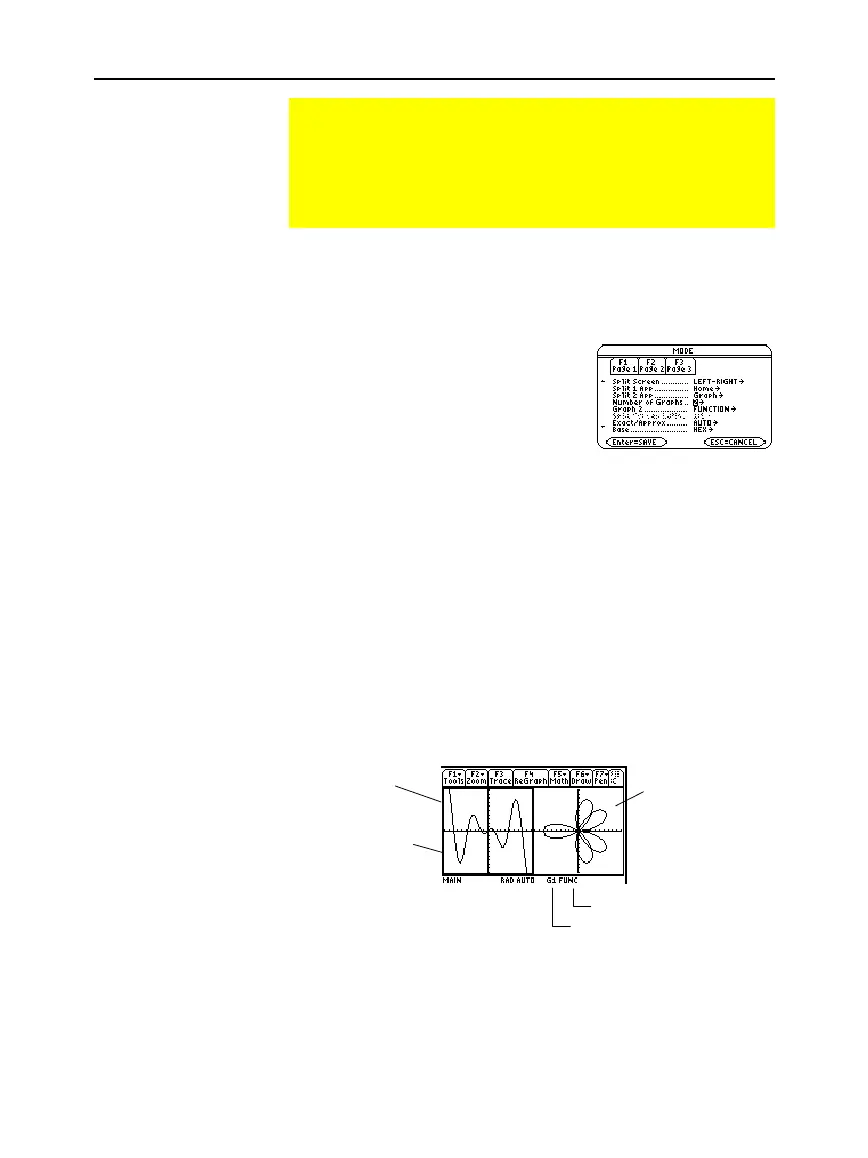
A two-graph screen is similar to a regular split screen.
Using the Two-Graph Mode
In two-graph mode, the TI
-
89 / TI
-
92 Plus’s graph-related
features are duplicated, giving you two independent graphing
calculators. The two-graph mode is only available in split
screen mode. For more information about split screens, refer
to Chapter 14.
Setting the Mode
The Two-Graph
Screen
Active graph side:
GR#1 or GR#2
Graph mode of active graph
Thick border
indicates
active graph
side
Graph 1:
left or top
side
Graph 2:
right or
bottom side



 To Next Page
 Loading...













