392 Chapter 23: Activities
23ACTS.DOC TI-89/TI-92 Plus: Activities (English) Susan Gullord Revised: 02/23/01 1:24 PM Printed: 02/23/01 2:20 PM Page 392 of 26
Perform the following steps to write a script using the Text Editor,
test each line, and observe the results in the history area on the
Home screen.
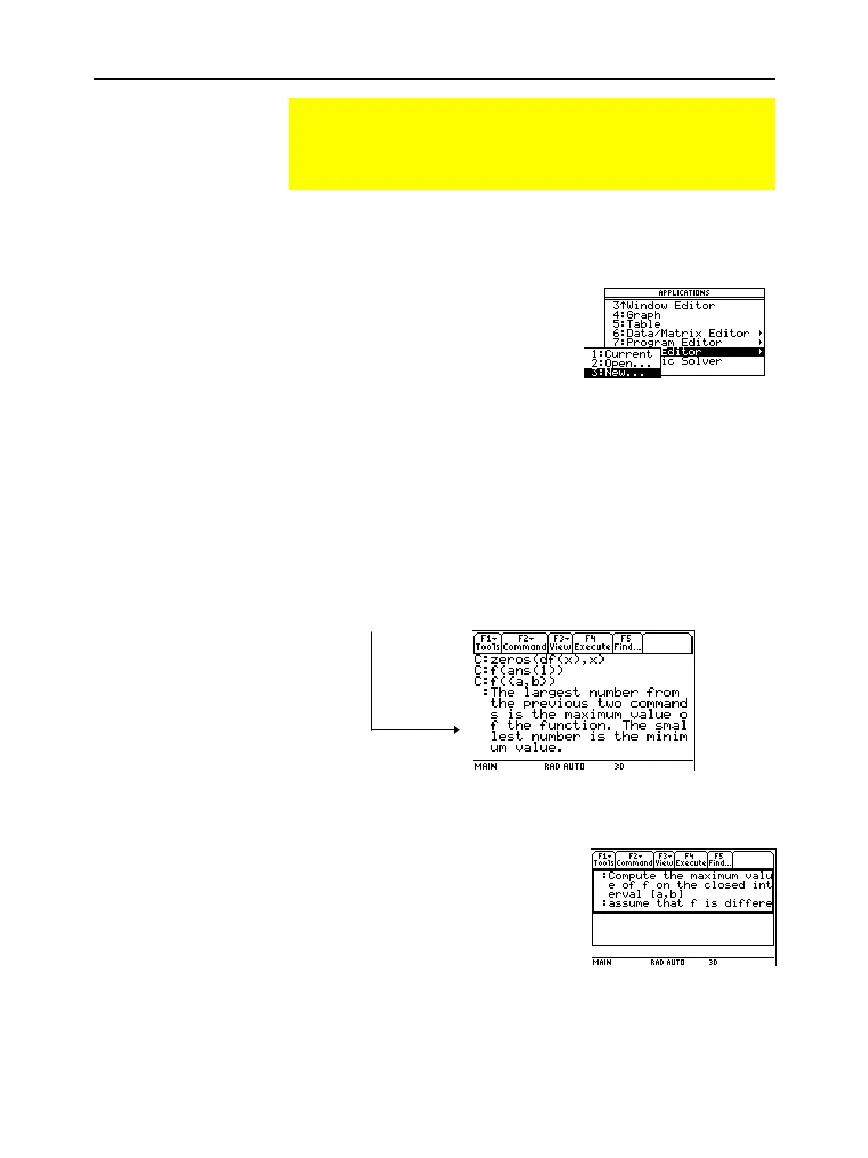
1. Open the Text Editor, and
create a new variable named
demo1
.
2. Type the following lines into the Text Editor.
: Compute the maximum value of f on the closed interval [a,b]
: assume that f is differentiable on [a,b]
C : define f(x)=x^3
ì
2x^2+x
ì
7
C: 1
!
a:3.22
!
b
C:
d
(f(x),x)
!
df(x)
C : zeros(df(x),x)
C : f(ans(1))
C : f({a,b})
: The largest number from the previous two commands is the maximum
value of the function. The smallest number is the minimum value.
3. Press
…
and select
1:Script view
to show the Text Editor and the
Home screen on a split-screen. Move the cursor to the first line in
the Text Editor.
Running a Tutorial Script Using the Text Editor
This activity shows you how to use the Text Editor to run a
tutorial script. Detailed information about text operations can
be found in Chapter 18: Text Editor.
Running a Tutorial
Script
Note:
The command symbo
“C”
is accessed from the
„
1:Command
toolbar
menu.



 To Next Page
 Loading...













