390 Chapter 23: Activities
23ACTS.DOC TI-89/TI-92 Plus: Activities (English) Susan Gullord Revised: 02/23/01 1:24 PM Printed: 02/23/01 2:20 PM Page 390 of 26
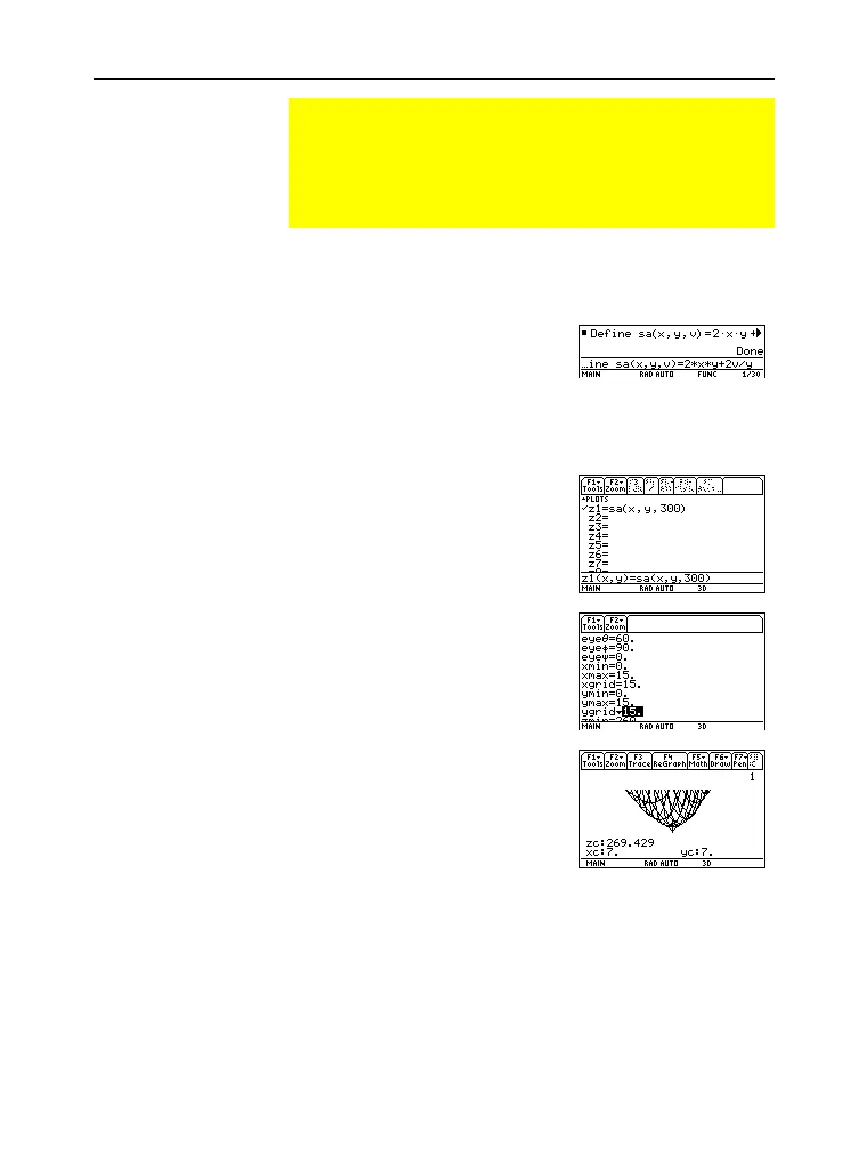
Perform the following steps to define a function for the surface area
of a parallelepiped, draw a 3D graph, and use the
Trace
tool to find a
point close to the minimum surface area.
1. On the Home screen, define
the function
sa(x,y,v
) for the
surface area of a
parallelepiped.
Enter:
define sa(x,y,v)=2
ù
x
ù
y+
2v/x+2v/y
2. Select the
3D
Graph
mode.
Then enter the function for
z1(x,y)
as shown in this
example with volume
v=300
.
3. Set the Window variables to:
eye= [60,90,0]
x= [0,15,15]
y= [0,15,15]
z= [260,300]
ncontour= [5]
4. Graph the function and use
Trace
to go to the point close
to the minimum value of the
surface area function.
Finding Minimum Surface Area of a Parallelepiped
This activity shows you how to find the minimum surface area
of a parallelepiped having a constant volume V. Detailed
information about the steps used in this example can be found
in Chapter 3: Symbolic Manipulation and Chapter 10:
3D Graphing.
Exploring a 3D
Graph of the
Surface Area of a
Parallelepiped



 To Next Page
 Loading...













