184 Chapter 11: Differential Equation Graphing
11DIFFEQ.DOC TI-89/TI-92 Plus: Differential Equation (English) Susan Gullord Revised: 02/23/01 11:04 AM Printed: 02/23/01 2:15 PM Page 184 of 26
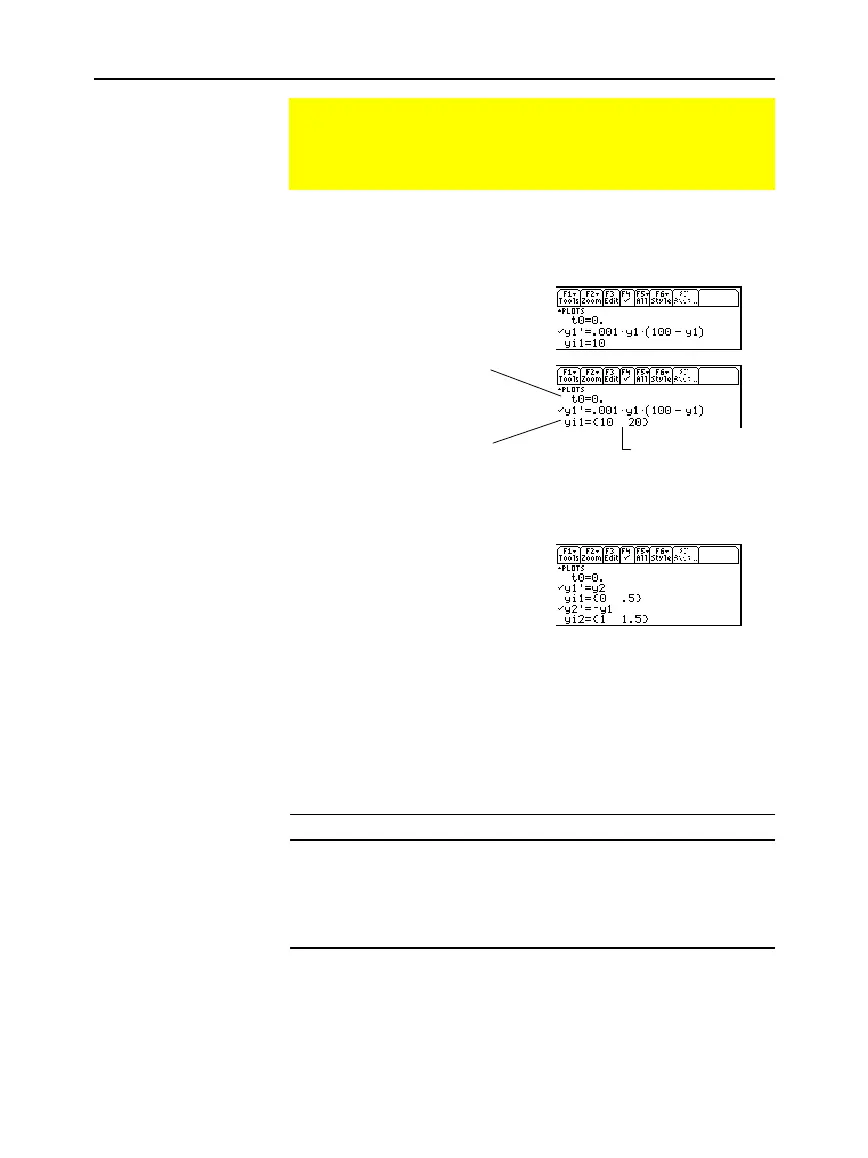
You can specify one or more initial conditions in the Y= Editor. To
specify more than one, enter them as a list enclosed in braces { } and
separated by commas.
To enter initial conditions for
the
y1'
equation, use the
yi1
line,
etc.
For a 2nd- or higher-order differential equation, you must define a
system of 1st-order equations in the Y= Editor.
If you enter initial conditions,
you must enter the same number
of initial conditions for each
equation in the system.
Otherwise, a
Dimension error
occurs.
If you do not enter initial conditions, the
ncurves
Window variable
(
¥$
) specifies the number of solution curves graphed
automatically. By default,
ncurves = 0
. You can enter a value from
0 through 10. However, the
Fields
graph format and the
Axes
setting
determine whether
ncurves
is used.
If Fields = Then:
SLPFLD
Uses
ncurves
, if not set to 0, to graph curves.
DIRFLD
Ignores
ncurves
. Does not graph any curves.
FLDOFF
Uses
ncurves
if
Axes = TIME
(or if
Axes = Custom
and
the x axis is
t
). Otherwise, a
Diff Eq setup
error occurs.
When
ncurves
is used,
t0
is set temporarily at the middle of the Graph
screen. However, the value of
t0
as set in the Y= Editor or Window
Editor is not changed.
Setting the Initial Conditions
You can enter initial conditions in the Y= Editor, let the
TI
-
89 / TI
-
92 Plus calculate initial conditions automatically, or
select them interactively from the Graph screen.
Entering Initial
Conditions in the
Y= Editor
Note: For information about
defining a system for higher-
order equations, refer to
page 186.
If You Do Not Enter
an Initial Condition
in the Y= Editor
Tip: Without entering initial
conditions, use
SLPFLD
(with
ncurves=0)
or
DIRFLD
to display a slope or
direction field only.
Note:
SLPFLD
is for a single
1st-order equation only.
DIRFLD
is for a 2nd-order
equation (or system of two
1st-order equations) only.
To graph a family of solutions,
enter a list of initial conditions.
To specify when the initial
conditions occur, use t0.
This is also the first t
evaluated for the graph.
Enter {10,20} even
though {10 20} is
displayed.



 To Next Page
 Loading...













