Chapter 12: Additional Graphing Topics 219
12ADDLGR.DOC TI-89/TI-92 Plus: Additional Graphing Tools (English) Susan Gullord Revised: 02/23/01 1:03 PM Printed: 02/23/01 2:15 PM Page 219 of 20
Before using
CyclePic
, you must have a series of graph pictures that
have the same base name and are sequentially numbered starting
with 1 (such as
pic1, pic2, pic3, . . .
).
To cycle the pictures, use the syntax:
CyclePic
picNameString, n [,wait] [,cycles] [,direction]
This example program (named
cyc
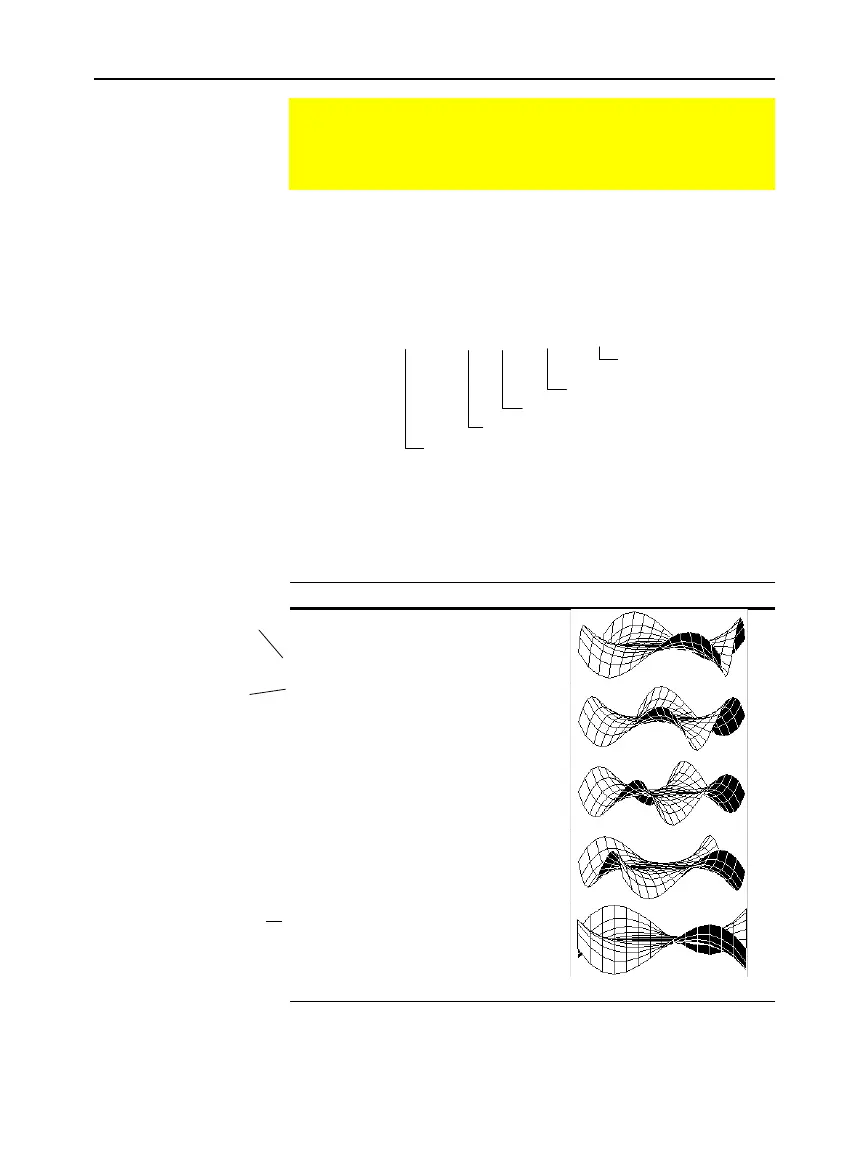
) generates 10 views of a 3D
graph, with each view rotated 10
¡
further around the Z axis. For
information about each command, refer to Appendix A. For
information about using the Program Editor, refer to Chapter 17.
Program Listing Every Other Graph from Program
:cyc()
:Prgm
:local i
:
¦
Set mode and Window variables
:setMode(“graph”,”3d”)
:70
!
eyef
:
ë
10
!
xmin
:10
!
xmax
:14
!
xgrid
:
ë
10
!
ymin
:10
!
ymax
:14
!
ygrid
:
ë
10
!
zmin
:10
!
zmax
:1
!
zscl
:
¦
Define the function
:(x^3
ù
y
ì
y^3
ù
x)/390
!
z1(x,y)
:
¦
Generate pics and rotate
:For i,1,10,1
: i
ù
10
!
eyeq
: DispG
: StoPic #("pic" & string(i))
:EndFor
:
¦
Display animation
:CyclePic "pic",10,.5,5,
ë
1
:EndPrgm
After entering this program on the Program Editor, go to the Home
screen and enter
cyc()
.
Animating a Series of Graph Pictures
As described earlier in this chapter, you can save a picture of
a graph. By using the
CyclePic
command, you can flip
through a series of graph pictures to create an animation.
CyclePic Command
Example
Note: Due to its complexity,
this program takes several
minutes to run.
# of times to repeat cycle
1 = forward/circular cycle
ë
1= forward/backward
seconds between pictures
# of pictures to cycle
base name of pictures in quotes, such as "pic"
For #, press
TI
-
89:
½
TI
-
92 Plus:
2½
and select it from the list.
For &, press:
TI
-
89:
¥p
TI
-
92 Plus:
2
H
For
f
, press:
TI
-
89:
¥cj
F
TI
-
92 Plus:
¥
GF
Comments start with
¦
.
Press:
TI
-
89:
¥
d
TI
-
92 Plus:
2
X



 To Next Page
 Loading...













