208 Chapter 12: Additional Graphing Topics
12ADDLGR.DOC TI-89/TI-92 Plus: Additional Graphing Tools (English) Susan Gullord Revised: 02/23/01 1:03 PM Printed: 02/23/01 2:15 PM Page 208 of 20
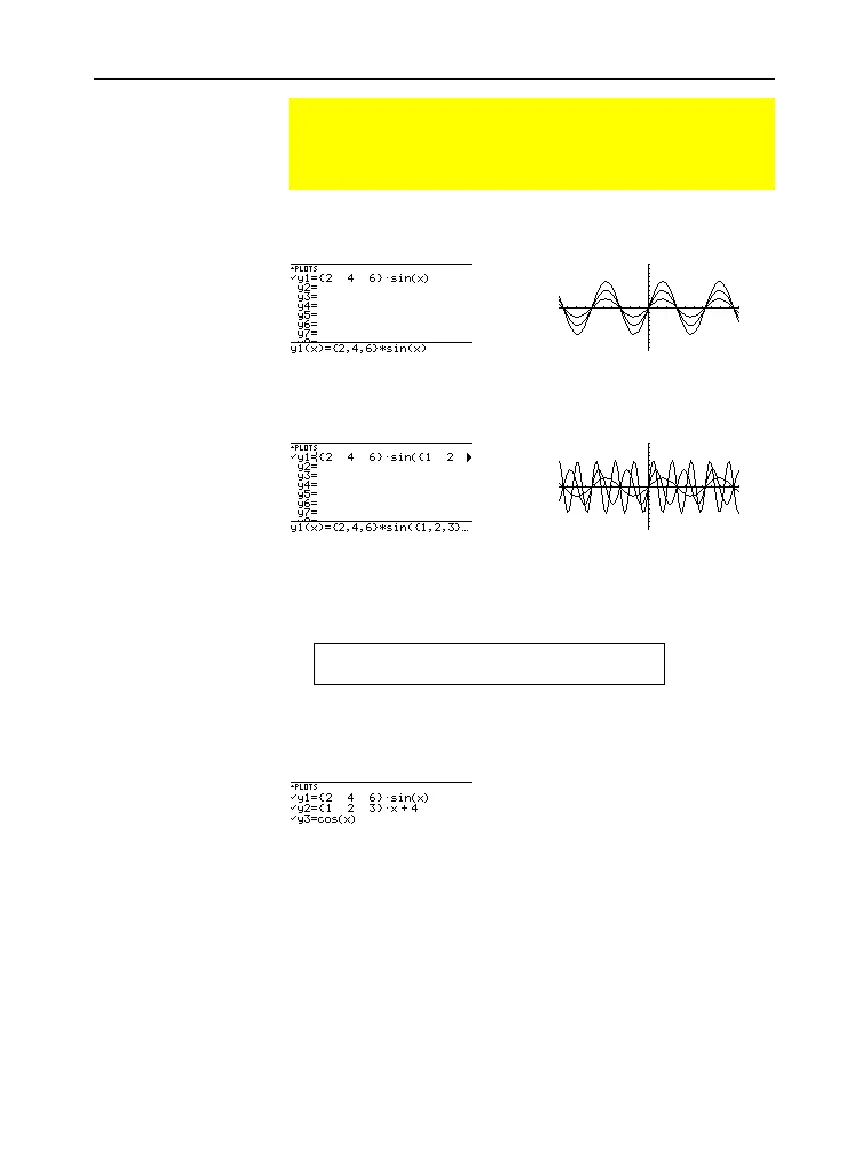
Enter the expression
{2,4,6} sin(x)
and graph the functions.
Graphs three functions:
2 sin(x), 4 sin(x), 6 sin(x)
Enter the expression
{2,4,6} sin({1,2,3} x)
and graph the functions.
Graphs three functions:
2 sin(x), 4 sin(2x), 6 sin(3x)
Similarly, you can use the
Graph
command from the Home screen or
a program as described on page 205.
graph {2,4,6}sin(x)
graph {2,4,6}sin({1,2,3}x)
When the graph format is set for
Graph Order
=
SIMUL
, the functions
are graphed in groups according to the element number in the list.
For these example functions, the
TI
-
89 / TI
-
92 Plus
graphs three groups.
¦
2 sin(x), x+4, cos(x)
¦
4 sin(x), 2x+4
¦
6 sin(x), 3x+4
The functions within each group are graphed simultaneously, but the
groups are graphed sequentially.
Pressing
D
or
C
moves the trace cursor to the next or previous
curve in the same family before moving to the next or previous
selected function.
Graphing a Family of Curves
By entering a list in an expression, you can plot a separate
function for each value in the list. (You cannot graph a family
of curves in SEQUENCE or 3D graphing mode.)
Examples Using the
Y= Editor
Tip:
Graph math results
may vary.
Tip:
Enclose list elements in
braces
(
2
[
and
2
\
)
and separate them with
commas.
Note:
The commas are
shown in the entry line but
not in the function list.
Example Using the
Graph Command
Simultaneous
Graphs with Lists
Tip:
To set graph formats
from the Y= Editor, Window
Editor, or Graph screen,
press:
TI
-
89:
¥
Í
TI
-
92 Plus:
¥
F
When Tracing a
Family of Curves


 To Next Page
 Loading...














