Chapter 12: Additional Graphing Topics 207
12ADDLGR.DOC TI-89/TI-92 Plus: Additional Graphing Tools (English) Susan Gullord Revised: 02/23/01 1:03 PM Printed: 02/23/01 2:15 PM Page 207 of 20
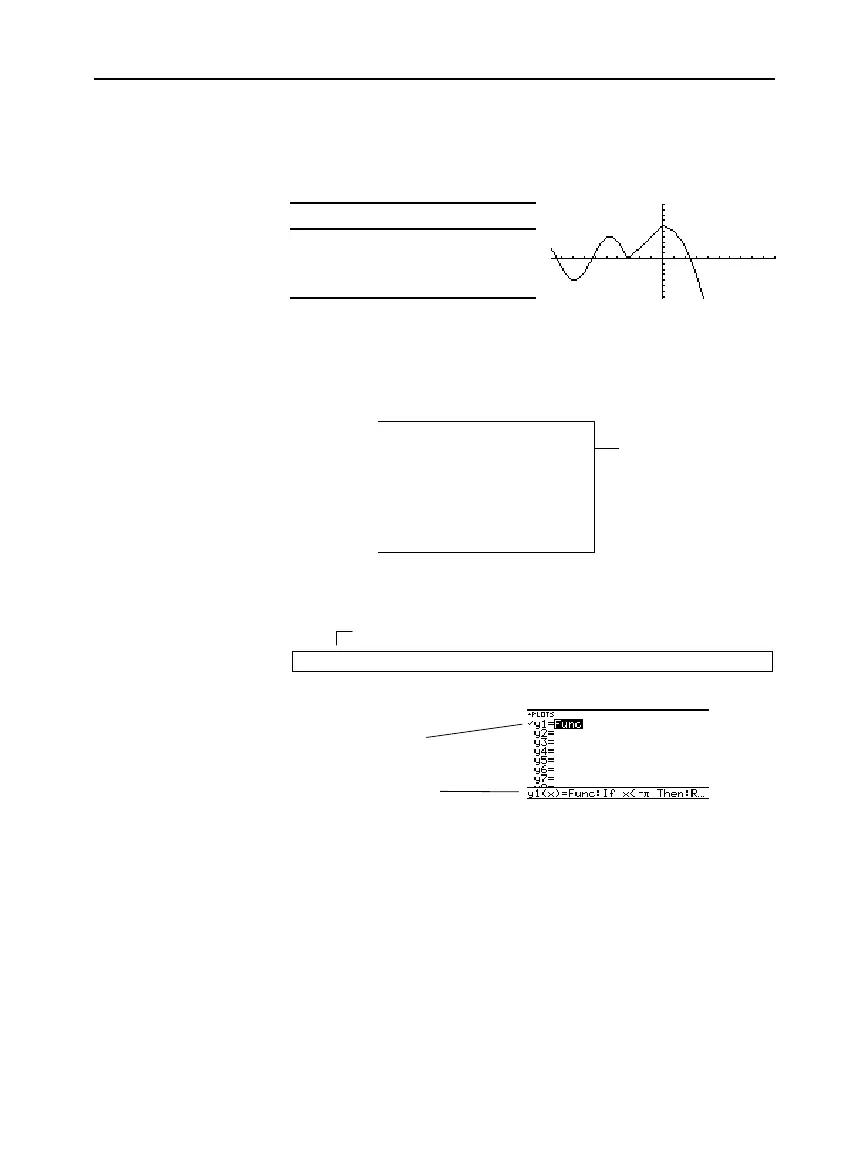
For three or more pieces, you may want to create a multi-statement,
user-defined function.
For example, consider the previous three-piece function.
When: Use expression:
x <
ì
p
4 sin(x)
x
‚
ì
p
and
x < 0 2x + 6
x
‚
06
ì
x
ñ
A multi-statement, user-defined function can have many of the
control and decision-making structures (
If
,
ElseIf
,
Return
, etc.) used
in programming. When creating the structure of a function, it may be
helpful to visualize it first in a block form.
Func
If x<-p Then
Return 4
ù
sin(x)
ElseIf x>=-p and x<0 Then
Return 2x+6
Else
Return 6
ì
x^2
EndIf
EndFunc
When entering a multi-statement function on the Y= Editor or Home
screen, you must enter the entire function on a single line.
Func:If x<-p Then:Return 4
ù
sin(x): ... :EndIf:EndFunc
On the Y= Editor:
From the Home screen, you can also use the
Define
command to
create a multi-statement, user-defined function. Refer to page 204 for
other information on copying a function from the Home screen to the
Y= Editor.
From the Program Editor (Chapter 17), you can create a user-defined
function. For example, use the Program Editor to create a function
named
f1(xx)
. In the Y= Editor, set
y1(x) = f1(x)
.
Using a Multi-
Statement, User-
Defined Function
Note: For information about
similarities and differences
between functions and
programs, refer to
Chapter 17.
Tip:
Graph math results
may vary.
From the Home
Screen or a Program
Enter a multi-statement
function on one line. Be
sure to include colons.
Only “Func” is shown
for a multi-statement
function.
Func
and
EndFunc
must begin and end the
function.
For information about
the individual
statements, refer to
Appendix A.
Use a colon (:) to separate each statement.



 To Next Page
 Loading...













