278 Chapter 17: Programming
17PROGRM.DOC TI-89/TI-92 Plus: Programming (English) Susan Gullord Revised: 02/23/01 1:14 PM Printed: 02/23/01 2:18 PM Page 278 of 40
On the Home screen:
1. Type the name of the program.
2. You must
always
type a
set of parentheses after
the name.
Some programs require
you to pass an argument
to the program.
prog1()
prog1(x,y)
3. Press
¸
.
When you run a program, the
TI
-
89 / TI
-
92 Plus
automatically checks
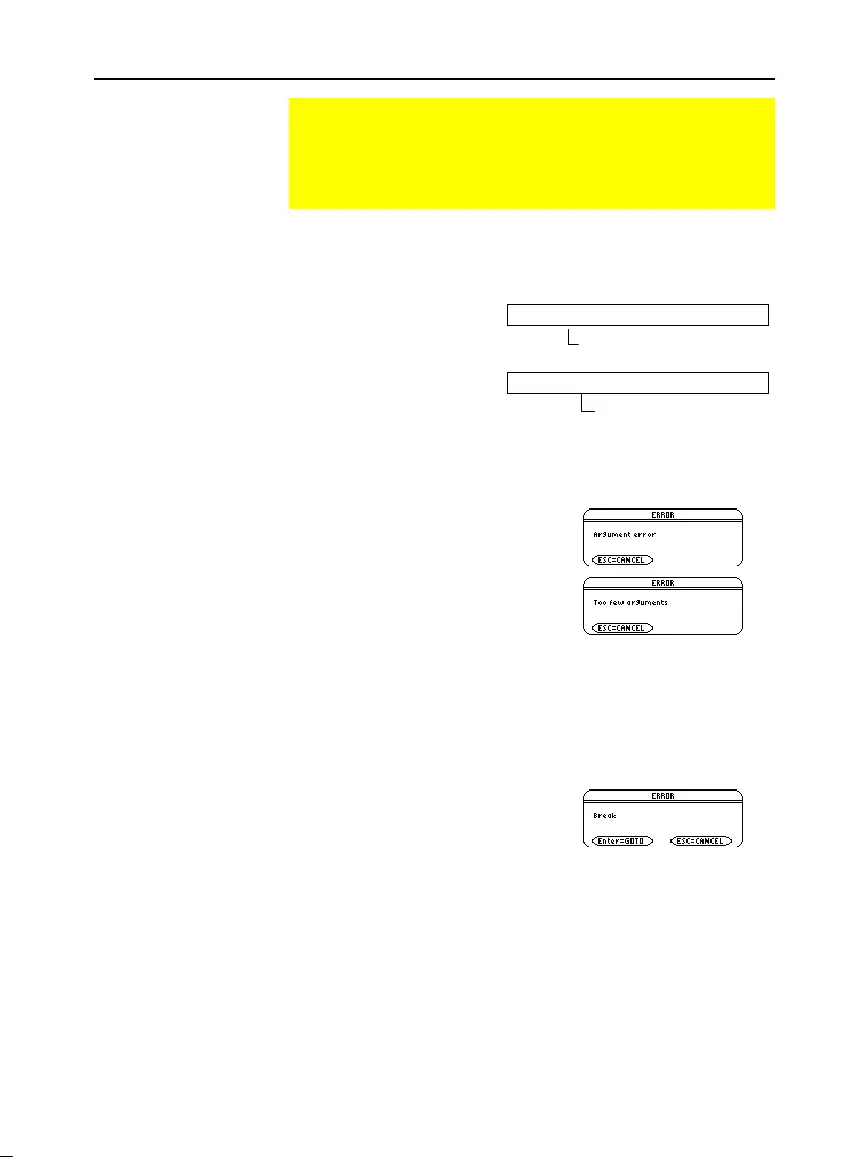
for errors. For example, the following message is displayed if you:
¦
Do not enter ( ) after the
program name.
This error message appears if you:
¦
Do not enter enough arguments,
if required.
To cancel program execution if an error occurs, press
N
. You can
then correct any problems and run the program again.
When a program is running, the
BUSY
indicator is displayed in the
status line.
Press
´
to stop program execution. A message is then displayed.
¦
To display the program in the
Program Editor, press
¸
. The
cursor appears at the command
where the break occurred.
¦
To cancel program execution,
press
N
.
Running an Existing Program
After a program is created (as described in the remaining
sections of this chapter), you can run it from the Home screen.
The program’s output, if any, is displayed on the Program I/O
screen, in a dialog box, or on the Graph screen.
Running a Program
Tip: Use
2°
to list
existing
PRGM
variables.
Highlight a variable and
press
¸
to paste its
name to the entry line.
Note: Arguments specify
initial values for a program.
Refer to page 283.
Note: The
TI
-
89 / TI
-
92 Plus
also checks for run-time
errors that are found within
the program itself. Refer to
page 310.
“Breaking” a
Program
If arguments are required
If arguments are not required


 To Next Page
 Loading...














