Chapter 17: Programming 277
17PROGRM.DOC TI-89/TI-92 Plus: Programming (English) Susan Gullord Revised: 02/23/01 1:14 PM Printed: 02/23/01 2:18 PM Page 277 of 40
Steps
³
TI
-
89
Keystrokes
›
TI
-
92 Plus
Keystrokes Display
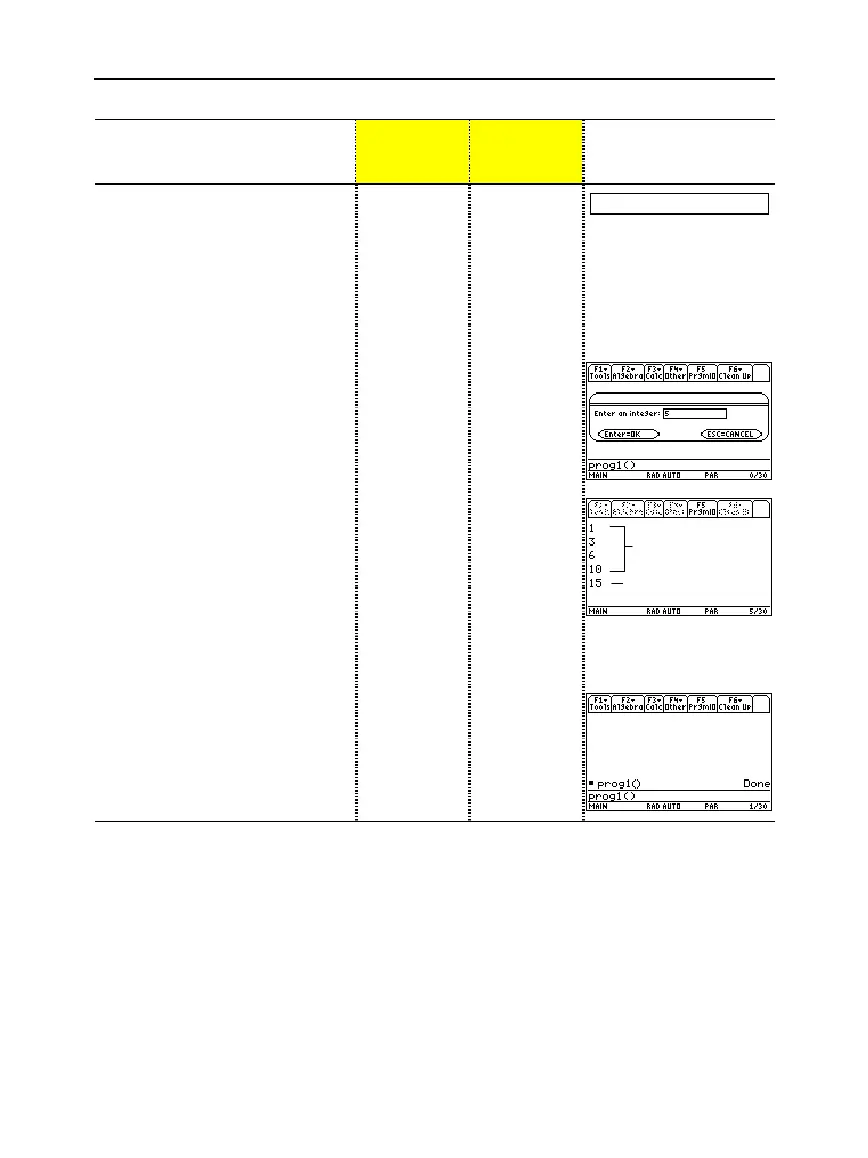
5. Go to the Home screen. Enter
the program name, followed by a
set of parentheses.
You must include ( ) even when there
are no arguments for the program.
The program displays a dialog box
with the prompt specified in the
program.
"
2™
PROG
j
1
cd¸
¥"
PROG
1
cd¸
prog1()
6. Type
5
in the displayed dialog
box.
55
7. Continue with the program. The
Disp
command displays the
result on the Program I/O
screen.
The result is the sum of the integers
from 1 through 5.
Although the Program I/O screen
looks similar to the Home screen, it is
for program input and output only.
You cannot perform calculations on
the Program I/O screen.
¸¸
¸¸
8. Leave the Program I/O screen
and return to the Home screen.
You can also press
N
,
2K
, or
TI
.
89:
"
TI
.
92 Plus:
¥"
to return to the Home screen.
‡
‡
Result of integer 5.
Output from other
programs may still be
on the screen.



 To Next Page
 Loading...













