358 Chapter 21: Memory and Variable Management
21MEMORY.DOC TI-89/TI-92 Plus:Memory & Variables Mgmt (English) Susan Gullord Revised: 02/23/01 1:20 PM Printed: 02/23/01 2:19 PM Page 358 of 16
For information about using folders, refer to Chapter 5.
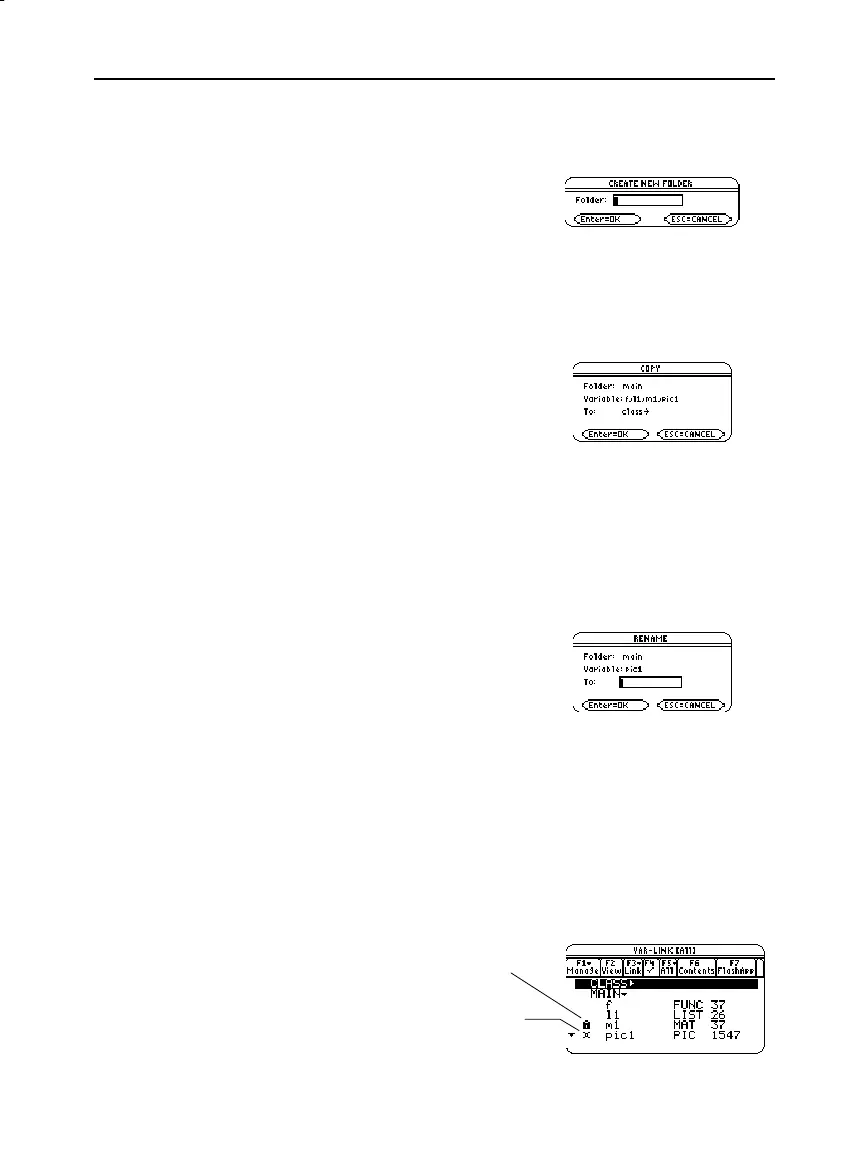
1. On
VAR-LINK
, press
ƒ
Manage
and select
5:Create Folder
.
2. Type a unique name, and
press
¸
twice.
You must have at least one folder other than
MAIN
. You cannot use
VAR-LINK
to copy variables within the same folder.
1. On
VAR-LINK
, select the variables.
2. Press
ƒ
Manage
and select
2:Copy
or
4:Move
.
3. Select the destination folder.
4. Press
¸
.
The copied or moved
variables retain their
original names.
Remember, if you use
†
to select a folder, the variables in that
folder are selected automatically. As necessary, use
†
to deselect
individual variables.
1. On
VAR-LINK
, select the variables and/or folders.
2. Press
ƒ
Manage
and select
3:Rename
.
3. Type a unique name, and
press
¸
twice.
If you selected multiple items,
you are prompted to enter a
new name for each one.
When a variable is locked, you cannot delete, rename, or store to it.
However, you can copy, move, or display its contents. When a folder
is locked, you can manipulate the variables in the folder (assuming
the variables are not locked), but you cannot delete the folder. When
a Flash application is locked, you cannot delete it.
1. On
VAR-LINK
, select the variables and/or folders, or Flash
application.
2. Press
ƒ
Manage
and select
6:Lock
or
7:UnLock
.
Creating a New
Folder
Copying or Moving
Variables from One
Folder to Another
Tip: To copy a variable to a
different name in the same
folder, use
§
(such as
a1
!
a2)
or the
CopyVar
command from the Home
screen.
Renaming Variables
or Folders
Locking or
Unlocking Variables
Folders, or Flash
Applications
Œ
indicates a locked variable,
folder, or Flash application in
û
indicates an archived variable,
which is locked automatically.



 To Next Page
 Loading...













