244 Chapter 15: Data/Matrix Editor
15DATAMA.DOC TI-89/TI-92 Plus: Data/Matrix Editor (English) Susan Gullord Revised: 02/23/01 1:10 PM Printed: 02/23/01 2:17 PM Page 244 of 16
To move the cursor: Press:
One cell at a time
,
C
,
B
, or
A
One page at a time
2
and then
D
,
C
,
B
, or
A
Go to row 1 in the current
column or to the last row
that contains data for any
column on the screen,
respectively. If the cursor is
in or past that last row,
¥
goes to row 999.
¥
C
or
¥
D
Go to column 1 or to the
last column that contains
data, respectively. If the
cursor is in or past that last
column,
¥
B
goes to
column 99.
¥
A
or
¥
B
When you scroll down/up, the header row remains at the top of the
screen so that the column numbers are always visible. When you
scroll right/left, the row numbers remain on the left side of the
screen so that they are always visible
.
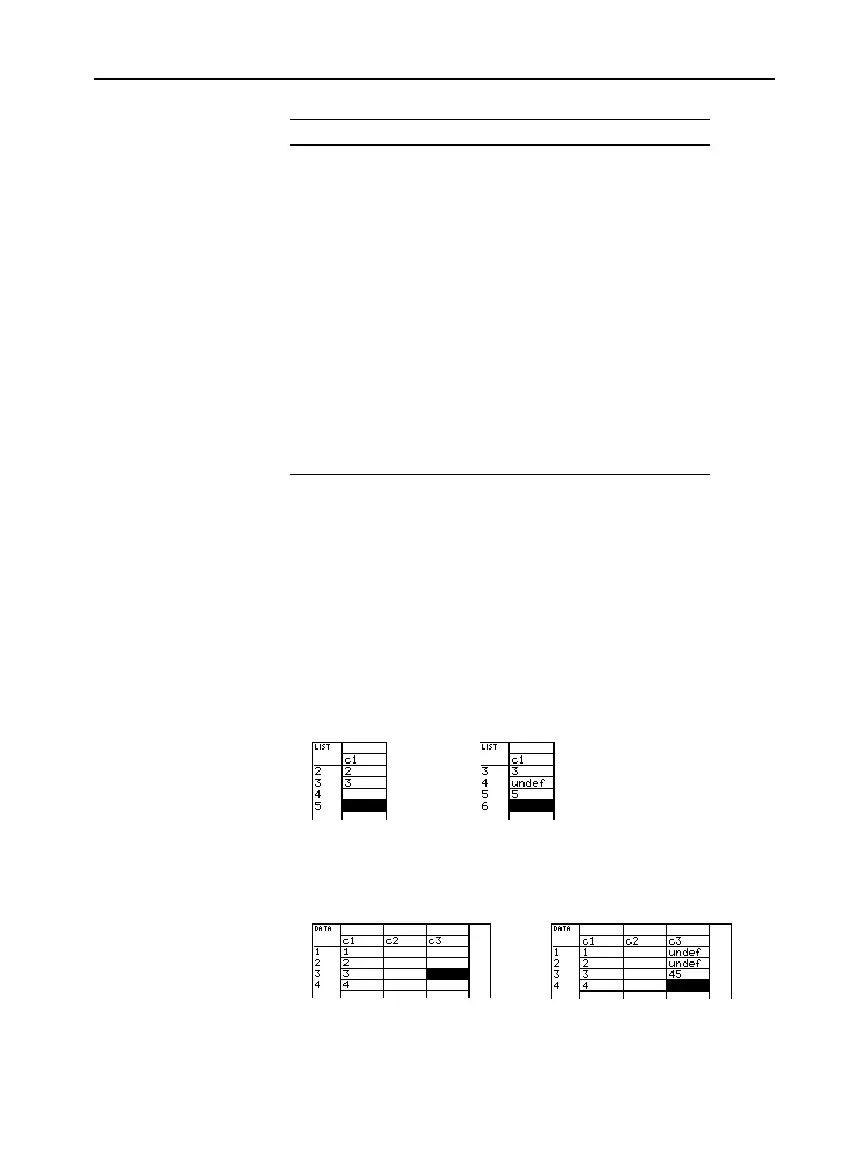
When you enter a value in a cell, the cursor moves to the next cell.
However, you can move the cursor to any cell and enter a value. If
you leave gaps between cells, the
TI
-
89 / TI
-
92 Plus
handles the gaps
automatically.
¦
In a list variable, a cell in the gap is
undefined
until you enter a
value for the cell.
&
¦
In a data variable, gaps in a column are handled the same as a list.
However, if you leave a gap between columns, that column is
blank.
&
Scrolling through
the Editor
How Rows and
Columns Are Filled
Automatically
Note: If you enter more than
one column of elements in a
list variable, it is converted
automatically into a data
variable.



 To Next Page
 Loading...













