12 Chapter 1: Getting Started
01START.DOC TI-89/TI-92Plus:Getting Started (English) Bob Fedorisko Revised: 02/23/01 10:47 AM Printed: 02/23/01 2:10 PM Page 12 of 12
-
-
92Plus:Getting Started (English) Bob Fedorisko Revised: 02/23/01 10:47 AM Printed: 02/23/01 2:10 PM Page 12 of 12
Steps
³
TI
.
89
Keystrokes
›
TI
.
92 Plus
Keystrokes Display
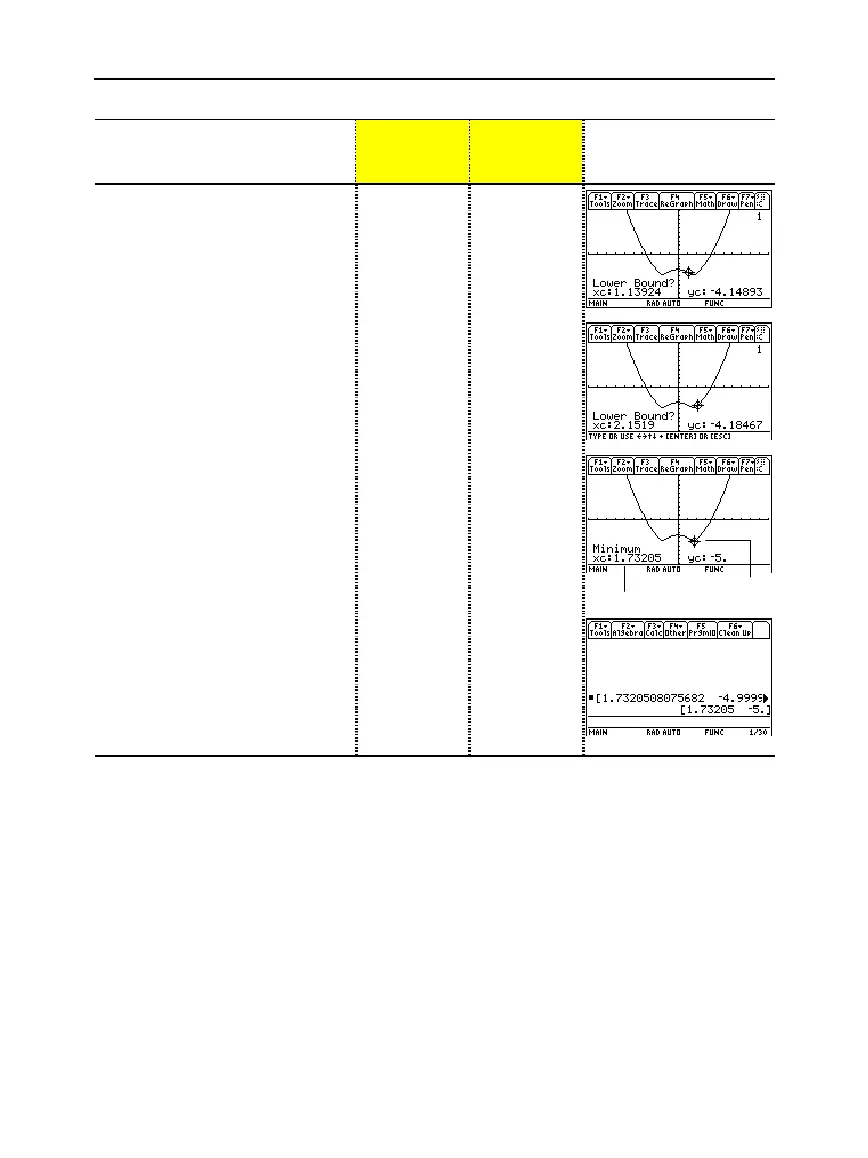
6. Set the lower bound.
Press
(right cursor) to move the
tracing cursor until the lower bound
for x is just to the left of the minimum
node before pressing
¸
the
second time.
B
...
B
¸
B
...
B
¸
7. Set the upper bound.
Press
(right cursor) to move the
tracing cursor until the upper bound
for x is just to the right of the
minimum node.
B
...
B
B
...
B
8. Find the minimum point on the
graph between the lower and
upper bounds.
¸
¸
minimum point
minimum coordinates
9. Transfer the result to the Home
screen, and then display the
Home screen.
Shortcuts for copying graph
coordinates to Home screen history:
TI
.
89:
¥·
TI
.
92 Plus:
¥
H
¥·
"
¥
H
¥"



 To Next Page
 Loading...













