314 Chapter 17: Programming
17PROGRM.DOC TI-89/TI-92 Plus: Programming (English) Susan Gullord Revised: 02/23/01 1:14 PM Printed: 02/23/01 2:18 PM Page 314 of 40
On the Home screen, you can use keyboard shortcuts to run up to
nine user-defined or assembly-language programs. However, the
programs must have the following names.
On Home screen, press: To run a program, if any, named:
¥
1 kbdprgm1()
©
©
¥
9 kbdprgm9()
If you have a program with a different name and you would like to
run it with a keyboard shortcut, copy or rename the existing program
to
kbdprgm1()
, etc.
You cannot use your
TI
-
89 / TI
-
92 Plus
to edit an assembly-language
program. The built-in Program Editor will not open assembly-
language programs.
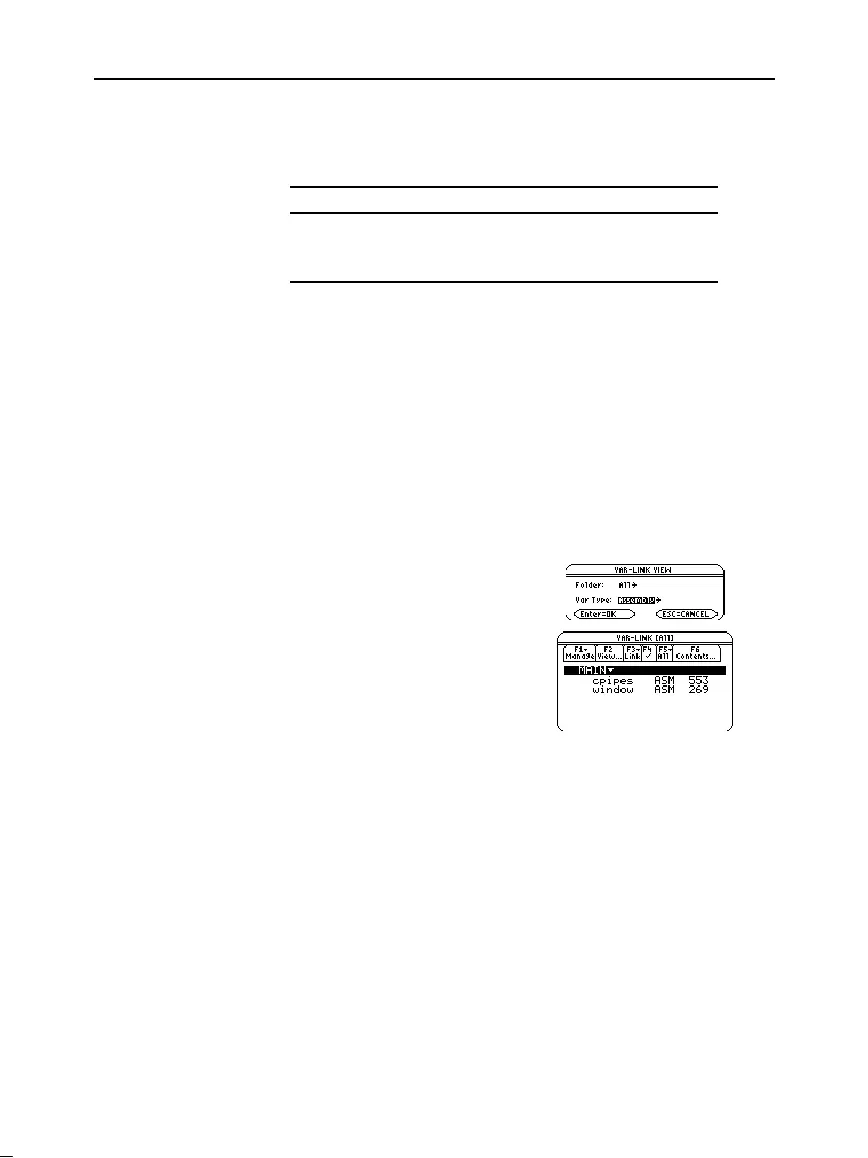
To list the assembly-language programs stored in memory:
1. Display the
VAR-LINK
screen (
2
°
).
2. Press
„
View
.
3. Select the applicable folder
(or
All
folders) and set
Var Type = Assembly
.
4. Press
¸
to display the
list of assembly-language
programs.
The information required to teach a novice programmer how to write
an assembly-language program is beyond the scope of this book.
However, if you have a working knowledge of assembly language,
please check the Texas Instruments web site (
education.ti.com
)
for specific information about how to access
TI
-
89 / TI
-
92 Plus
features.
The
TI
-
89 / TI
-
92 Plus
also includes an
Exec
command that executes a
string consisting of a series of Motorola 68000 op-codes. These codes
act as another form of an assembly-language program. Check the Texas
Instruments web site for available information.
Warning:
Exec
gives you access to the full power of the
microprocessor. Please be aware that you can easily make a mistake
that locks up the calculator and causes you to lose your data. We
suggest you make a backup of the calculator contents before
attempting to use the
Exec
command.
Shortcuts to Run a
Program
Note: The programs must
be stored in the
MAIN
folder.
Also, you cannot use a
shortcut to run a program
that requires an argument.
You Cannot Edit an
Assembly-Language
Program
Displaying a List of
Assembly-Language
Programs
Note: Assembly-language
programs have an ASM
data type.
For Information
about Writing an
Assembly-Language
Program
Note: You must use a
computer to write assembly-
language programs. You
cannot create assembly-
language programs from the
calculator keyboard.



 To Next Page
 Loading...













