326 Chapter 18: Text Editor
18TXTED.DOC TI-89/TI-92 Plus: Text Editor (English) Susan Gullord Revised: 02/23/01 1:15 PM Printed: 02/23/01 2:18 PM Page 326 of 18
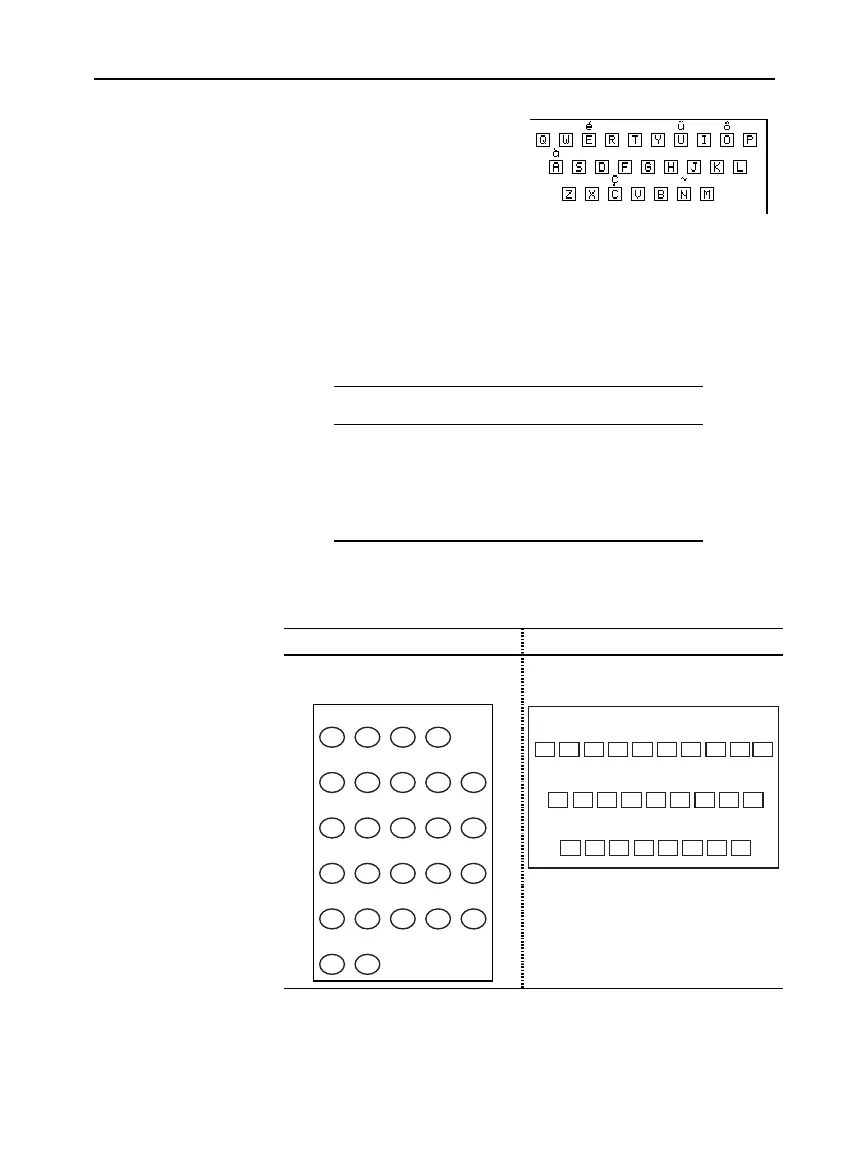
Pressing an accent mark key does
not display an accented letter. The
accent mark will be added to the
next
letter you press.
1. Press 2 and then the key
for the accent mark.
2. Press the key for the letter you want to accent.
¦
You can accent lowercase and uppercase letters.
¦ An accent mark can be added to only those letters that are
valid for that mark.
Accent
Mark
Valid Letters
(lowercase or uppercase) Examples
´
A, E, I, O, U, Y é, É
¨
A, E, I, O, U, y (but not Y) ü, Ü
ˆ
A, E, I, O, U ô,
`
A, E, I, O, U à,
ç
Cç, Ç
~
A, O, N ñ,
Press the key combination that accesses the Greek character set on
your calculator. Then select the applicable alpha character on the
keyboard to enter a Greek letter.
On the TI
.
89: On the TI
.
92 Plus:
Press
¥
c
to access the Greek
character set.
Press 2
G
to access the Greek
character set.
ABCDE
FGH I J
KLMNO
PQRSU
VW
XYZT
ψξ
ζτ
α
β
δ
∆
ε
φ
γ
Γ
λ
µ
π
Π
ρ
σ
Σ
ω
Ω
ψ
ξζ
τ
α
β
δ
∆
ε
φγ
Γ
λ
µ
π
Π
ρ
σ
Σ
ω
Ω
Q W E R T Y U I O P
A S D F G H J K L
Z X C V B N M
q
ψ
ξζ
τ
α
β
δ
∆
ε
φγ
Γ
λ
µ
π
Π
ρ
σ
Σ
ω
Ω
Q W E R T Y U I O P
A S D F G H J K L
Z X C V B N M
q
If you press a key combination that does not access a Greek letter,
you get the normal letter for that key.
Typing Accent
Marks from the
TI
.
92 Plus Keyboard
Typing Greek
Letters from the
Keyboard
Note: Neither calculator
displays a map of Greek
letters. The maps shown
here are for reference only.
Note:
To help you find the
applicable keys, this map shows
only the accent mark keys.



 To Next Page
 Loading...













