462 Appendix A: Functions and Instructions
8992APPA.DOC TI-89 / TI-92 Plus: Appendix A (US English) Susan Gullord Revised: 02/23/01 1:48 PM Printed: 02/23/01 2:21 PM Page 462 of 132
LineTan
CATALOG
LineTan
expression1
,
expression2
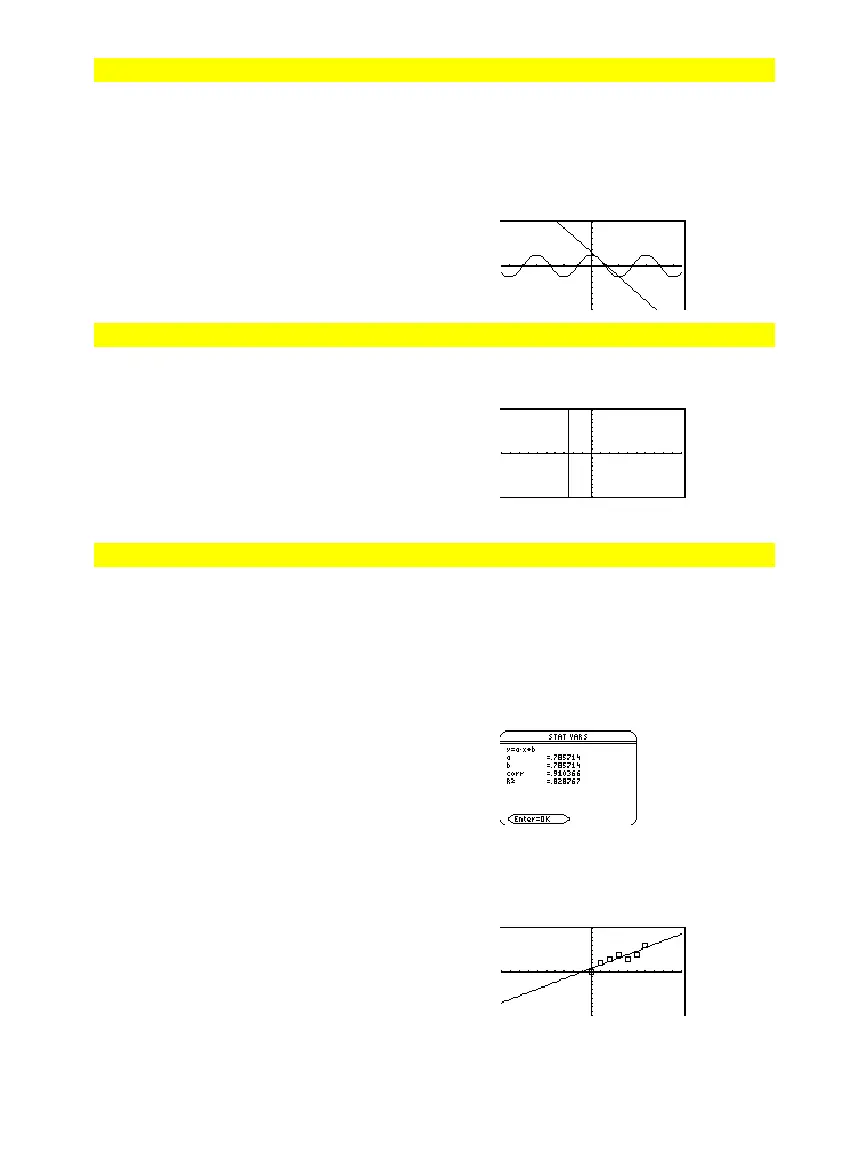
Displays the Graph screen and draws a line
tangent to
expression1
at the point specified.
expression1
is an expression or the name of a
function, where
x
is assumed to be the
independent variable, and
expression2
is the
x
value of the point that is tangent.
Note: In the example shown,
expression1
is
graphed separately.
LineTan
does not graph
expression1.
In function graphing mode and a
ZoomTrig
window:
Graph cos(x)
TI-89:
"
TI-92 Plus:
¥"
LineTan cos(x),p/4
¸
LineVert
CATALOG
LineVert
x
[
,
drawMode
]
Displays the Graph screen and draws, erases,
or inverts a vertical line at window position
x
.
If
drawMode
= 1, draws the line (default).
If
drawMode
= 0, turns off the line.
If
drawMode
=
ë
1, turns a line that is on to off
or off to on (inverts pixels along the line).
Note: Regraphing erases all drawn items. See
also
PxlVert
.
In a
ZoomStd
window:
LineVert
ë
2.5
¸
LinReg
MATH/Statistics/Regressions menu
LinReg
list1
,
list2
[
,
[
list3
] [
,
list4
,
list5
]
]
Calculates the linear regression and updates
all the system statistics variables.
All the lists must have equal dimensions
except for
list5
.
list1
represents xlist.
list2
represents ylist.
list3
represents frequency.
list4
represents category codes.
list5
represents category include list.
In function graphing mode:
{0,1,2,3,4,5,6}
!
L1
¸
{0 1 2
...
}
0,2,3,4,3,4,6
!
L2
{0 2 3
...
}
LinReg L
,L2
Done
S
owStat
Note:
list1
through
list4
must be a variable
name or c1–c99 (columns in the last data
variable shown in the Data/Matrix Editor).
list5
does not have to be a variable name and
cannot be c1–c99.
¸
Regeq(x)"y1(x)
¸
Done
NewP
ot
,
,L
,L2
Done
¥%



 To Next Page
 Loading...













