498 Appendix A: Functions and Instructions
8992APPA.DOC TI-89 / TI-92 Plus: Appendix A (US English) Susan Gullord Revised: 02/23/01 1:48 PM Printed: 02/23/01 2:21 PM Page 498 of 132
Shade
CATALOG
Shade
expr1
,
expr2
,
[
xlow
]
,
[
xhigh
]
,
[
pattern
]
,
[
patRes
]
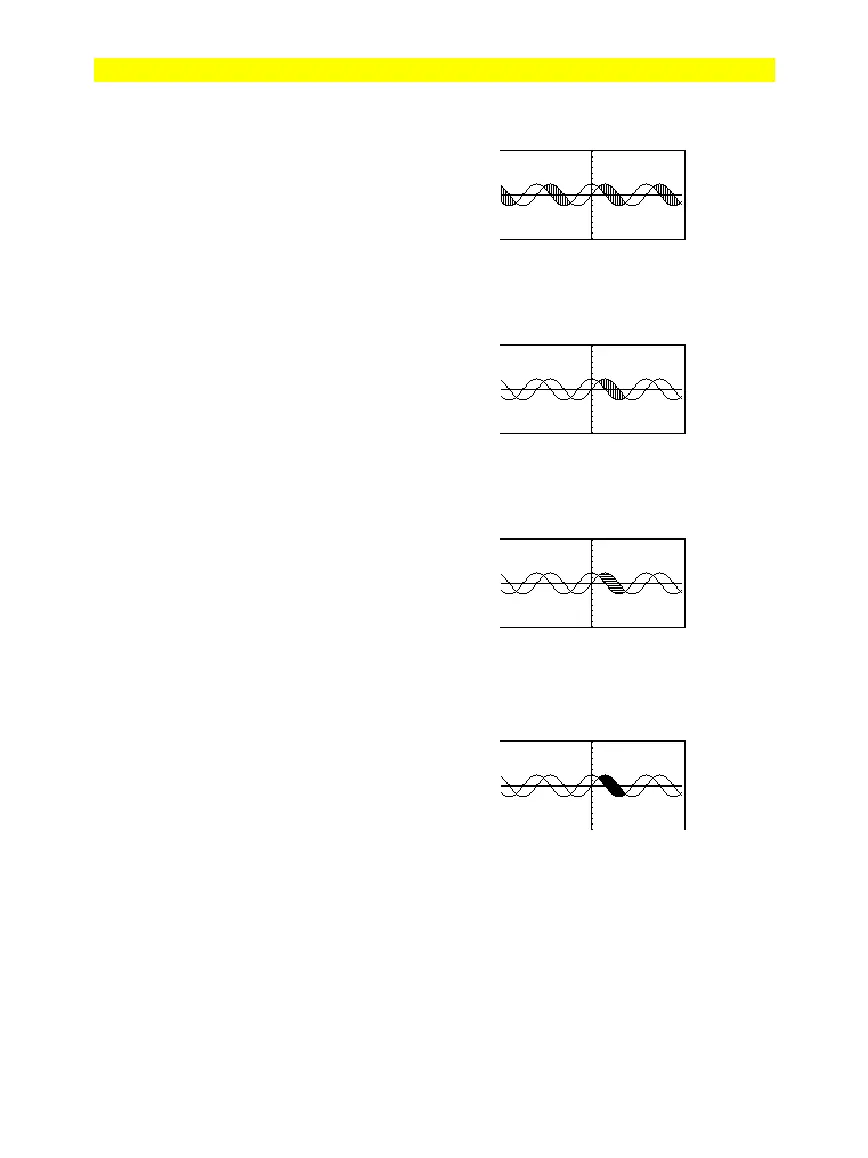
Displays the Graph screen, graphs
expr1
and
expr2
,
and shades areas in which
expr1
is less
than
expr2
. (
expr1
and
expr2
must be
expressions that use
x
as the independent
variable.)
xlow
and
xhigh
, if included, specify left and
right boundaries for the shading. Valid inputs
are between
xmin
and
xmax
. Defaults are
xmin
and
xmax
.
pattern
specifies one of four shading patterns:
1 = vertical (default)
2 = horizontal
3 = negative-slope 45
¡
4 = positive-slope 45
¡
patRes
specifies the resolution of the shading
patterns:
1= solid shading
2= 1 pixel spacing (default)
3= 2 pixels spacing
©
10= 9 pixels spacing
Note: Interactive shading is available on the
Graph screen through the
Shade
instruction.
Automatic shading of a specific function is
available through the
Style
instruction.
Shade
is not valid in 3D graphing mode.
In the
ZoomTrig
viewing window:
Shade cos(x),sin(x)
¸
TI-89:
"
TI-92 Plus:
¥"
ClrDraw
¸
Done
S
a
e cos
x
,sin
x
,0,5
TI-89:
"
TI-92 Plus:
¥"
ClrDraw
¸
Done
S
a
e cos
x
,sin
x
,0,5,2
TI-89:
"
TI-92 Plus:
¥"
ClrDraw
¸
Done
Shade cos(x),sin(x),0,5,2,1
¸



 To Next Page
 Loading...













