516 Appendix A: Functions and Instructions
8992APPA.DOC TI-89 / TI-92 Plus: Appendix A (US English) Susan Gullord Revised: 02/23/01 1:48 PM Printed: 02/23/01 2:21 PM Page 516 of 132
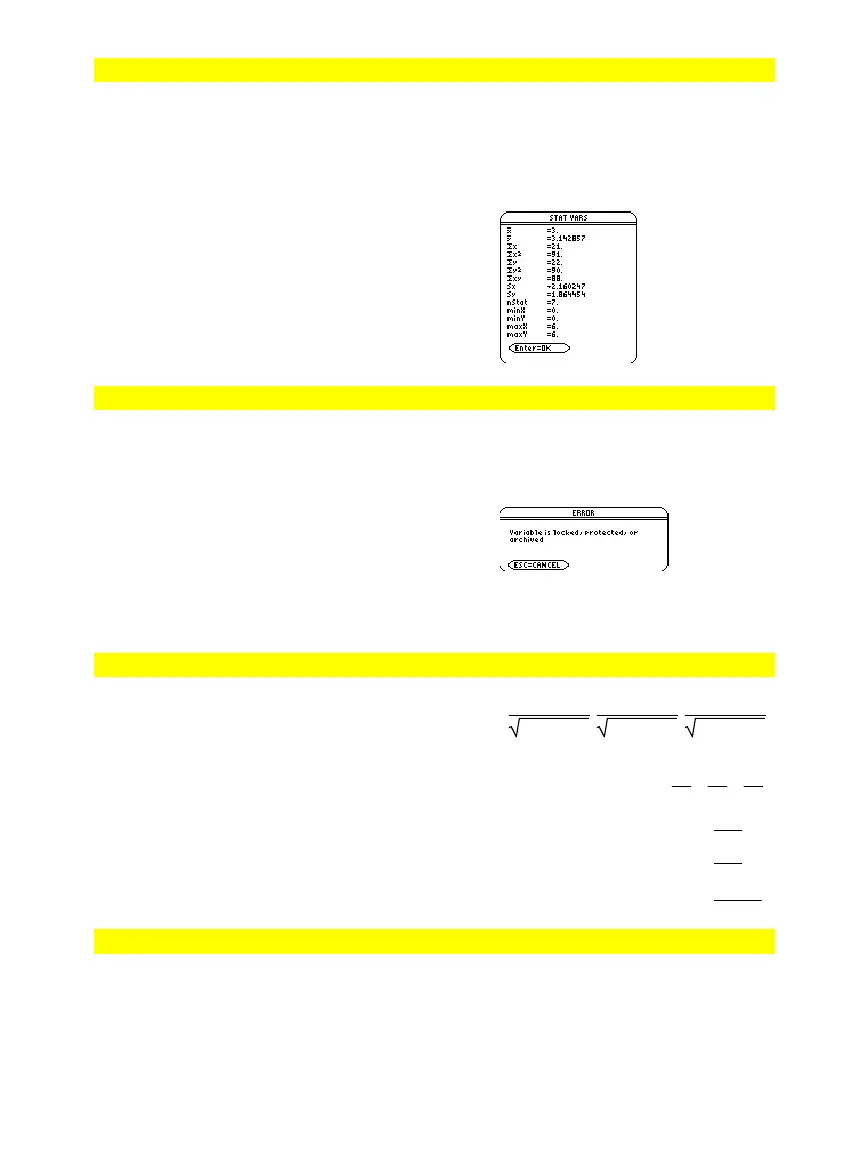
TwoVar
MATH/Statistics menu
TwoVar
list1
,
list2
[
,
[
list3
] [
,
list4
,
list5
]
]
Calculates the
TwoVar
statistics and updates
all the system statistics variables.
All the lists must have equal dimensions
except for
list5
.
list1
represents xlist.
list2
represents ylist.
list3
represents frequency.
list4
represents category codes.
list5
represents category include list.
Note:
list1
through
list4
must be a variable
name or c1–c99 (columns in the last data
variable shown in the Data/Matrix Editor).
list5
does not have to be a variable name and
cannot be c1–c99.
{0,1,2,3,4,5,6}
!
L1
¸
{0 1 2
...
}
0,2,3,4,3,4,6
!
L2
{0 2 3
...
}
TwoVar L
,L2
Done
S
owStat
Unarchiv
CATALOG
Unarchiv
var1
[,
var2
] [,
var3
] …
Moves the specified variables from the user
data archive memory to RAM.
You can access an archived variable the same
as you would a variable in RAM. However,
you cannot delete, rename, or store to an
archived variable because it is locked
automatically.
To archive variables, use
Archive
.
10
!
arctest
¸
10
rc
ive arctest
Done
5
ù
arctest
50
5
!
arctest
N
Unarchiv arctest
¸
Done
15
!
arctest
¸
15
unitV()
MATH/Matrix/Vector ops menu
unitV(
vector1
)
⇒
vector
Returns either a row- or column-unit vector,
depending on the form of
vector1
.
vector1
must be either a single-row matrix or
a single-column matrix.
unitV([a,b,c])
¸
[
a
a
ñ
+b
ñ
+c
ñ
a
ñ
+b
ñ
+c
ñ
c
a
ñ
+b
ñ
+c
ñ
]
unitV([1,2,1])
¸
[
6
6
6
3
6
6
]
unitV([1;2;3])
¸
‡14
14
‡14
7
3
ø
‡14
14
Unlock
CATALOG
Unlock
var1
[,
var2
][
, var3
]
...
Unlocks the specified variables.
Note: The variables can be locked using the
Lock
command.



 To Next Page
 Loading...













