564 Appendix B: Reference Information
-
-
pp
b doc (English) Susan Gullord Revised: 02/23/01 1:54 PM Printed: 02/23/01 2:24 PM Page 564 of 34
To enter the: Do this:
Polar form
r
e
i
q
– or –
(r
q
)
Substitute the applicable values or variable
names for
r
and
q
, where
q
is interpreted
according to the Angle mode setting.
TI
.
89:
j
[R]
¥
s
2
)
¥
Ï
d
– or –
c
j
[R]
2
’
¥
Ï
d
TI
.
92 Plus:
R
2
s
2
)
Ï
d
– or –
c
R
2
’
Ï
d
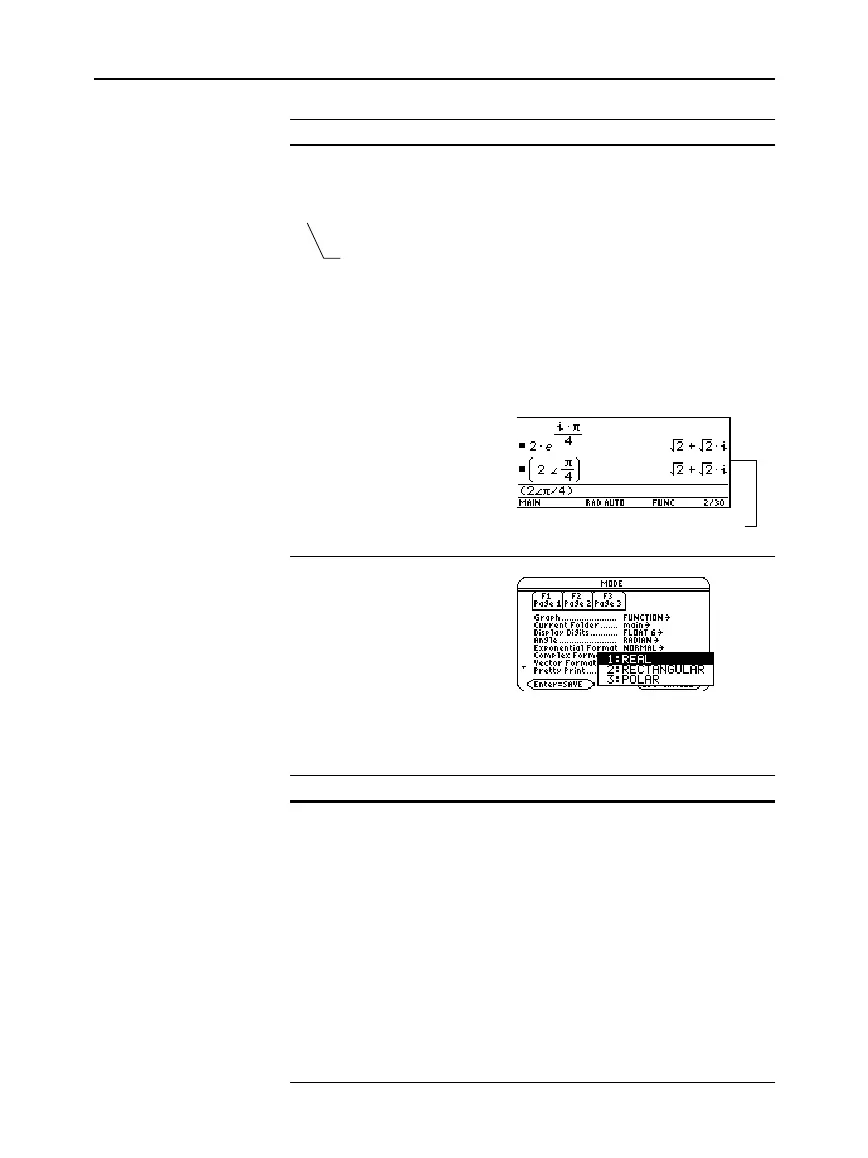
For example:
Use
3
to set the
Complex Format
mode
to one of three settings.
You can enter a complex number at any time, regardless of the
Complex Format
mode setting. However, the mode setting determines
how results are displayed.
If Complex Format is: The TI
.
89 / TI
.
92 Plus:
REAL
Will not display complex results unless you:
¦
Enter a complex number.
– or –
¦
Use a complex function such as
cFactor()
,
cSolve()
, or
cZeros()
.
If complex results are displayed, they will
be shown in either
a+bi
or
r
e
i
q
form.
RECTANGULAR
Displays complex results as a+bi.
POLAR
Displays complex results as:
¦
r
e
i
q
if the
Angle
mode =
Radian
– or –
¦
(r
q
)
if the
Angle
mode =
Degree
Important:
Do not use the
r
e
i
q
polar form in
Degree
angle mode. It will cause a
Domain error
.
Note:
To get the
e
symbol,
press:
TI
.
89:
¥
s
.
TI
.
92 Plus:
2
s
Do not simply type an
alphabetic e.
Tip:
To get the
symbol,
press
2
’
.
Tip:
To enter
q
in degrees
for (r
q
), you can type a
¡
symbol (such as 45
¡
). To
get the
¡
symbol, press
2
“
. You should not use
degrees for r
e
i
q
.
Complex Format
Mode for Displaying
Results
Note:
You can enter
complex numbers in any
form (or a mixture of all
forms) depending on the
Angle
mode.
Results are shown in rectangular
form, but you can select polar form.
Parentheses are
required for the
(r
q
) form.



 To Next Page
 Loading...













