Natrix IOM
Replace Drive Station Gearmotor
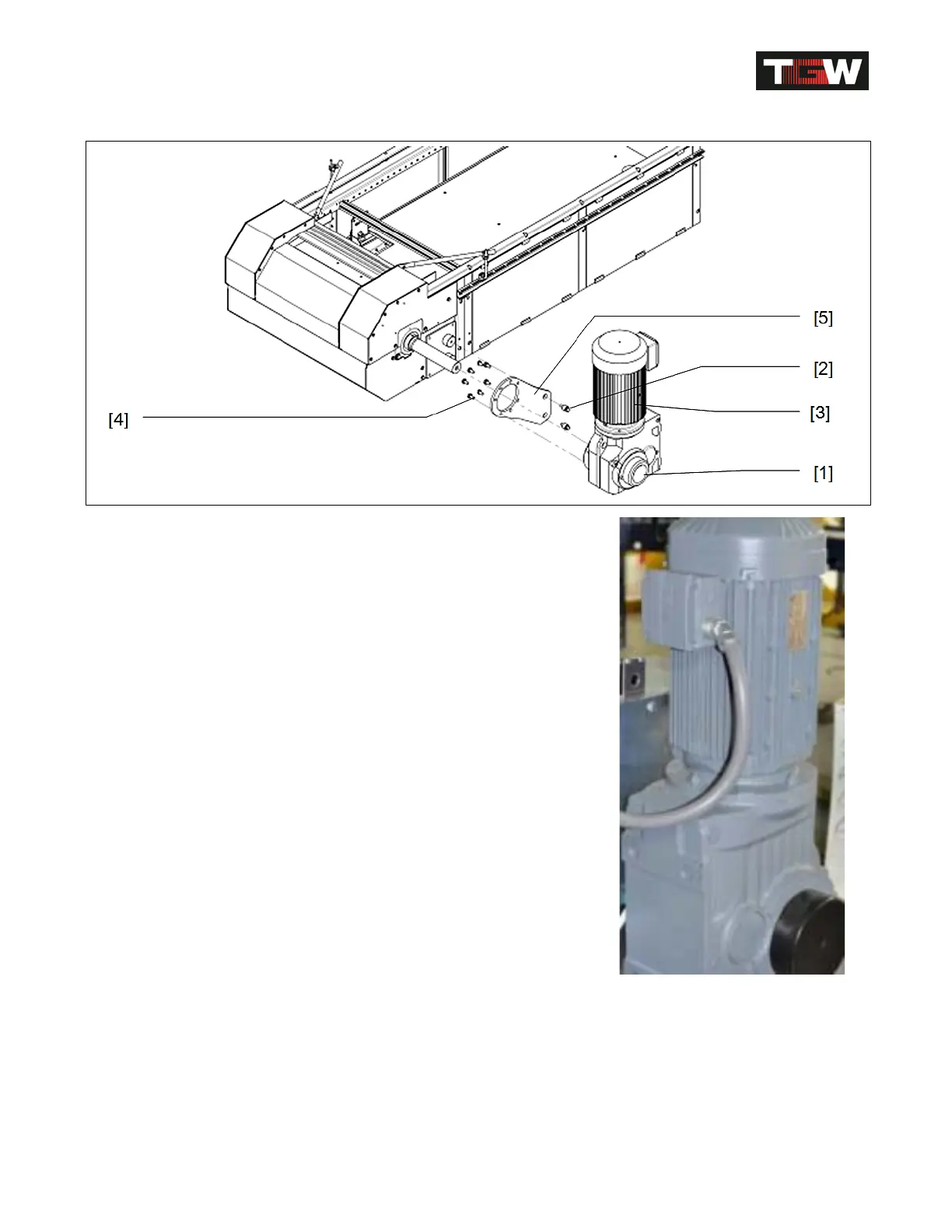
Replace drive station gear motor [3]
Disconnect Gearmotor electrically.
Make sure the Power switch is turned off.
(TGW recommends following a lock out tag out
procedure seeTGW Safety Recommendation)
Attention: Secure gear motor against falling before
disassembling it!
Loosen shrink disc [1] and remove mounting screws [2].
Pull off Gearmotor [3] from the shaft.
Pull off shrink disc.
Loosen screws [4] and remove torque support [5] from
gear motor [3].
Install new Gearmotor again in reverse order.
Attention: Install shrink disc see next page.
Revision Date: 12/10/2014 Page 63 of 111



 To Next Page