Natrix IOM
Replace Crossing
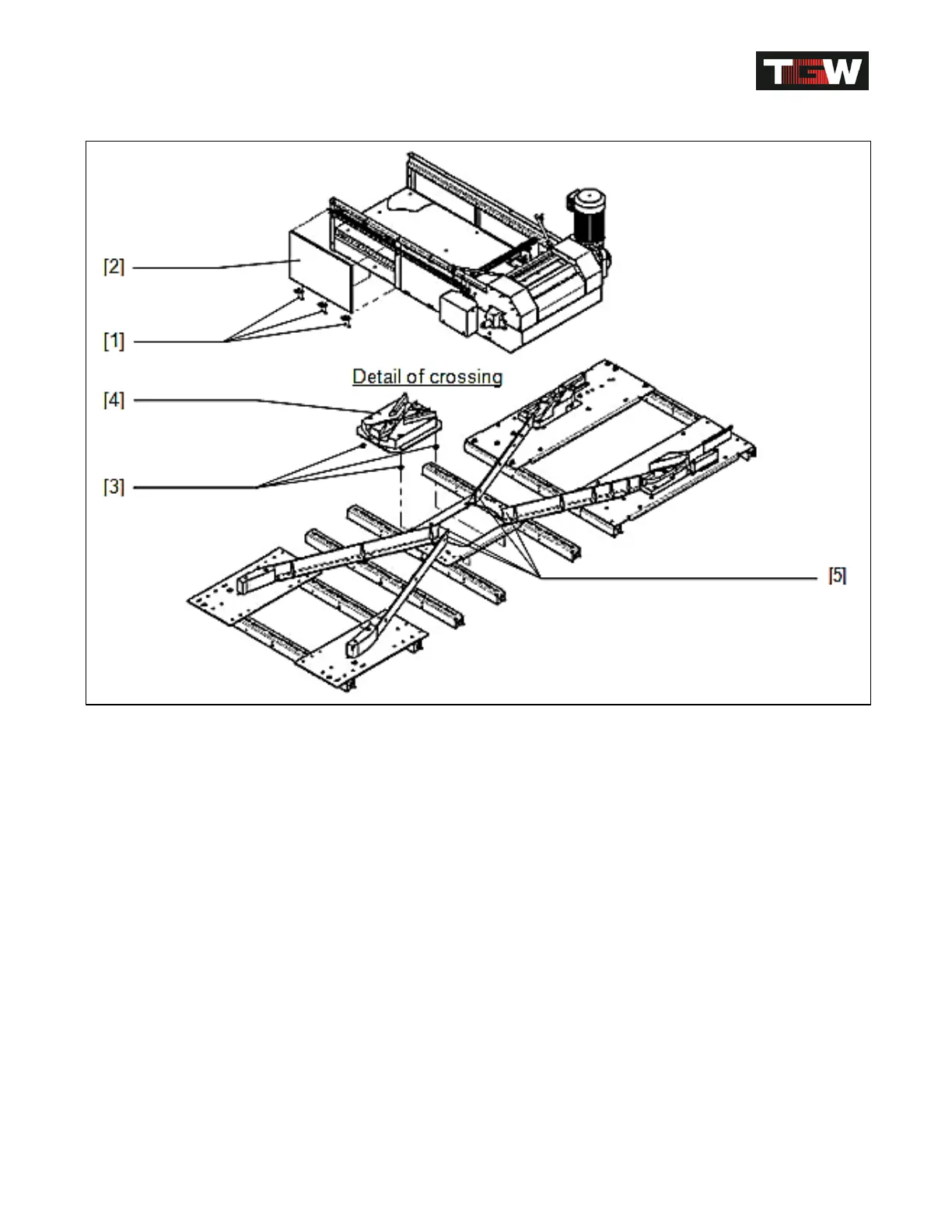
Replace crossing [4]
Loosen corresponding screws [1] and remove side panel [2] and screw nuts [3]
Pull off crossing [4] downwards.
Install new crossing again in reverse order.
Attention: Check transitions [5]; remove some sorter slats to be able to see the
crossing.
There must not be protruding edges in conveying direction!
Check crossing for correct functioning during first diverts.
Make sure all transitions are smooth!
Revision Date: 12/10/2014 Page 74 of 111



 To Next Page