Section 6 – SR-2 Service Procedure A46A
Connecting the Cables
The same cables used for downloading are required to perform a flash load. Typically two cables are used to
connect the computer to the microprocessor as shown below.
Data Cable The data cable has a 9 pin “D” connector installed on one end to attach to the computer and a 15 pin
“D” connector on the other end. The cable is available as either a 20 foot or 50 foot cable as shown below.
Adapter Cable An adapter cable is required to complete the connection to the microprocessor or data logger.
This cable has a 15 pin “D” connector on one end and a 5 pin Deutsch connector on the other end. The 15 pin
“D” connector is attached to the 15 pin “D” connector on the data cable and the 5 pin Deutsch connector is
attached to the Service Watch
connector above the HMI Control Panel. Do not attach the cable to the Cargo
Watch connector.
Flash Load Details
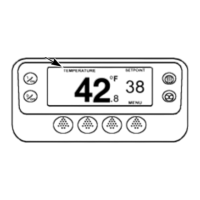
Flashload status is reported on the PC, not on the HMI Control Panel. The HMI Control Panel will display the
message COMMUNICATION FAILURE – LOST CONTROLLER CONNECT. This is normal.
The unit must remain on and connections must not be disturbed during the flash load process.
If comms are lost, Wintrac will not be able to find the device.
If the Status LED is flashing rapidly (several times per second), the microprocessor is stuck in a flash load.
If the Status LED is flashing once per second the microprocessor is operating normally.
Page 3
P41RA46A 30 January 2005


 To Next Page