Section 6 – SR-2 Service Procedure A46A
Flash Loading a Microprocessor Already in Flash Load Mode
There may be instances where the microprocessor is already in flash load mode, but the flash load did not
complete. If this is the case the HMI Control Panel will show “Communication Failure – Lost Controller Connect”
and the Status LED (21) will be flashing rapidly (several times per second). This procedure is usually successful
in recovering the flash load.
Make the usual connections and start a flash load as described above. The first flash load attempt will be a Full
flash load. Since the microprocessor is already in flash load mode, it will not respond to the first flash load
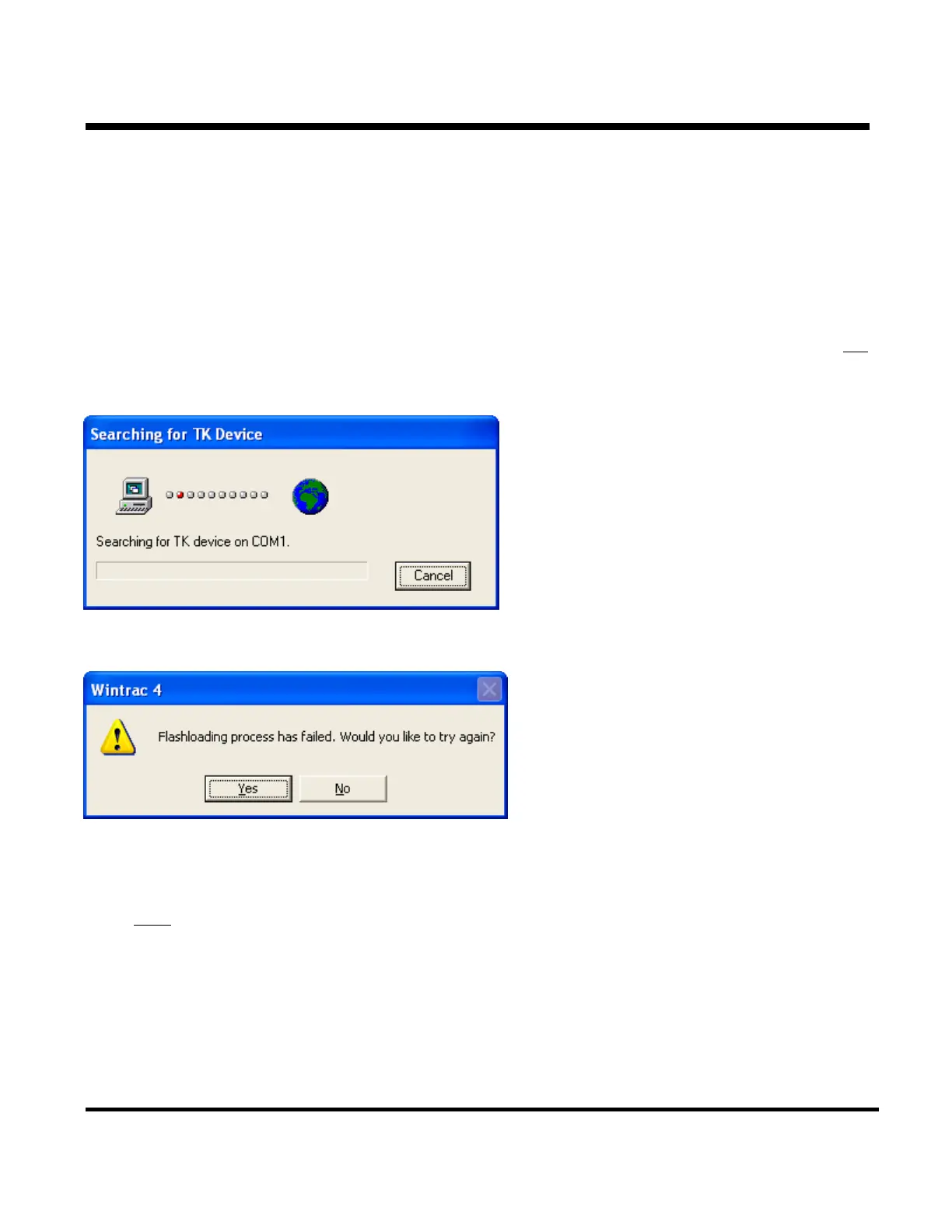
command “Searching for Device on COM 1”. If the search continues for more than 5 seconds, click Cancel.
The Retry message will appear.
Left click “Yes” to retry the flash load process.
With a Retry
flash load, Wintrac skips most of the initial communications with the device and goes directly to the
actual flash load routine. Wintrac simply sends the flash load write commands. If these fail then Wintrac will
generate an error. If the flash load write succeeds then Wintrac will finish the flash load in the same way as a
normal flash load. The Retry flash load will usually correct the problem.
Page 8
P41RA46A 30 January 2005


 To Next Page