Section 6 – SR-2 Service Procedure A46A
Flash Load Procedure
The following procedure should be followed to flash load software using a direct connection to the
microprocessor.
Step Action Result Comments
1 Obtain and prepare the flash
load files as described above.
2 Connect the data cables from the
PC to the Service Watch
connector as described above.
Be sure the cable is
connected to the Service
Watch connector.
3 Connect a power source to the
PC computer.
Do not rely on a laptop
battery as low power may
cause communications to
be lost and the flash load to
fail. See Flash Load
Recovery on the previous
page.
4 Start Wintrac 4.4 or later as
shown in the Wintrac manual.
5 Turn the unit on. The unit can be
running. It will shut down
automatically during the flash
load process.
The unit must remain on
and connections must not
be disturbed during the
flash load process.
6
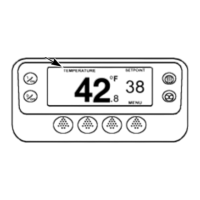
Allow the unit to power up and
the Standard Display to appear
before starting a flash load.
Failure to do so may result in
unreliable results.
Page 4
P41RA46A 30 January 2005



 To Next Page