10
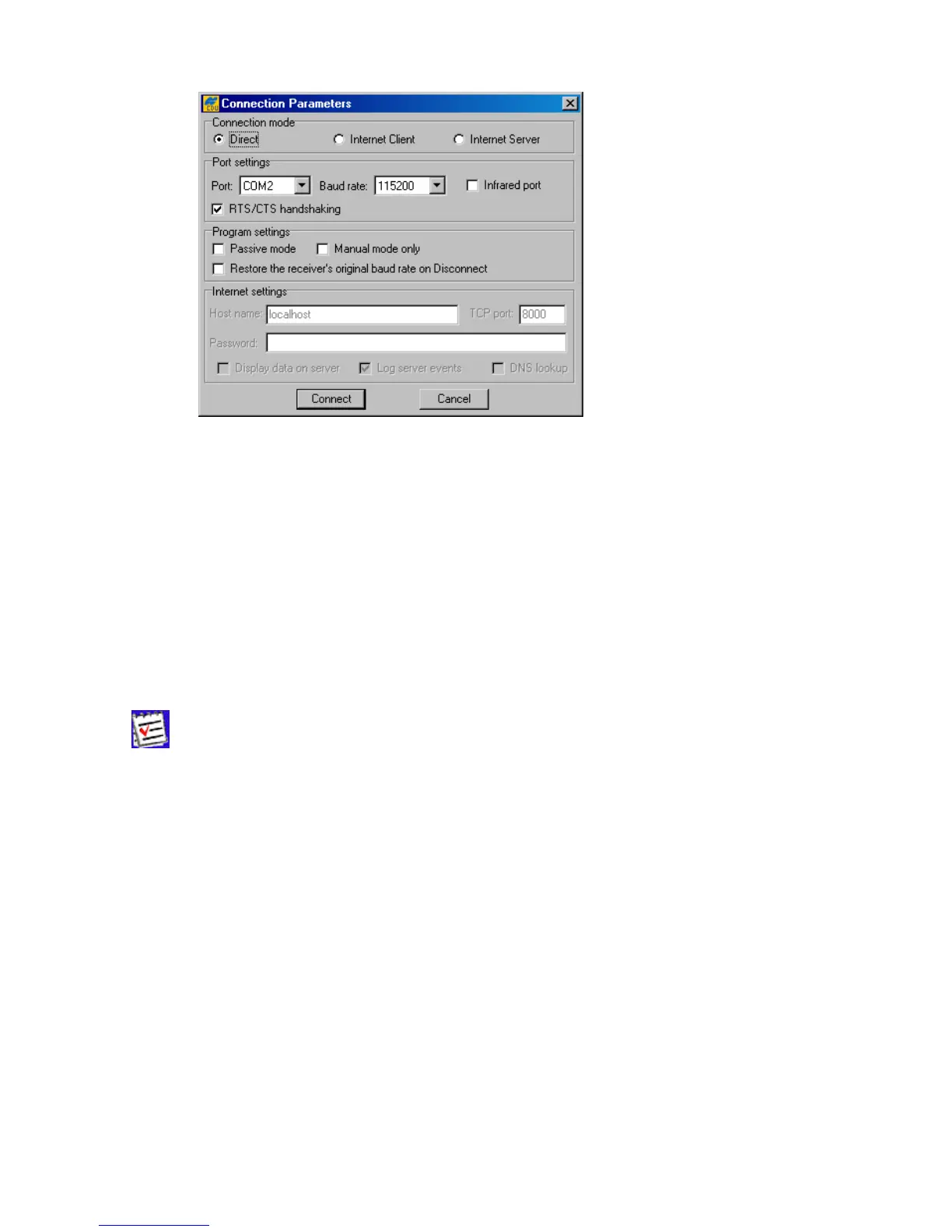
Figure 5. “Connection Parameters” dialog
3.1.1. Direct Mode
This mode is used when it is required to connect a computer and a TPS receiver
directly
, (i.e., using
the computer’s serial or parallel port and an appropriate cable) (see Figure 5).
To connect your computer to the receiver in Direct mode:
1. Select from the Port list box the serial (COM1, COM2, ...) or parallel (LPT1, ...) port that you want
to use for the connection.
2. From the Baud Rate list box, select the desired baud rate.
The checkbox Infrared port is selected when you want to use an infra-red
adaptor to establish a connection between your computer and receiver over an in-
frared data-link.
Connection via an infrared port will be available only if the following conditions are
met:
• An appropriate external infrared adaptor is connected to the selected serial port on the
computer side.
• Your receiver supports the infrared port hardware-wise.
• The Infrared Port option is enabled in your receiver.



 To Next Page