69
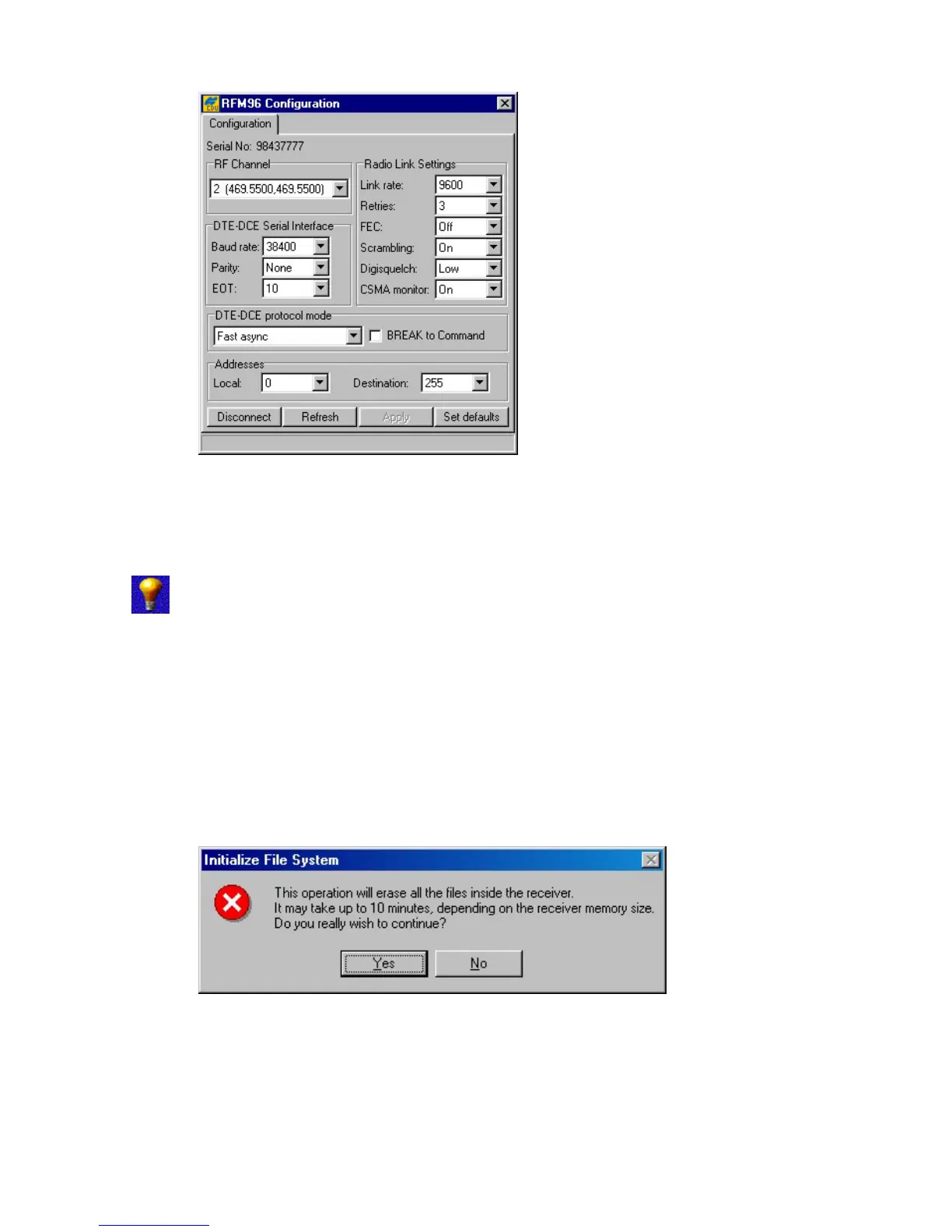
Figure 50. “Configuration” tab. Recommended settings.
Pressing the Set defaults button returns all radio link and serial interface settings back to their
factory default values.
Digisquelch should be set to Low on the base and High on the rover. If the
radio at the rover is receiving external interference, then set it to Medium or Low.
4.2.8. Initialize file system
To initialize the file system in the connected receiver, select the Initialize file system item from
the Tools menu.
This procedure is to some extent similar to disk formatting. It results in erasing all of the files inside
the receiver. After pressing Initialize file system, you will be prompted to confirm the com-
mand (Figure 51). In practice, you do not execute this procedure very often.
Figure 51. “Initialize File System?” warning
Note that the command’s execution time may be up to 10 minutes depending on the receiver’s
memory size.



 To Next Page