46
The tab displays three columns, fcn/sat, lock and use, which are described in Ta-
ble 8.
Table 8. Description of data displayed in the GLONASS tab
Notation Meaning
fcn/sat
GLONASS satellites’ frequency channel numbers, if the Frequency Channel Number checkbox is
selected. GLONASS satellites’ slot numbers, if the Slot Number checkbox is checked.
lock Enable GLONASS satellites for tracking.
use Use this GLONASS satellite for position computation.
Use the buttons All to lock and All to use to select all GLONASS satellites at one time.
Use the buttons None to lock and None to use to deselect all GLONASS satellites at one
time.
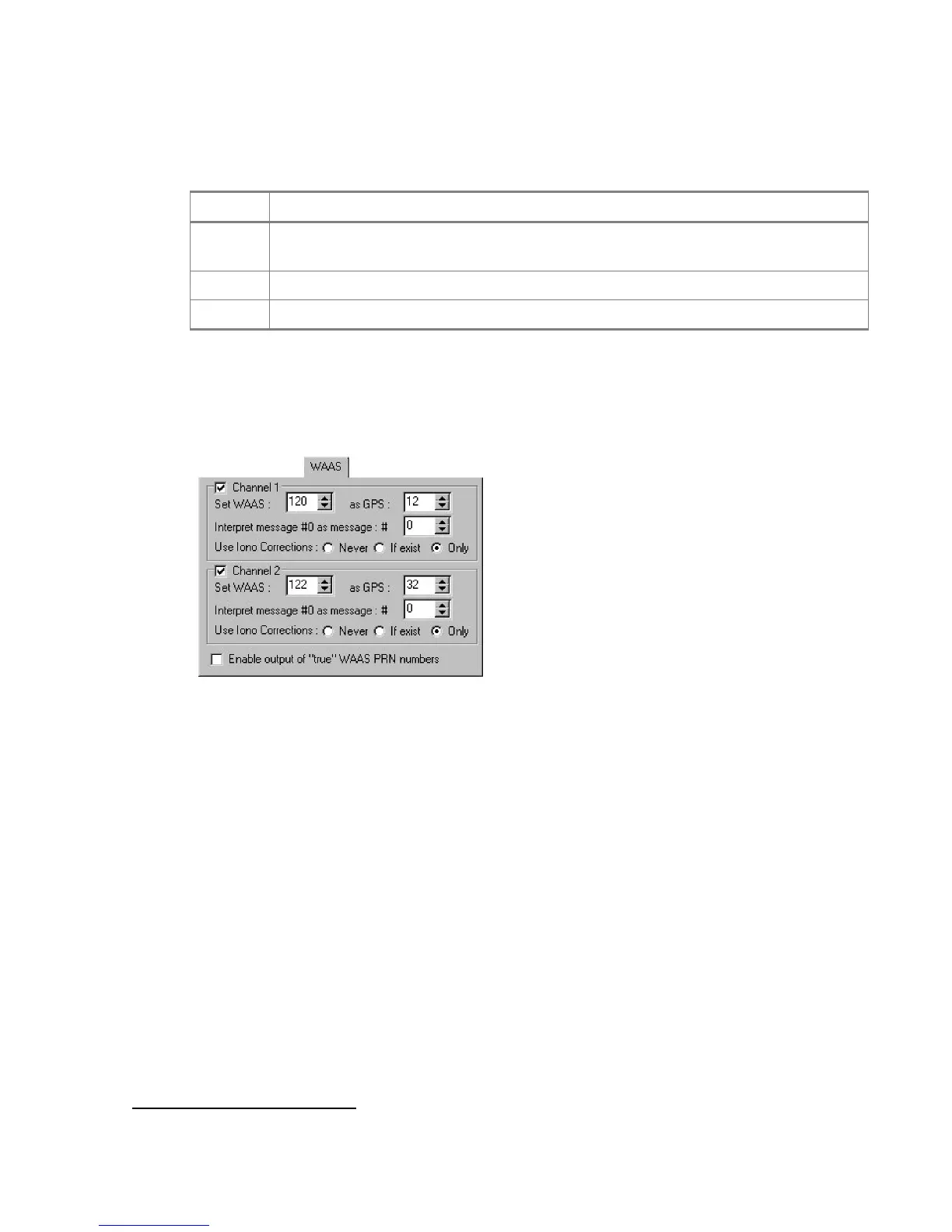
The third tab, as its name implies, deals with the WAAS/EGNOS satellites (Figure 32).
Figure 32. “WAAS” tab
A WAAS-enabled TPS receiver allows simultaneous tracking of two WAAS satellites. Either of the
WAAS satellites is allocated its own channel. Below it will be shown how to set up Channel 1
(Channel 2 is handled in the same manner).
The checkbox Channel 1, if selected, allows you to specify necessary settings for the desired
WAAS satellite.
• One uses the spin-boxes Set WAAS and as GPS to associate the selected WAAS
PRN (120-138
17
) with an appropriate GPS PRN (1-32). It is recommended to select for
this purpose one of the GPS PRNs that are not used in the current GPS constellation. At
writing this manual, the unused GPS PRNs are: 12, 16, 19 and 32. The spin-boxes cor-
respond to the receiver parameter /par/waas/1/sat.
• The spin-box Interpret message #0 as message: # disables message 0.
The corresponding receiver parameter is /par/waas/1/instead0.
17
WAAS satellites with PRNs 122 and 134. EGNOS satellites with PRNs 120 and 131.



 To Next Page