47
• The radio button group Use Iono Corrections allows the user to set
the desired ionosphere correction mode. The radio buttons are associated with the re-
ceiver parameter /par/waas/1/ion.
♦ Never – ignore any iono corrections received from the WAAS satellite(s).
♦ If exist – all acquired satellites will be used in position computation, (i.e.,
even the satellites whose WAAS Iono Corrections are unavailable).
♦ Only – only satellites whose WAAS Iono Corrections are available will be used
in position computation. Note that this is the default option for the radio button
group.
To make WAAS Channel 2 settings, use the same receiver parameters but re-
placing “1” with “2” (e.g., /par/waas/2/sat for /par/waas/1/sat).
If the checkbox Enable output of “true” WAAS PRN numbers is selected, the WAAS
satellites will have their true WAAS PRNs (not “GPS associated”) in the corresponding ‘Satellite Indi-
ces’ messages. The receiver parameter relating to this checkbox is /par/waas/numb.
4.2.4.4. Base
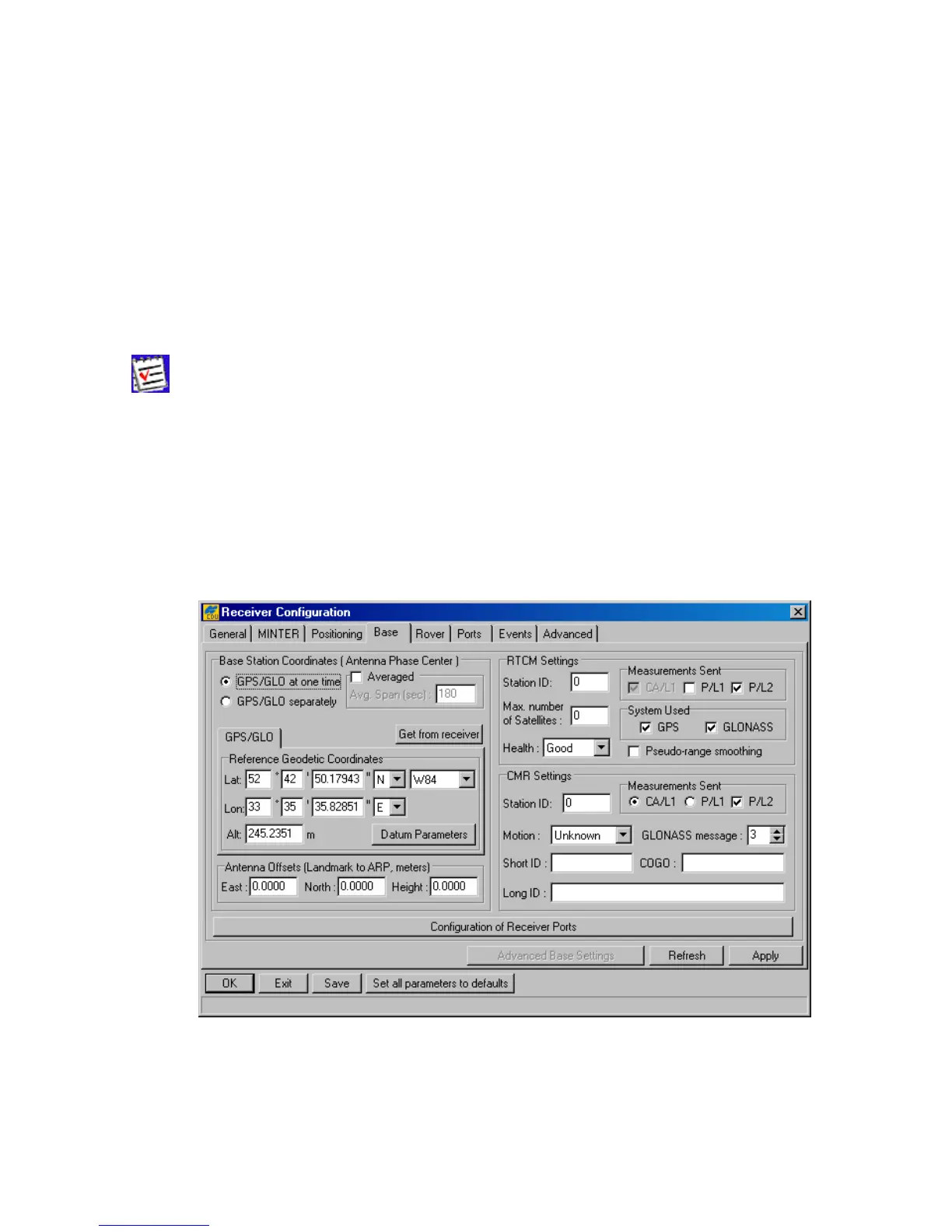
With the Base tab, the user can configure the receiver for use as a reference station (Figure 33).
Figure 33. “Base” tab



 To Next Page