35
Press Refresh to update the currently displayed window with the new or original set-
tings.
The OK button, unlike the individual Apply buttons, allows you to accept the selected settings
for all eight tabs at a time. In addition pressing OK will close the Receiver Configuration
window.
Use the Exit button to close the Receiver Configuration window without accepting the
settings you have made since Apply was pressed last.
Pressing Save will open the Save setup to a script window. In this window you can save
the current receiver settings to a script file. Script files normally have the extension .jpc. Later you
can load the desired script file to the receiver, thus enabling several necessary receiver settings
with a single operation.
The button Set all parameters to defaults does exactly what its name implies.
4.2.4.1. General
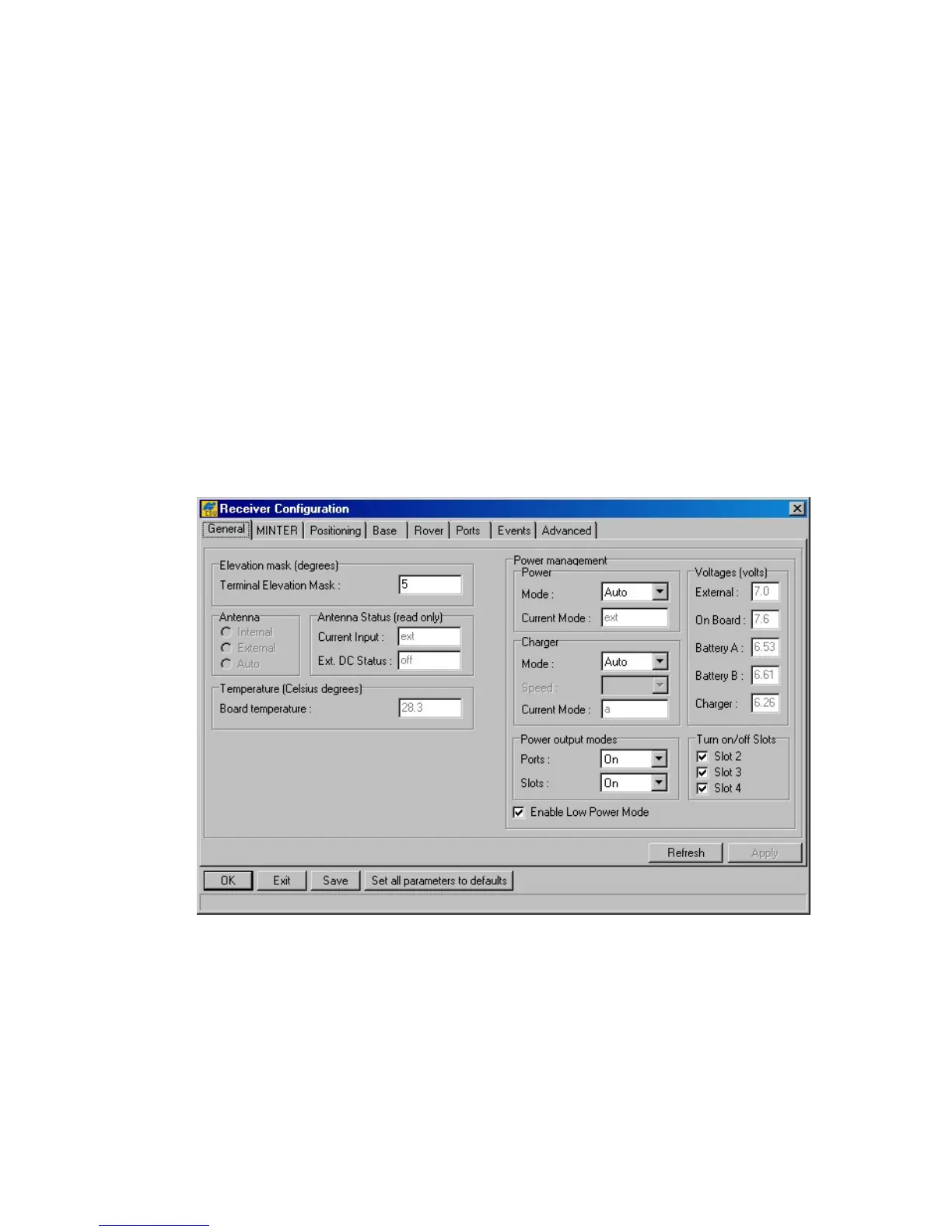
Figure 26. shows the Receiver Configuration window’s General tab.
Figure 26. “General” tab
In the Terminal Elevation Mask edit box the user enters the minimum elevation (i.e., the
elevation mask angle) for the satellites whose data will be output to the current terminal. This set-
ting relates to the receiver parameter /par/out/elm/cur/term.
The radio buttons Internal, External and Auto from the Antenna group are used to select
the desired antenna type. These buttons are associated with the receiver parameter /par/ant/inp. Ta-
ble 5 shows what antenna type settings are allowed for different receiver models and board types.



 To Next Page