33
In real-time data logging mode it is recommended that the checkbox RTS/CTS
handshaking be selected and the baud rate be set to 115200 or higher.
Unlike downloading the recorded log-files from the receiver memory onto the
computer,
real-time data logging
does not use any error detection/correction pro-
tocol in the course of the data transfer
. As a result, some of the messages in
the created JPS files may be corrupt (due to the serial port overrun or
similar problems)
12
.
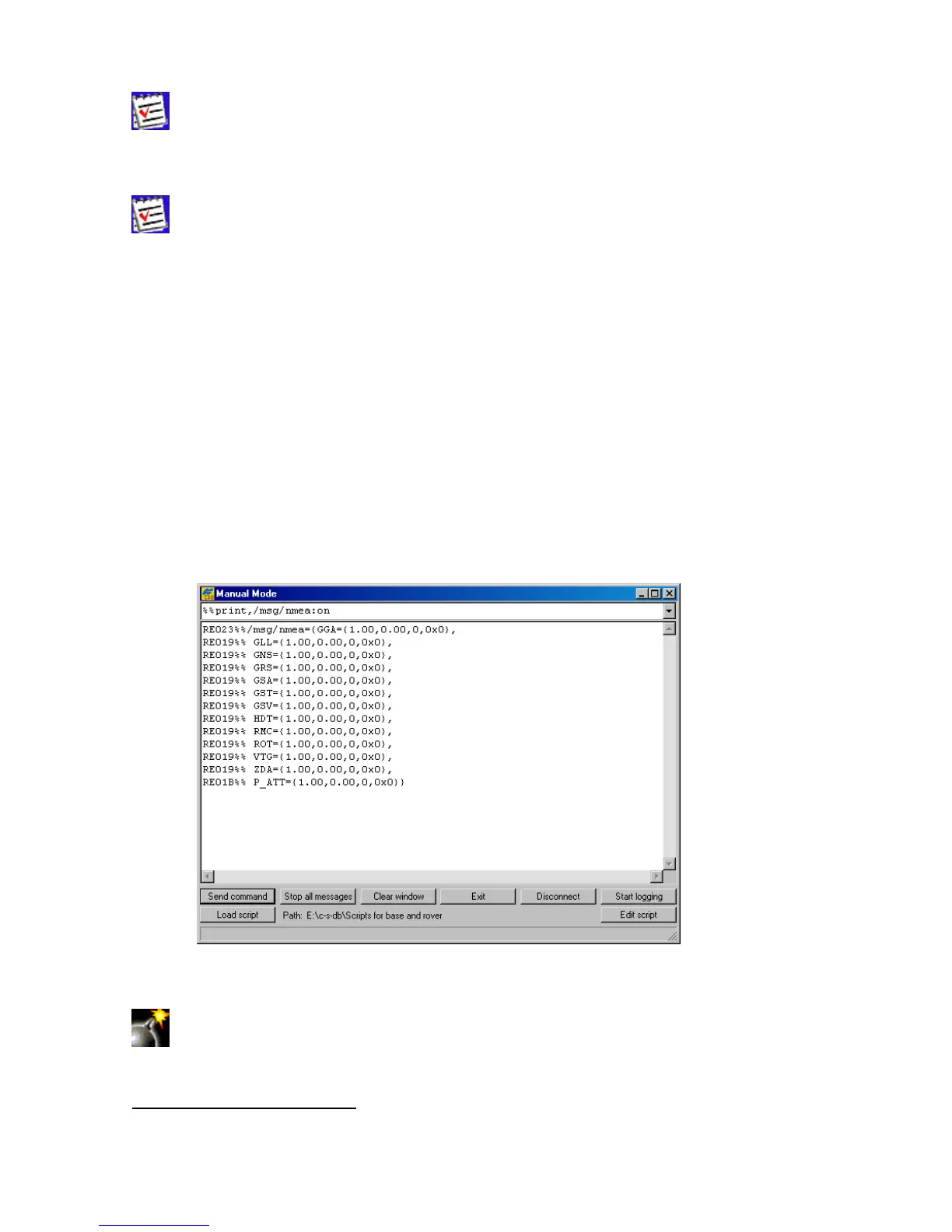
4.2.3. ‘Manual Mode’ window
To go to the Manual Mode window, select the Manual Mode item from the File menu or
press the keys C
TRL+M.
This window (Figure 25) allows
direct
control of the receiver by using GRIL commands. In manual
mode PC-CDU serves as a terminal communicating with the receiver, (i.e., it allows one to send
various receiver commands and get responses to these commands). For a complete list of com-
mands supported by TPS receivers, refer to the GRIL Reference manual. This document is available
for download from the TPS website.
Figure 25. “Manual Mode” window
We recommend that you do not send any commands to the receiver from the
Manual Mode window before you familiarize yourself with the GRIL Reference
manual and acquire good knowledge of the receiver parameters.
12
More precisely, some of the transferred bytes may be lost on the computer end.



 To Next Page