12
group of parameters, Internet Settings, are intended for the user to tune PC-CDU
for Internet connection: TCP port, Password, Log server events, Display data on
server and DNS lookup.
Special attention should be given to setting TCP port for PC-CDU servers
5
. Make sure that the
selected TCP port does not coincide with any one of the reserved port numbers. The default TCP
port number is 8000.
The edit box Password is used to protect the PC-CDU server from unauthorized access. The user
can enter in this edit box up to 128 alphanumeric characters.
If the user has selected the checkbox Log server events, there will be created a text log file
(pccdu_server.log) in PC-CDU’s working directory. This file will contain all the information that has
been collected during the communication session between the PC-CDU server and PC-CDU client.
New information will be added to the file after another client connects to the PC-CDU server.
If the user wants to view the satellite information and the antenna’s current position in the main
windows, he/she must select the Display data on server checkbox. Otherwise no informa-
tion will be displayed in the window.
If the checkbox DNS lookup is selected, the file pccdu_server.log will contain the IP and DNS ad-
dresses.
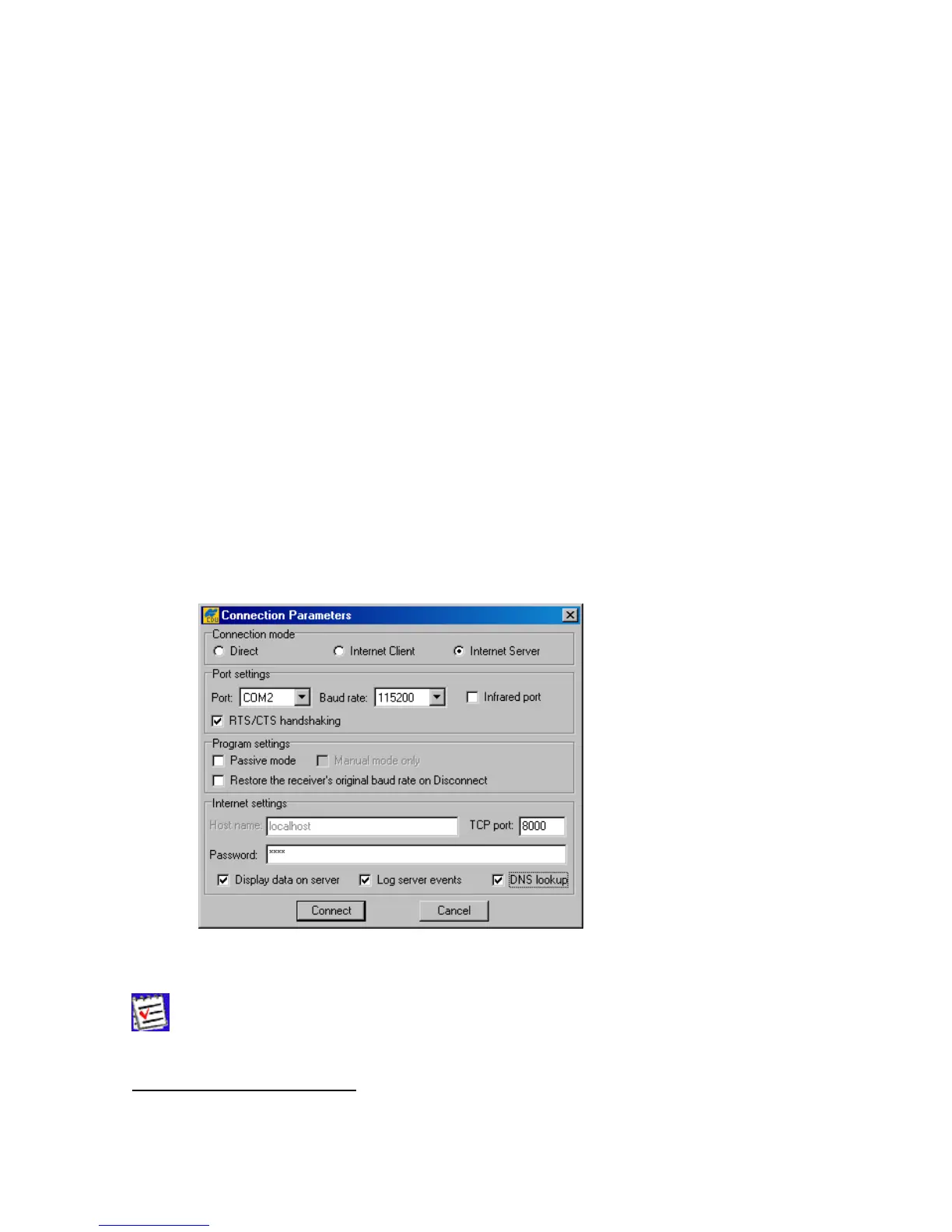
Figure 6. shows an example of the Connection Parameters dialog window in Internet
Server mode.
Figure 6. “Connection Parameters” window in Internet Server mode
In this example a four-character password and the default TCP port number are
used.
5
According to TCP specifications, TCP port number can be up to 64К. Although the user can formally enter a
port number N, which is greater or equal to 64К, the software will implicitly force it to N mod 64К.



 To Next Page