39
4.2.4.2. MINTER
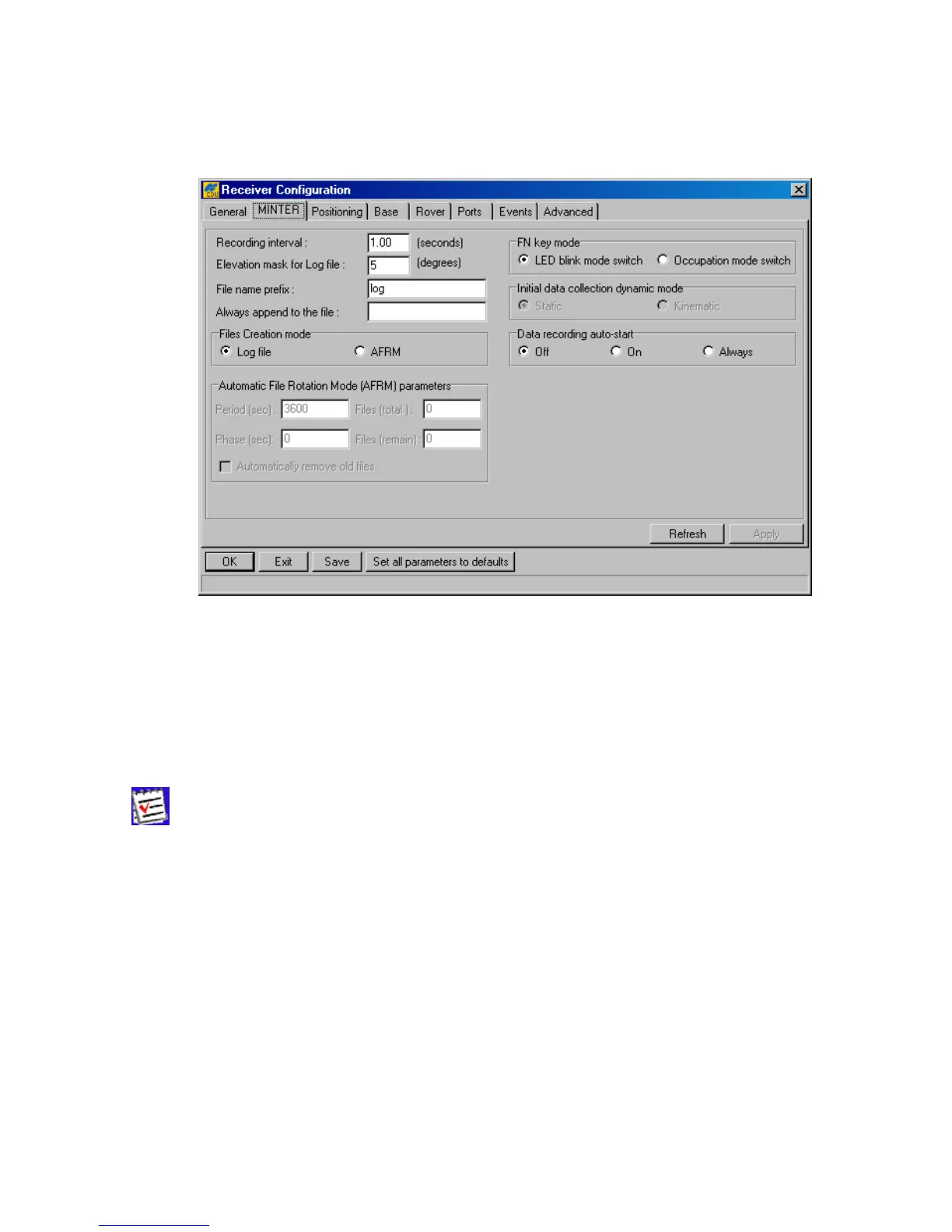
In this tab (see Figure 27) the user can set up receiver parameters related to MINTER (MINimum
INTERface).
Figure 27. “MINTER” tab
The recording time interval specified in the Recording interval edit box will be used when re-
ceiver files are opened and logged via MINTER, (i.e., by pressing the FN button). This setting is
used not only when logging a single log-file but also when logging receiver data in AFRM mode.
The corresponding receiver parameter is /par/log/sc/period. Note that this parameter cannot exceed
86400 seconds.
If an incorrect recording interval is set (the Recording interval edit box), PC-
CDU will run a utility called
Output Period Setup Wizard. For more in-
formation on the Wizard, see Appendix B. Output Period Setup Wizard.
Elevation mask for Log file specifies the minimum elevation angle for the satellites whose
data will be put in the receiver files logged via Minter, (i.e., by pressing FN). The corresponding re-
ceiver parameter is /par/out/elm/cur/log.
File name prefix specifies what prefix will be added to the names of the receiver files created
via Minter, (i.e., by pressing FN). The prefix can be up to 20 characters long. Default is log. The
corresponding receiver parameter is /par/cmd/create/prefix.
If the new receiver data are to be appended to an existing log-file, enter the desired filename in the
Always append to the file edit box. The setting can be up to twenty characters long. The
corresponding receiver parameter is /par/button/file.



 To Next Page