45
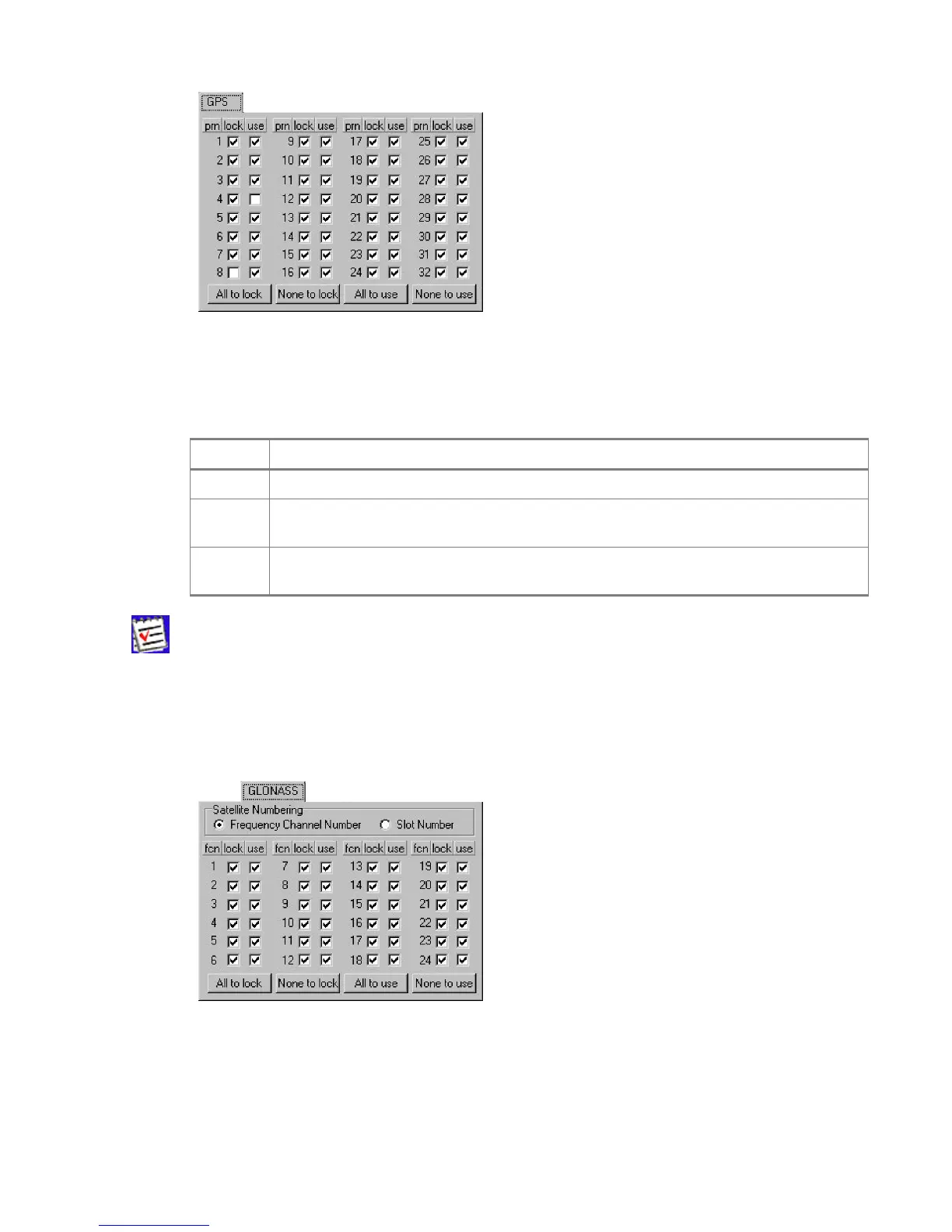
Figure 30. “GPS” tab
The tab displays three columns, prn, lock and use, which are described in Table 7.
Table 7. Description of data displayed in the GPS tab.
Notation Meaning
prn GPS satellites’ pseudo random numbers
lock
Checkmarks in this column indicate that the corresponding satellites are enabled for tracking. In Figure
30, GPS satellite PRN 8 is
disabled
for tracking.
use
Checkmarks in this column indicate that the corresponding satellites are enabled for position computa-
tion. In Figure 30, GPS satellite PRN 4 is
disabled
for position computation
A GPS satellite’s
system number
is identical to its PRN number.
Use the buttons All to lock and All to use to select all GPS satellites at one time.
Use the buttons None to Lock and None to use to deselect all GPS satellites at one time.
The second tab, as its name implies, deals with the GLONASS satellites (Figure 31).
Figure 31. “GLONASS” tab
Satellite Numbering
• For user convenience, GLONASS satellites can be displayed ordered either by their
Frequency Channel Number or by the Slot Number.



 To Next Page