56
Parallel
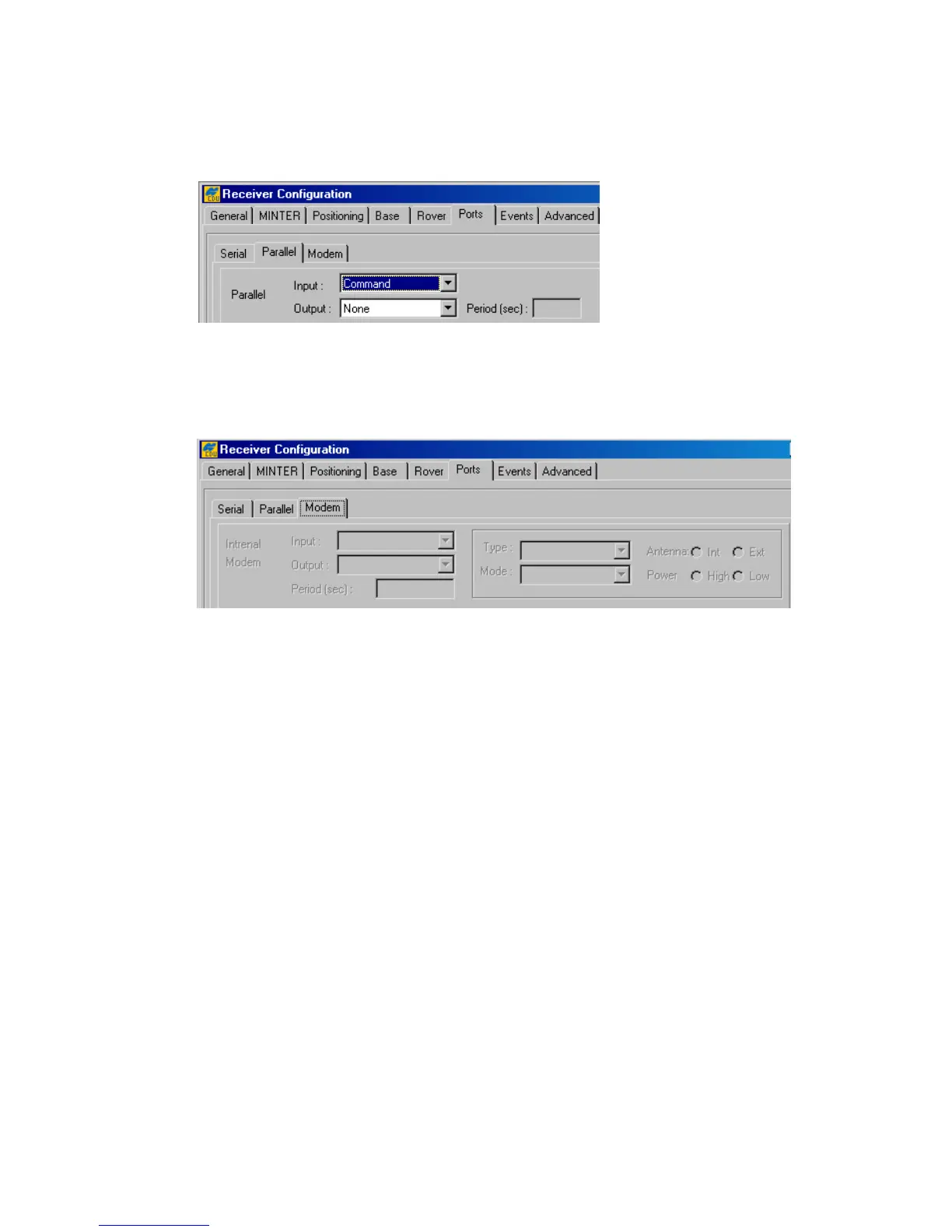
These settings are similar to ones in the Serial tab except for the fact that the settings design to
control parallel port (Figure 36).
Figure 36. “Parallel” subtab
Modem
Should one have an internal modem installed, use the controls in this subtab (Figure 37).
Figure 37. “Modem” subtab
Internal Modem
Input, Output and Period are similar in their purposes to the analogous settings in the
Serial and Parallel subtabs.
The Type list box allows the user to set operation modes (Receiving or Transmitting).
The Mode list box intends to specify the method used to transmit data:
• Off – internal modem is turned off.
• FHSS – internal modem uses frequency-hopping spread spectrum technique.
• DSS – internal modem uses direct-sequence spread spectrum technique.
These list boxes are associated with the receiver parameter /par/dev/modem/a/type.
With the Antenna radio buttons, the user sets the antenna type the modem uses. Int stands for
an internal antenna. Ext stands for an external antenna. The radio buttons correspond to the re-
ceiver parameter /par/dev/modem/a/ant.
The user can set power transmitting mode for the internal modem using the Power radio buttons.
The radio buttons are associated with the receiver parameter /par/dev/modem/a/pwr.



 To Next Page