25
4.2.1.2. The ‘Current log file’ tab
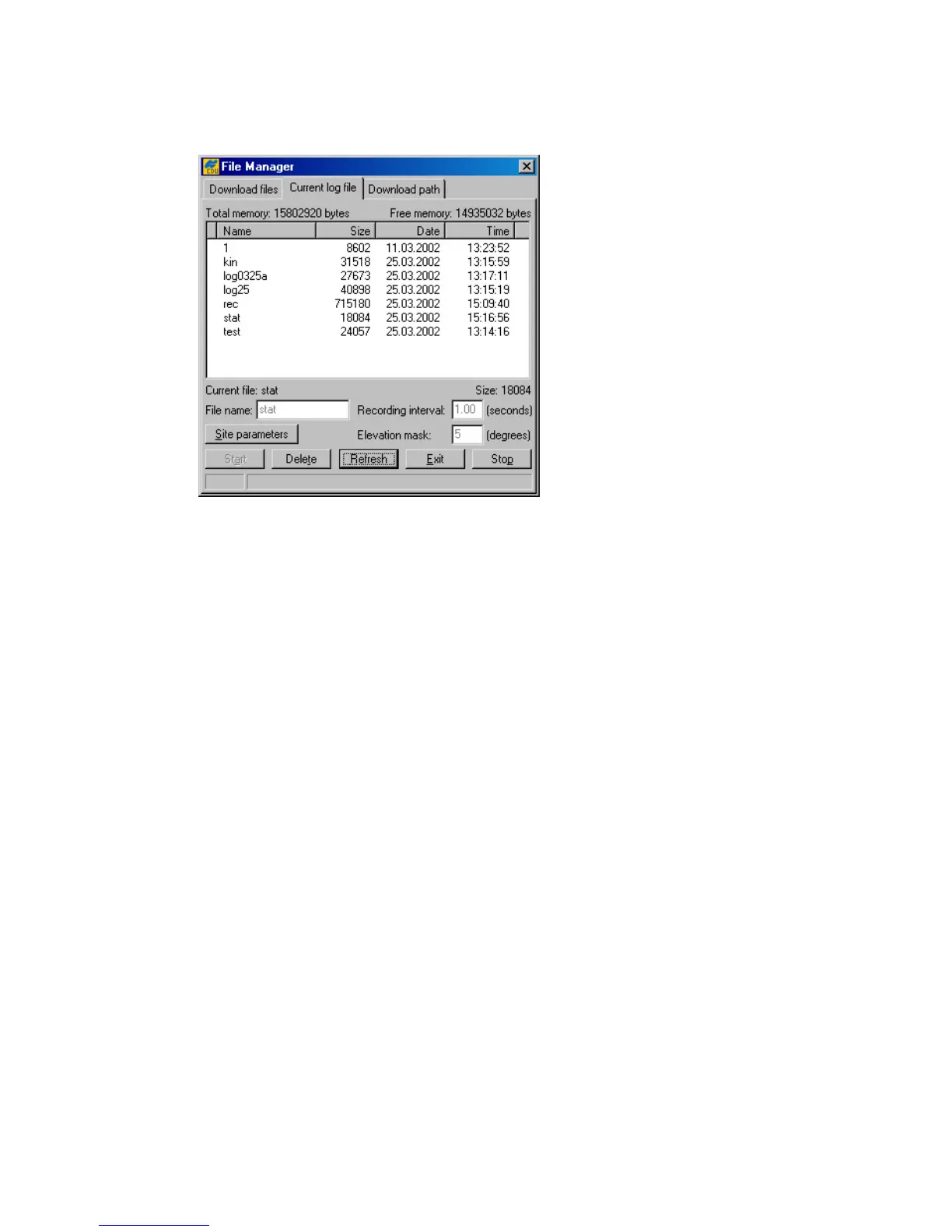
In this tab the user can delete existing and create new receiver log files (Figure 17).
Figure 17. “Current log file” tab
To create (open) a new log file take these steps:
1. Enter the desired filename in the File name edit box, or select a file from the file list displayed in
this window. In the latter case, just double-click on the corresponding filename.
2. Specify the desired data recording interval (i.e., “data update interval”) in the Recording
interval edit box.
3. Set the desired Elevation mask.
4. Click the Site parameters button. The Site Configuration dialog box will appear (Figure
18). Specify the desired Site Name and then select the correct Antenna Status from the
corresponding list box. Set the Antenna Height parameter and select/deselect the Slant
checkbox depending on whether you have specified the slant or vertical antenna height. Set the cor-
rect Antenna Type. Press OK.



 To Next Page