61
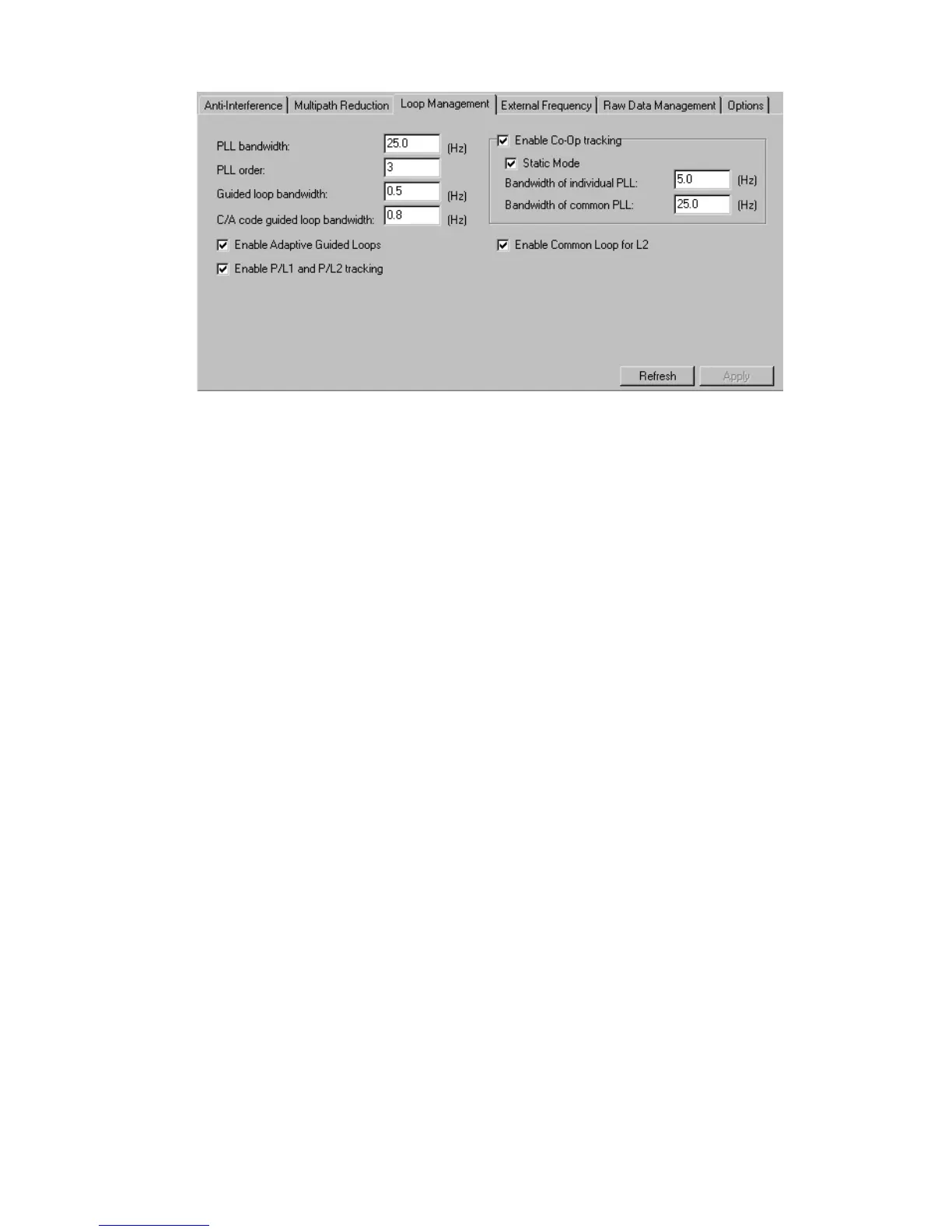
Figure 41. “Loops Management” subtab
The PLL bandwidth edit box governs the noise bandwidth of the guiding phase lock loops. The
edit box is associated with the receiver parameter /par/raw/pll/band. In this box, you can enter values
between 2 and 50 Hz.
With the PLL order edit box, the user can toggle guiding and common lock loop order between 2
and 3. Care should be taken when using a 2
nd
order PLL because this can adversely affect satellite
signal tracking in some cases. The edit box relates with the receiver parameter /par/raw/pll/order.
The Guided loop bandwidth edit box governs all of the “guided” loops but the C/A DLLs.
Here one can enter values between 0.1 Hz and 10 Hz. The edit box is associated with the receiver
parameter /par/raw/gdl/band.
The C/A code guided loop bandwidth edit box specifies the bandwidth of the receiver’s
C/A group delay lock loop. In this box, one can enter the values between 0.1 Hz and 50 Hz. The
edit box relates to the receiver parameter /par/raw/cagdl/band.
With the Enable Adaptive Guided Loops checkbox, one enables/disables the use of adap-
tive guided loops. If the user selects the checkbox, the receiver will adjust the guided loops band-
widths depending on the actual strengths of the signals tracked. The weaker the signals, the nar-
rower the bandwidths. The checkbox corresponds to the receiver parameter /par/raw/gdl/adapt.
With the Enable P/L1 and P/L2 tracking checkbox the user can adjust tracking settings
for the receiver. If one has either a single-frequency receiver or L1 only antenna, it is recom-
mended to disable tracking of the P/L1 and P/L2 signals. The checkbox is associated with the re-
ceiver parameter /par/lock/pcode.
The checkbox Enable Co-Op tracking is associated with the receiver parameter
/par/raw/clp/loops. Select the checkbox to enable mode and make the other controls in the group
available for modifying. Co-Op tracking mode is used to considerably improve the tracking charac-
teristics of TPS receivers.
• When the receiver is in Co-op tracking mode, one can enable the Static Mode
checkbox. This mode allows the receiver to acquire satellites with lower signal-to-noise
ratios and reduce the reacquisition time for the satellite signals after a temporary loss



 To Next Page